


Last updated September 3, 2026
Modern contact management focuses on moving beyond basic digital rolodexes to unified systems that leverage automation. This list covers essential strategies, from consolidating multi-channel DMs into a unified inbox to leveraging AI agents for appointment booking, based on the latest industry data from Salesforce, HubSpot, and Pipedrive to help you scale without tech friction.
1. Consolidate your interaction history into a single source of truth.
If you are still digging through sent folders and personal call logs to remember what you promised a lead, you have a data leakage problem. A key priority for modern relationship management is ensuring that communications are not lost across different platforms. Your team loses vital context needed to close deals when emails, phone calls, and Zoom meetings live in different silos. You need a searchable database where every prospect has a chronological record of every touchpoint.
We focus on ensuring you arrive at every conversation with full confidence. By using automatic logging, the system captures the details for you so nothing slips through the cracks. This transition from fragmented notes to a centralized record turns your contact list into a strategic asset. You can see exactly where a conversation left off. This prevents embarrassing repetitive questions. It builds genuine trust.
Source: Salesforce
2. Transition to all-in-one platforms to reduce integration friction.


Many businesses struggle with a "duct-taped" approach, trying to force separate tools for email, SMS, and lead tracking to talk to each other. Reducing the complexity between different software tools helps prevent broken automations and lost revenue. Stop managing five different subscriptions. Instead, you should move toward an all-in-one marketing CRM that combines your database with your communication tools.
We built ASM as a complete AI Operating System to help you run your business without the headache. By consolidating your technology stack, you improve team adoption because there is only one interface to learn. It also slashes software costs. When your marketing automation and unified messaging live in the same place as your contact records, data flows naturally. You spend less time troubleshooting API connections and more time actually talking to your customers.
Source: HubSpot
3. Leverage AI agents to qualify leads and book appointments 24/7.
Manual lead qualification is a bottleneck that kills growth. Modern teams are adopting AI-driven tools to assist with prospecting and customer service. These aren’t simple chatbots. They are sophisticated assistants. They resolve queries instantly and summarize long interaction histories so you don’t have to read through dozens of old notes.
Using these tools allows you to maintain a full pipeline without the burden of manual data entry. You can set up an AI agent to initiate outreach and even handle the back-and-forth of scheduling. This ensures your sales team only spends their time talking to qualified leads who are ready to buy. It is the most efficient way to scale your outreach without hiring an army of virtual assistants.
Source: HubSpot

4. Implement visual Kanban pipelines to track deal progression.
List views are where leads go to die. To stay organized, you need to replace flat spreadsheets with drag-and-drop boards that show exactly where every contact sits in your sales cycle. This visual Kanban approach allows you to see the health of your business at a glance. You can define specific stages, such as "Initial Inquiry" or "Proposal Sent," and move contacts through the funnel as the relationship evolves.
Visibility identifies bottlenecks. If you see fifty contacts stuck in the "Follow-up" stage, you know exactly where to focus your efforts. At ASM, we provide customizable pipeline management that lets you forecast revenue based on contact movement. By seeing the literal flow of your deals, you can predict your monthly income with much higher accuracy.
Source: Pipedrive
5. Use contact scoring to prioritize high-value relationships automatically.
Not all leads are created equal. You shouldn’t be treating a cold lead who just downloaded a PDF the same way you treat a "hot" prospect who has visited your pricing page three times this morning. Implementing a scoring model allows your system to help rank leads based on their engagement level and conversion probability.
This strategy helps teams focus on the most active leads by highlighting engagement levels for immediate attention. Your team can start their day by contacting the highest-scoring leads first, rather than manually sorting through a stagnant list of names. This data-driven prioritization ensures that your energy is always focused on the opportunities most likely to result in a sale, significantly increasing your overall efficiency.
Source: Best Contact Management Comparison
6. Ditch spreadsheets to avoid critical security and scalability risks.
Spreadsheets are the enemy. While they might work for your first ten clients, they quickly become a liability as you scale. Local files and shared sheets have massive security vulnerabilities, and they offer zero accountability. When multiple people edit a sheet, data gets overwritten. "No-owner" situations become common. Leads are forgotten.
Switching to a dedicated contact manager CRM solves these scalability challenges. You can assign every contact to a specific team member, ensuring clear ownership. Specialized software handles large databases much faster than a bloated Excel file ever could. Moving your data into a secure, cloud-based environment protects your intellectual property and gives your team a professional framework to manage relationships.
Source: Salesforce
7. Capture social media interactions to round out your contact profiles.
Modern business doesn’t just happen over the phone anymore. Your customers are reaching out via WhatsApp, Instagram DMs, and Facebook Messenger. Bringing these interactions into your central database ensures you have a complete view of the customer journey. You need a system that pulls all these channels into a single view so you can see the total interaction history.
Managing digital interactions becomes much easier when DMs are tracked alongside other communications. You can also enrich your contact records with public social data to find common ground for your outreach. We offer a centralized messaging dashboard that brings these disparate conversations into one place. This ensures that whether a customer texts you or messages your business page, the conversation is documented. It is accessible to the entire team.
Source: CRM.org
8. Segment your contacts to deliver personalized marketing at scale.
Blasting your entire list with the same generic email is a fast way to get marked as spam. Effective contact management relies on smart segmentation. You should be able to create saved segments based on filters like geographic location, industry, or the date of their last interaction. This allows you to tailor your messaging to the contact’s specific needs.
By focusing on targeted outreach, you significantly increase your conversion rates. A kitchen remodeler, for instance, could segment their list by "Quote Requested" versus "Previous Customer" to send appropriate follow-ups to each group. When your messaging matches the contact’s current buyer stage, they feel understood. They don’t feel "sold." Personalization at scale is only possible when your data is organized into these actionable groups.
Source: Pipedrive
9. Bridge the gap between simple contact storage and full CRM automation.
There comes a point where just being "organized" isn’t enough to grow. You have to recognize when you have outgrown a simple digital address book and need business process automation. Automation handles the repetitive follow-up tasks, like sending a "thank you" email after a meeting, reminding a lead about an unpaid invoice, or sending a birthday coupon. These tasks usually eat up your afternoon.
Transitioning to a collaborative system is essential for growing teams. It moves you away from a solo-focused tool toward a platform where everyone can contribute to the customer journey. By setting up automated workflows, you ensure that no lead is ever neglected, even when things get busy. This shift from manual storage to proactive automation is what allows a small business to compete with much larger organizations.
Source: Salesforce
10. Sync your contacts across all third-party accounts and devices.
Data fragmentation occurs when your phone contacts, Google account, and CRM aren’t in sync. You might add a new number on your mobile device after a networking event, but if that information doesn’t flow back to your main database, it’s effectively lost to the rest of your team. You need a strategy that unifies your address books across iCloud, Outlook, and your CRM.
Ensuring mobile accessibility means your team can update project statuses or add notes in real-time from anywhere. This synchronization also helps eliminate the duplicate entries that naturally occur as you scale. When your systems are perfectly aligned, you never have to worry about calling a lead with outdated information. It keeps your data clean. Your team moves quickly. No more manual CSV exports.
Source: CRM.org
11. Integrate Google Workspace directly for communication tracking.
Most of your daily work likely happens inside your inbox. Toggling back and forth between a separate CRM window and your email is a massive time sink. By integrating your Workspace directly, you can manage your contacts without ever leaving Gmail. This allows you to pull contact details from incoming emails and build your database automatically as you work.
This direct tracking ensures that every reply is logged to the correct contact record without manual effort. It’s particularly useful for service providers like accountants or consultants who rely heavily on email for project updates. By keeping your tools integrated, you reduce the friction of data entry and ensure that your interaction history is always up to date. This level of efficiency is what separates modern professionals from those stuck in legacy workflows.
Source: CRM.org
12. Use mobile business card scanning to digitize offline networking.
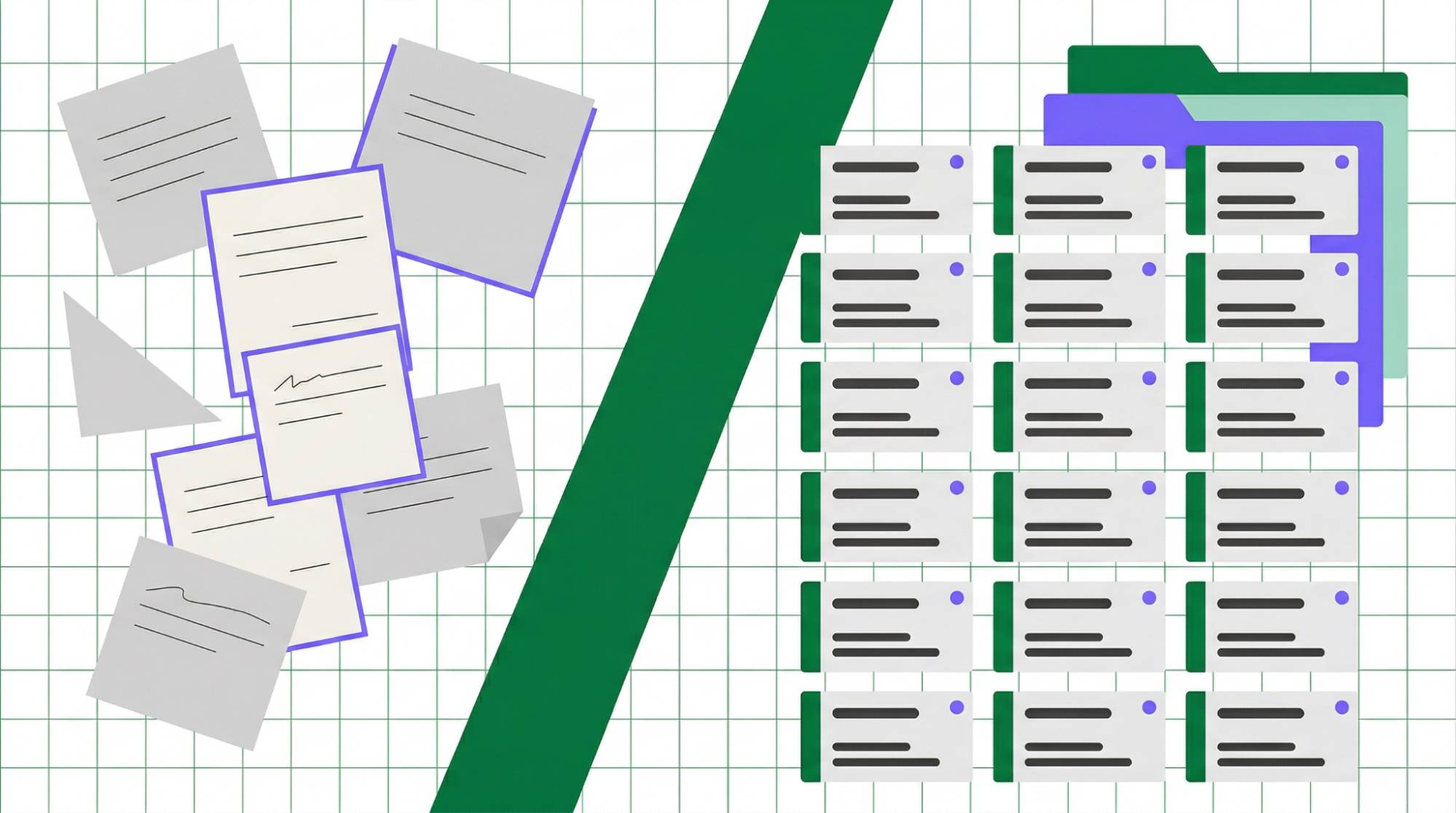
Image source: pipedrive.com
Networking events and trade shows are gold mines for new leads, but physical business cards can easily be misplaced. A key strategy for modern networking is using mobile tools to capture card details digitally. By digitizing a card at the moment of meeting, you create a new CRM record more efficiently, reducing manual effort later.
More importantly, this allows you to trigger an immediate automated follow-up. While the connection is still fresh, your system can send a personalized "nice to meet you" email. This speed of response is a huge competitive advantage. It turns a brief encounter into a tracked lead in your pipeline immediately. It ensures your offline networking efforts actually translate into measurable business growth.
Source: Insightly
13. Set up validation rules to maintain high data integrity.
A CRM is only as good as the data you put into it. If your team is creating records without phone numbers or email addresses, your automation will fail. Implementing data entry standards helps ensure that contact records contain essential information. You can configure mandatory fields so that the "source" or "industry" must be selected before the record is saved.
Beyond just capturing data, you need to protect it. Using advanced permissions ensures that only authorized users can modify sensitive information. Regularly auditing your interaction history also helps confirm that your team is following the prescribed follow-up process. High data integrity means your reports are accurate, your automations work perfectly, and your team can trust the information they see on the screen.
Source: Insightly
14. Monitor real-time performance dashboards for team accountability.
You cannot manage what you do not measure. Instead of running manual reports at the end of every month, you should use real-time dashboards to track team performance. You need to see how many new contacts are added each week and, more importantly, how many of those are converting into actual deals. This gives you instant visibility into the health of your sales pipeline.
These dashboards help identify your top-performing team members and highlight where others might need more training. If you notice a high volume of interactions but low conversion, check the interaction history. See where the process is breaking down. Accountability is built into the system when everyone can see the metrics that drive success, leading to a more focused and motivated team.
Source: Insightly
15. Adopt simplified CRMs designed specifically for non-tech-savvy users.
The best contact manager CRM is the one your team actually uses. Many platforms are so complex that they require a full-time administrator just to keep them running. For small businesses, it is often better to select a tool with a clean, minimalist interface that focuses on ease of use. If the software is too difficult to navigate, your team will revert to using sticky notes and personal spreadsheets.
Minimize your setup time by choosing a platform that allows you to start organizing relationships in minutes. While you want powerful features like AI agents and unified messaging, the user experience must remain intuitive. We pride ourselves on providing a sophisticated AI Operating System that feels simple to use. When technology supports your workflow instead of complicating it, your business can scale without the usual growing pains. To see how simple scaling can be, you can explore our affordable membership options that include everything you need for one flat fee of $150 per month.
Source: CRM.org
10. Sync your contacts across all third-party accounts and devices.
Data silos are the enemy of efficiency. When your prospect information is scattered across Google, iCloud, and Outlook, your team spends more time searching for phone numbers than actually closing deals. By unifying these address books into a single contact manager CRM, you create a synchronized environment where every device reflects the most current information. This synchronization is critical for mobile accessibility, allowing field agents or remote staff to update a project status in real-time from any location.
A centralized sync helps eliminate the duplicate entries that naturally occur as you scale. When a new lead is added on a smartphone, it should instantly appear in the central database with its full context. This level of connectivity ensures that no matter which tool or device a team member uses, they are always working with the same, accurate dataset.
Source: CRM.org
11. Integrate Google Workspace directly for communication tracking.
Context switching is a major productivity killer for modern sales teams. Toggling between your email provider and a separate database window wastes hours every week. By integrating Google Workspace directly, you can manage your database inside your Gmail inbox. This allows you to pull contact details from incoming emails automatically, building your list without manual entry.
Tracking every interaction becomes effortless when your email and CRM share the same heartbeat. You can view the entire relationship history while drafting a reply, ensuring your messaging is always informed by previous conversations. This flow keeps your data updated and your team focused on high-value tasks rather than administrative upkeep. By adopting a system that lives where you already work, you ensure that every digital touchpoint is captured and leveraged for future growth.
Source: CRM.org
12. Use mobile business card scanning to digitize offline networking.
Networking events often result in a pocket full of business cards that end up forgotten on a desk. To prevent these valuable connections from going to waste, use mobile tools to capture contact details digitally. By digitizing a card with your smartphone, you can more easily create a new record, reducing manual entry errors.
The real power of this strategy lies in the immediate follow-up. Once the contact is scanned, you can trigger an automated email while the conversation is still fresh in the prospect’s mind. This bridges the gap between offline networking and digital sales pipelines, ensuring that every handshake has a clear path toward a conversion. For businesses focusing on local growth, a well-defined brand strategy and creative approach combined with fast digital follow-up can differentiate you from competitors who wait days to reach out.
Source: Insightly
13. Set up validation rules to maintain high data integrity.
A database is only as useful as the quality of its data. To prevent your CRM from becoming a cluttered mess, use features that encourage consistent data entry. This helps ensure that contact records contain necessary information, such as a verified email or a lead source. By maintaining these standards, you support the reliability of your marketing automations.
Use advanced permissions to ensure only authorized users can modify sensitive information. Regularly auditing your interaction history also helps confirm that your team is following the prescribed follow-up process. High data integrity means your reports are accurate, your automations work perfectly, and your team can trust the information they see on the screen. According to the Pipedrive State of Sales and Marketing Report, only 57% of salespeople hit their targets in 2024, emphasizing the need for better data and tools to support performance.
Source: Insightly
14. Monitor real-time performance dashboards for team accountability.
You cannot manage what you do not measure. Instead of running manual reports at the end of every month, you should use real-time dashboards to track team performance. You need to see how many new contacts are added each week and, more importantly, how many of those are converting into actual deals. This gives you instant visibility into the health of your sales pipeline.
These dashboards help identify your top-performing team members and highlight where others might need more training. If you notice a high volume of interactions but low conversion, check the interaction history. Find out where the process is breaking down. Accountability is built into the system when everyone can see the metrics that drive success, leading to a more focused and motivated team. To better manage these workflows, you can view our visual pipeline tools which provide a clear overview of every active deal and its current stage.
Source: Insightly
15. Adopt simplified CRMs designed specifically for non-tech-savvy users.
The best contact manager CRM is the one your team actually uses. Many platforms are so complex that they require a full-time administrator just to keep them running. For small businesses, it is often better to select a tool with a clean, minimalist interface that focuses on ease of use. If the software is too difficult to navigate, your team will revert to using sticky notes and personal spreadsheets.
Minimize your setup time by choosing a platform that allows you to start organizing relationships in minutes. While you want powerful features like AI agents and unified messaging, the user experience must remain intuitive. We pride ourselves on providing a sophisticated AI Operating System that feels simple to use. When technology supports your workflow instead of complicating it, your business can scale without the usual growing pains.
Source: CRM.org
How to Act: Audit Your Tech Stack
To stop losing leads, your first step is to audit your current duct-taped tech stack. Identify every point where contact data is leaking between tools, whether it is an SMS that never made it into the record or a lead from a landing page that was never assigned to a salesperson. Transitioning to a system with flat-rate CRM pricing allows you to manage unlimited contacts and users without the hidden growth penalties common with per-seat models. We charge $150 a month. Period.
Once you have identified the gaps, consolidate your communication channels into a Unified Inbox. This ensures that no Instagram DM, Facebook message, or Google Business chat goes unanswered. By centralizing these conversations, you create a single source of truth that empowers your team to respond faster and with better context. Implementing this unified approach effectively eliminates the friction of managing multiple platforms and sets the foundation for a scalable, automated business model.
What to Avoid and How to Measure Success
Avoid choosing a CRM that penalizes your success. Many popular platforms charge per-contact or per-user, which creates a financial barrier to scaling for growing agencies and small businesses. Instead, look for a platform that encourages growth by offering unlimited capacity for a predictable price. Success should be measured by your lead-to-appointment conversion rates rather than just the total number of names in your database.
Use visual drag-and-drop Kanban pipelines to track how effectively you are moving prospects through your funnel. You should also automate CRM triggers tailored to your specific niche. For example, fitness studios should automate membership renewals, while kitchen remodelers can automate quote follow-ups. By using a comprehensive AI Operating System, you replace disconnected tools with a single, efficient engine that drives revenue while reducing your manual workload.
Frequently asked questions
What is the best contact manager CRM for small business?
Small businesses benefit most from an all-in-one marketing CRM that integrates reputation management and visual pipelines. You should look for platforms that offer unlimited contacts and users to avoid rising costs as you grow. ASM provides a platform designed to consolidate communications and workflows for small to mid-sized businesses.
How to manage unlimited contacts in a CRM?
To manage a massive database effectively, choose a provider that offers flat-rate pricing rather than per-record billing. Utilize advanced segmentation and contact scoring to keep large databases organized and actionable. Finally, implement automated data validation to maintain high data integrity as your list expands, ensuring your records remain clean and useful.
How does an all-in-one marketing CRM benefit fitness studios?
Fitness studios can automate membership lead follow-ups and class bookings using AI agents. Unified messaging allows trainers to communicate with clients via SMS, Instagram, or email from a single view. Integrated reputation management helps studios collect and respond to Google reviews, which significantly drives local search traffic and new memberships.
Is it possible to manage SMS, Facebook, and Email in one contact view?
Yes, a Unified Inbox consolidates WhatsApp, Instagram, Facebook, and Google Business chat into the CRM contact record. This ensures a complete interaction history is available to any team member who picks up the conversation. The platform from ASM is specifically built to unify these communication channels into a single, cohesive interface.
Stop wasting time on manual data entry and fragmented communication. Take control of your business growth by choosing a platform that scales with you. Start your 14-day free trial today and experience how a unified AI Operating System can transform your lead management.