
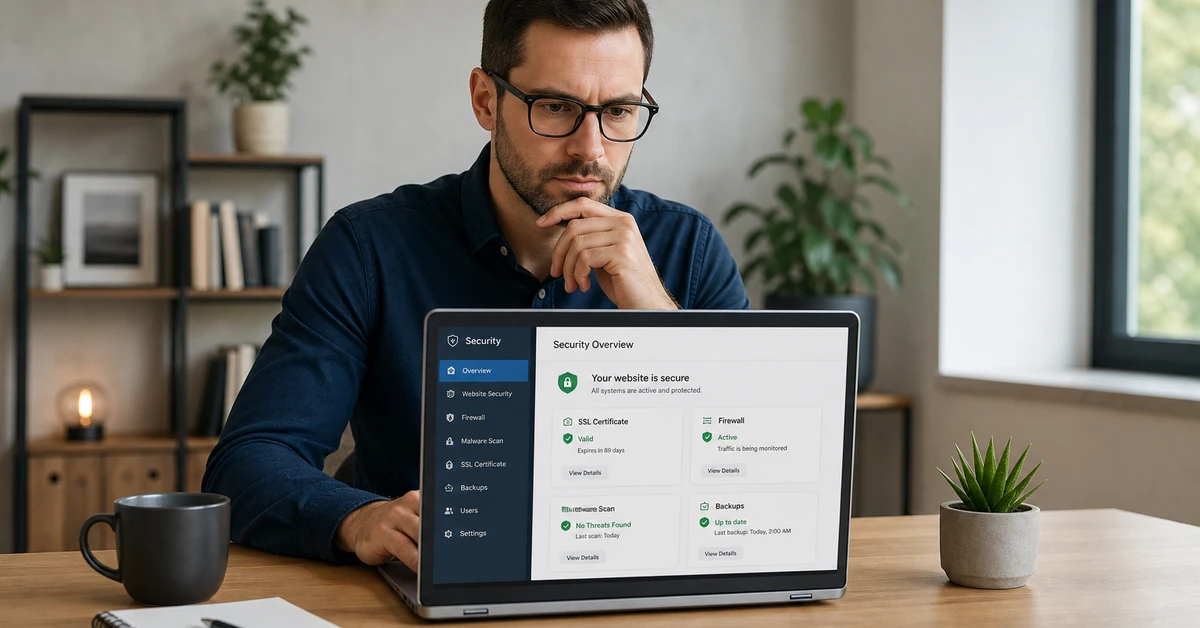

TL;DR: Website security for small business is the set of technical and operational safeguards that protect your site, customer data, and revenue from cybercriminals. Small businesses are the primary target of 43% of all cyberattacks, yet most operate without basic protections in place. A single breach can cost over $200,000 and shut down your business within six months.
Ready to streamline your business operations and close more deals? Book a free demo of Automated Sales Machine →
The Hidden Cost of Poor Website Security for Small Business
Most small business owners believe hackers target Fortune 500 companies. That assumption is costing businesses their livelihoods. According to Accenture’s Cost of Cybercrime Study, 43% of cyberattacks specifically target small businesses — and the majority of those businesses are completely unprepared when the attack arrives.
The financial damage alone is devastating. Per IBM’s Cost of a Data Breach Report, the average cost of a data breach for a small business exceeds $200,000. That figure includes forensic investigation, customer notification, regulatory fines, legal fees, and lost business. For a company operating on thin margins, that is not a setback — it is a death sentence.
According to Verizon’s 2024 Data Breach Investigations Report, 46% of all cyber breaches impact businesses with fewer than 1,000 employees. The reason is straightforward: small businesses have valuable data — customer credit cards, personal records, proprietary processes — but typically invest far less in security than enterprise organizations. That gap makes them the path of least resistance for attackers.
The Ponemon Institute’s research delivers the starkest verdict: 60% of small businesses that suffer a cyberattack close within six months. Not because the breach itself is fatal, but because the cascading consequences — reputational damage, customer churn, regulatory penalties, and recovery costs — overwhelm a business that was not built to absorb them.
Website security for small business is not an IT luxury. It is the operational foundation your entire revenue engine depends on. Your website is your storefront, your lead generation engine, your customer portal, and your brand reputation — all in one. Leave it unprotected and you have not just left the door unlocked; you have handed attackers a master key to your business.
The good news: the most damaging attacks exploit the most preventable vulnerabilities. Effective website security for small business does not require a six-figure security budget. You need a structured approach, the right tools, and the discipline to implement both consistently.

The Most Common Website Security Threats Targeting Small Businesses
Understanding the threat landscape is the first step in building a credible defense. These are not theoretical risks — they are the exact attack vectors cybercriminals use against small business websites every single day.
Malware and Ransomware Attacks
Malware is malicious software designed to infiltrate your systems, steal data, or disrupt operations. Ransomware is a particularly destructive variant: attackers encrypt your files and demand payment — often in cryptocurrency — before restoring access. Ransomware attacks against small businesses have surged in recent years, with average ransom demands now exceeding $50,000. Even businesses that pay rarely recover all their data. The smarter play is prevention: keep software updated, restrict file permissions, and back up data regularly to systems that are isolated from your main network.
Phishing and Social Engineering
Phishing attacks trick employees into surrendering login credentials, financial information, or system access by impersonating a trusted source — your bank, a vendor, a government agency, or even a colleague. Social engineering expands this further by manipulating people through phone calls, text messages, and fake support requests. According to Verizon’s DBIR, phishing is involved in over 36% of all data breaches. The entry point is almost never a sophisticated technical exploit. It is a distracted employee clicking a convincing fake email. Staff training is your first and most cost-effective defense.
SQL Injection and Cross-Site Scripting (XSS)
SQL injection attacks occur when an attacker inserts malicious code into an input field — a search bar, a contact form, a login prompt — to manipulate your database. A successful SQL injection can expose your entire customer database, including names, emails, passwords, and payment information. Cross-site scripting (XSS) attacks inject malicious scripts into your web pages, which then execute in users’ browsers and can steal session cookies, redirect visitors, or capture form inputs. Both vulnerabilities are preventable through proper input validation, parameterized queries, and a Web Application Firewall.
Brute Force Password Attacks
Brute force attacks use automated tools to systematically guess usernames and passwords, cycling through millions of combinations per second until one works. Weak or reused passwords are the root cause. Your WordPress admin dashboard, CRM login, hosting control panel, and email accounts are all targets. Multi-factor authentication (MFA) stops brute force attacks cold — even if an attacker guesses a correct password, they cannot proceed without the second factor. Enforcing strong password policies and limiting login attempts are additional layers that reduce risk significantly.
DDoS Attacks
A Distributed Denial of Service (DDoS) attack floods your website with traffic from thousands of compromised devices simultaneously, overwhelming your server and rendering your site inaccessible to real visitors. For e-commerce businesses, even a one-hour outage during peak hours translates directly to lost sales and eroded customer trust. DDoS attacks can also serve as a smokescreen — while your team responds to the traffic flood, attackers probe for other vulnerabilities. A Content Delivery Network (CDN) with built-in DDoS mitigation and a WAF are the standard defenses.
Essential Website Security for Small Business — Your Protection Stack
Effective website security for small business does not require a dedicated IT department. It requires assembling the right tools and configuring them correctly. Below is the non-negotiable protection stack every small business website must have in place.
SSL Certificates and HTTPS (Non-Negotiable)
An SSL (Secure Sockets Layer) certificate encrypts data transmitted between your website and your visitors’ browsers. Any site still running on HTTP rather than HTTPS is broadcasting an active vulnerability. Google flags HTTP sites as “Not Secure” in Chrome, which destroys visitor trust and tanks your search rankings. Modern SSL certificates are free through services like Let’s Encrypt and most quality hosting providers include them automatically. There is zero valid reason to operate without HTTPS in place. This is table stakes, not an advanced measure.
Web Application Firewalls (WAF)
A Web Application Firewall sits between your website and incoming traffic, filtering out malicious requests before they reach your server. A properly configured WAF blocks SQL injection attempts, XSS payloads, bad bots, and suspicious traffic patterns in real time. Services like Cloudflare, Sucuri, and AWS WAF offer small business-friendly plans that deliver enterprise-grade protection without enterprise-grade complexity. If you are running WordPress, plugins like Wordfence include a WAF component. A WAF is not optional for any business collecting customer data or processing transactions.
Multi-Factor Authentication (MFA)
Multi-factor authentication requires users to verify their identity through two or more independent channels — typically a password plus a time-sensitive code sent to a mobile device or generated by an authenticator app. Implementing MFA across every business account — your website admin, your CRM, your email, your hosting panel — eliminates the most common attack vector: stolen or guessed credentials. MFA is free or near-free to implement and takes minutes to set up. It stops the overwhelming majority of unauthorized access attempts cold. Enable it everywhere, enforce it for every team member, and accept no exceptions.
Regular Software and Plugin Updates
Outdated software is the single most exploited vulnerability in small business websites. When a security vulnerability is discovered in WordPress core, a plugin, or a theme, developers release a patch. Attackers immediately begin scanning for sites still running the vulnerable version. The window between patch release and active exploitation is now measured in hours, not days. Enable automatic updates for your CMS core. Audit and update plugins monthly at minimum. Remove any plugins or themes that are no longer actively maintained — unmaintained code is a ticking clock. This one discipline eliminates a vast category of risk.
Automated Backup Systems
Backups are your insurance policy. A comprehensive backup strategy gives you the ability to restore your site to a clean state after a breach, ransomware infection, or catastrophic failure. Your backups must be automated, frequent (daily minimum for active sites), and stored offsite — meaning in a location entirely separate from your primary hosting environment. If your backups live on the same server as your site, a server compromise takes out both simultaneously. Services like UpdraftPlus, BlogVault, and your hosting provider’s backup solution can automate this entirely. Test your restore process regularly — a backup you have never tested is a backup you cannot trust.
How to Conduct a Website Security Audit
A website security audit is the cornerstone of any website security for small business program. It is a systematic review of your site’s defenses to identify vulnerabilities before attackers do. You do not need to be a developer to conduct a foundational audit. Follow these steps on a quarterly basis at minimum.
- Verify HTTPS across all pages. Open your site and confirm the padlock icon appears in the browser address bar on every page, including checkout pages and login forms. Use a tool like SSL Labs’ SSL Test (ssllabs.com/ssltest/) to check your certificate configuration, expiration date, and protocol strength. Fix any mixed-content warnings immediately — these occur when a page loads over HTTPS but pulls in resources (images, scripts) over HTTP.
- Audit user accounts and permissions. Log into your CMS, CRM, and hosting control panel. Export a full list of active user accounts. Remove any accounts belonging to former employees, contractors, or vendors. Ensure every active account uses the minimum permissions required for that role — not every user needs admin access. Verify that all accounts have strong, unique passwords and that MFA is enabled.
- Scan for malware. Use a dedicated website security scanner to check your site for malware, backdoors, and unauthorized code injections. Sucuri SiteCheck (sitecheck.sucuri.net) offers a free surface-level scan. For deeper scanning, use a server-level tool like Wordfence for WordPress or Maldet for Linux servers. If the scan returns warnings, investigate and remediate immediately — do not dismiss alerts.
- Review plugin and software versions. Check your CMS dashboard for pending updates to core software, themes, and plugins. Update everything. Then review each installed plugin: if it has not been updated by its developer in over 12 months, research alternatives. Abandoned plugins are a liability regardless of their current functionality.
- Test your backup and restore process. Confirm your automated backup is running by checking the backup log and verifying that recent backups exist at your offsite location. Perform a test restore of a non-production copy to confirm the backup is functional. Document the restore procedure so that any team member can execute it under pressure.
- Check for exposed sensitive files. Some server configurations accidentally expose files that should never be publicly accessible — database configuration files, .env files, log files, or backup archives stored in the web root. Use your browser to attempt to access paths like yourdomain.com/.env, yourdomain.com/wp-config.php.bak, and yourdomain.com/backup.zip. These should return 403 Forbidden or 404 Not Found — never file contents.
- Review your security headers. HTTP security headers instruct browsers on how to handle your site’s content and significantly reduce XSS and clickjacking risks. Use SecurityHeaders.com to scan your domain and review your current header configuration. Implement at minimum: Content-Security-Policy, X-Frame-Options, X-Content-Type-Options, and Strict-Transport-Security. Your hosting provider or WAF can often apply these without code changes.
- Assess third-party integrations. Every third-party script, widget, and integration running on your site is an extension of your attack surface. Audit the full list of external scripts loading on your pages. Remove any you no longer actively use. Verify that active integrations are sourced from reputable vendors with their own security practices. A single compromised third-party script can expose every visitor to your site.
- Verify WAF and bot protection status. Confirm your Web Application Firewall is active and receiving traffic logs. Review recent blocked requests to understand what attack types are being targeted at your site. Adjust rules if legitimate traffic is being blocked. If you are not yet running a WAF, implement one before completing your audit.
- Document and schedule remediation. Record every finding from your audit — resolved issues, open vulnerabilities, and items requiring monitoring. Assign ownership and deadlines for any unresolved issues. Schedule your next audit before you close the current one. Security is not a one-time project; it is an ongoing operational practice.
For comprehensive guidance on structuring your security program, consult CISA’s Small Business Cybersecurity Guide and FCC’s Cybersecurity for Small Businesses — both provide free, government-vetted frameworks tailored to organizations without dedicated security staff.
Website Security Best Practices by Business Type
Website security for small business requirements are not one-size-fits-all. The specific risks you face — and the compliance obligations you carry — depend heavily on your industry and how your website handles customer data. The core protection stack applies universally; what follows are the additional requirements specific to each business type.
E-commerce Security Essentials
When it comes to website security for small business e-commerce operations, the stakes are highest. E-commerce sites handle the highest-value data: credit card numbers, billing addresses, purchase histories, and account credentials. This makes them prime targets and subjects them to the most rigorous compliance standards. PCI DSS (Payment Card Industry Data Security Standard) compliance is mandatory for any business that accepts, processes, stores, or transmits cardholder data — not optional, not aspirational, mandatory. The penalties for non-compliance following a breach include fines from $5,000 to $100,000 per month and potential loss of the ability to accept card payments entirely.
For e-commerce, the protection stack must include: a PCI-compliant payment processor (Stripe, Square, and PayPal handle cardholder data on their own secured infrastructure, reducing your scope significantly), HTTPS across every page without exception, strict input validation on all forms, regular malware scanning, and detailed transaction logging. Consider implementing 3D Secure for high-value transactions and conducting penetration testing at least annually.
Service Business Website Security
Service businesses — consultants, agencies, contractors, service providers — often underestimate their exposure because they assume they are not storing sensitive data. In practice, their websites collect prospect information through contact forms, integrate with email marketing platforms and CRMs, and often host client portals with proposal documents, contracts, and project files. Each of those touchpoints is a potential attack vector.
The priority for service businesses is contact form security and CRM data protection. Implement CAPTCHA or bot-detection on all forms to prevent automated spam and credential harvesting. Ensure your CRM integration uses encrypted API keys stored as environment variables — never hardcoded in your theme files. Restrict access to any client-facing portals with strong authentication. Review your email marketing platform’s data handling practices and ensure your privacy policy accurately describes how you collect and use prospect data in compliance with applicable regulations (GDPR for EU visitors, CCPA for California residents).
Healthcare and Legal Firms
Healthcare providers and legal firms face the most stringent data protection requirements of any small business category. Healthcare organizations must comply with HIPAA (Health Insurance Portability and Accountability Act), which mandates specific technical, administrative, and physical safeguards for any system that handles Protected Health Information (PHI). Legal firms operate under professional responsibility rules that vary by jurisdiction but universally require reasonable safeguards to protect client confidentiality.
For these businesses, website security for small business extends beyond the website itself. Any web-based system that touches client or patient data — intake forms, appointment scheduling, client portals, case management software — must be evaluated for HIPAA or attorney-client privilege compliance. Business Associate Agreements (BAAs) are legally required with any vendor that handles PHI on your behalf. Staff training on phishing and social engineering is particularly critical: human error, not technical exploits, causes the majority of healthcare data breaches. Engage a healthcare IT specialist or legal technology consultant to assess your specific compliance obligations.
All three business types benefit from aligning their security practices with the NIST Cybersecurity Framework — a structured, tiered approach to identifying, protecting, detecting, responding to, and recovering from cyber threats. The framework is designed to scale with your business and provides a common language for communicating security posture to clients, partners, and insurers.
How Automated Sales Machine Protects Your Business
Every website security for small business strategy ultimately exists to protect your customer relationships and revenue pipeline. Every security measure you implement ultimately exists to protect your customer relationships and revenue pipeline. The problem most small businesses encounter is that their customer data is scattered across a dozen disconnected tools — a standalone CRM, a separate email platform, a third-party form builder, an independent SMS tool — each with its own security configuration, access control, and vendor risk profile. The more tools in your stack, the larger your attack surface and the harder it is to enforce consistent security standards.
This is one of the core reasons Automated Sales Machine (ASM) was built as a unified platform. When your CRM, email marketing, SMS automation, pipeline management, and customer communication all operate within a single secured system, you eliminate the fragmented access control and data sprawl that create vulnerabilities. There is one system to secure, one permission structure to manage, and one vendor to hold accountable for data handling practices.
Beyond consolidation, ASM gives small business owners operational capabilities that directly support their security posture. Your customer data — contact records, communication history, deal data, and behavioral data — is housed in a system designed for business-grade reliability, not a free plugin stitched onto a WordPress install. When you automate lead follow-up, appointment booking, and client communications through ASM, you reduce the number of third-party touchpoints where prospect data could be exposed or mishandled.
For small businesses actively building their revenue pipeline, the right security architecture and the right sales infrastructure are not separate decisions. They both come down to the same question: are your systems built to support sustainable growth, or are they one incident away from setting you back to zero? If you are ready to see how a unified platform can simplify both your operations and your security posture, book a free demo of Automated Sales Machine and see the platform in action.
Already decided? Get started with Automated Sales Machine today and bring your customer data under one secured, automated roof.
Ready to Secure Your Business and Scale Revenue?
Website security for small business is not a technical problem reserved for IT departments. It is a business survival problem that every owner, operator, and revenue leader needs to take seriously. The data is unambiguous: small businesses are the primary target of cyberattacks, the average breach costs over $200,000, and 60% of businesses that suffer a breach never recover. These are not edge cases — they are the predictable outcome of operating an unprotected website in an environment where automated attack tools scan millions of sites per day looking for exactly the vulnerabilities most small businesses leave unaddressed.
The path forward is structured and achievable. Implement HTTPS across every page. Deploy a Web Application Firewall. Enforce multi-factor authentication on every account. Maintain a rigorous update discipline. Back up your data automatically to offsite storage. Conduct quarterly security audits. Train your team on phishing recognition. Match your security investments to your industry’s specific compliance requirements.
None of these steps require a security specialist on staff. They require commitment, consistency, and the right tools. Website security for small business is a practice, not a project — something you maintain and improve over time, not a box you check once and ignore.
Beyond protecting what you have built, strong security practices create a competitive advantage. Customers increasingly evaluate vendors based on how their data will be handled. A business that communicates its security posture clearly — displaying trust badges, publishing a privacy policy, offering transparent data practices — converts at higher rates than one that leaves prospects guessing. Security builds trust, and trust drives revenue.
If you are serious about protecting your business and scaling your revenue, the next step is getting your operations onto infrastructure that is designed for growth. Automated Sales Machine gives you a unified CRM, marketing automation, and sales pipeline management system built to help small businesses close more deals without the operational chaos of disconnected tools. That means fewer attack surfaces, better data hygiene, and more time spent on revenue-generating activities instead of troubleshooting broken integrations.
Website security for small business starts with the right decisions today. Commit to the practices outlined here, and revisit them quarterly. Secure your systems, consolidate your tools, and build the foundation your growth depends on.