


Every small business crm decision starts from the same frustration: a potential customer called, someone jotted down the number on a sticky note, and by Thursday the note was gone. Multiply that by dozens of leads per week and the revenue leak becomes structural. According to Salesforce research, companies that deploy a dedicated CRM see a 29% increase in sales on average — yet the majority of businesses with fewer than ten employees still track contacts in spreadsheets, email threads, or memory.
This guide exists to change that equation. It covers what a small business crm actually does, how to evaluate the crowded field of options, and how one platform — Automated Sales Machine (ASM) — consolidates CRM, pipeline management, booking, automations, and client communication into a single interface that removes the coordination tax from every sales conversation.

What a Small Business CRM Actually Does (And Why Most Guides Get It Wrong)
The word “CRM” has been stretched to cover everything from a column of names in Notion to an enterprise contract-lifecycle management suite costing six figures a year. For a small business, the practical definition is narrower and more urgent: a CRM is the system that ensures no qualified prospect falls through the cracks between first contact and closed deal.
That operational definition implies five core capabilities:
- Contact and account storage — a searchable, de-duplicated record of every lead and customer, enriched with interaction history.
- Pipeline visibility — a visual representation of where each deal stands so the owner or sales rep can prioritize work each morning without running a report.
- Task and follow-up automation — triggered reminders, emails, and SMS messages that go out on schedule without manual intervention.
- Communication logging — every call note, email, and text attached to the correct contact record so any team member can pick up the conversation seamlessly.
- Reporting — conversion rates, revenue forecasts, and source attribution that let owners make decisions based on data rather than gut feel.
Most comparison articles stop there. What they underweight is the integration cost: a small business that adopts a stand-alone CRM still needs a separate booking tool, a separate email platform, a separate SMS service, and a separate automation builder. The actual cost of a “cheap” CRM is often the sum of four or five monthly subscriptions plus the hours spent moving data between them.
That context is essential before evaluating any platform — including, and especially, ASM.
The Small Business CRM Market in 2026: What the Data Shows
The market for small business crm software is crowded in the entry tier and thin at the integration layer. Platforms like HubSpot CRM and Zoho CRM for small business offer generous free tiers, which drives trial adoption, but advanced automation and multi-channel communication sit behind paid walls that escalate quickly as contact lists or user seats grow. Selecting the right small business crm from this crowded field requires moving past feature lists and interrogating the total cost of deployment — including the integrations, the migration, and the ongoing maintenance of keeping multiple tools synchronized.
According to PCMag’s annual CRM roundup, the average small business evaluates 3.2 CRM platforms before purchasing and takes 47 days from first demo to first live record. That evaluation drag is itself a cost — leads are still leaking during the procurement process.
The platforms that win small business evaluations in 2026 share three traits: a fast onboarding path (measured in hours, not weeks), a predictable per-seat or flat-rate pricing model, and native integrations that shrink the surrounding tech stack rather than expanding it.
The 5 Proven Ways a CRM Stops Revenue Leakage
Rather than recycling a numbered list of software names, this section addresses the five operational mechanisms by which a well-deployed small business crm converts lead leakage into captured revenue. Each mechanism maps directly to a feature set buyers should prioritize during evaluation.
1. Centralized Contact Records Eliminate the “Who Spoke to Them Last?” Problem
In a business without a CRM, institutional knowledge lives in individual inboxes. When the person who spoke to a prospect takes a vacation — or leaves — the relationship history disappears with them. A centralized contact record solves this structurally: every email, call note, form submission, and automated message is logged against the contact so any authorized user can reconstruct the full relationship in seconds.
The practical test for this feature during a CRM trial: create a contact, log three fake interactions from different channels (email, phone, form), then log out and log back in as a different user. If that user can see all three interactions in chronological order without any configuration, the contact record architecture is sound.
ASM’s CRM module stores contacts with a unified activity timeline that pulls from email, SMS, call logs, booking confirmations, and form submissions simultaneously. The record is the single source of truth regardless of which channel the prospect used to engage.
2. Visual Pipelines Convert Pipeline Reviews from Anxiety to Action
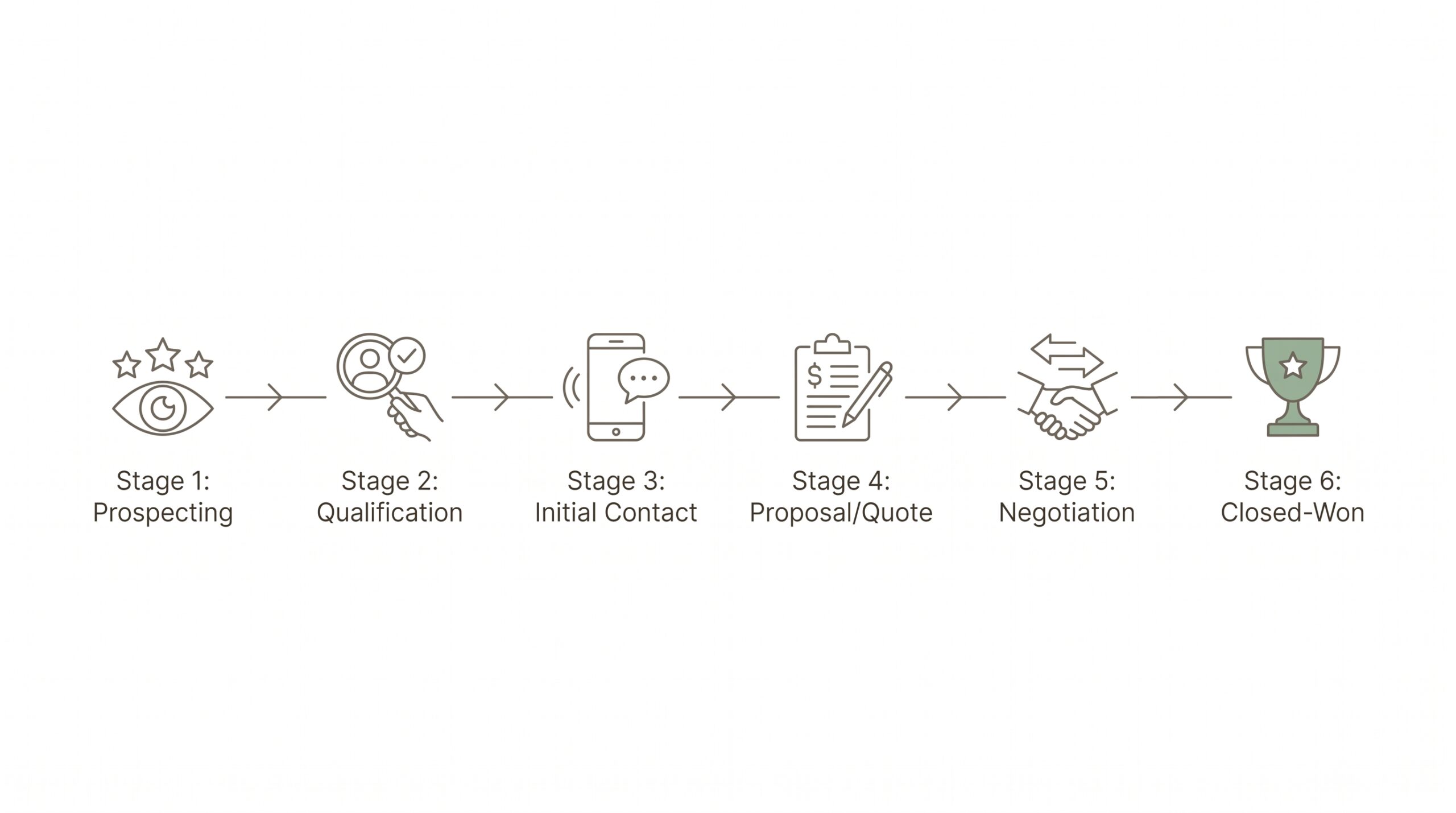
A pipeline without visual stage management is a spreadsheet with extra steps. The Kanban-style pipeline board — columns representing deal stages, cards representing individual deals — became the dominant CRM interface pattern because it maps directly to how sales conversations actually progress: from inquiry to qualified, from qualified to proposal, from proposal to closed.
For a small business, the pipeline board solves a specific problem: the Monday morning prioritization question. With a visual pipeline, the answer to “what should I work on today?” takes thirty seconds to answer by scanning the board and identifying which deals are stalled or overdue for follow-up.
The internal guide on building a sales pipeline for small business covers stage design in detail, including how many stages are optimal (typically five to seven) and which stage transitions benefit most from automation triggers.
ASM’s pipeline feature supports unlimited pipelines per account, custom stage names, deal value tracking, and probability weighting for revenue forecasting. Multiple pipelines matter for businesses with more than one service line — a marketing agency, for example, might run separate pipelines for retainer clients and project-based engagements.
3. Automated Follow-Up Sequences Replace Willpower with Systems
The most common reason small businesses lose leads is not price or product — it is follow-up failure. Research from the National Sales Executive Association has long documented that 80% of sales require five or more follow-up contacts after the initial meeting, yet the majority of salespeople give up after one or two attempts. The math is brutal: businesses that follow up systematically win a disproportionate share of the market simply by outlasting competitors who rely on willpower rather than systems.
A CRM’s automation layer converts follow-up from a discipline problem into an engineering problem. When a new lead submits a form, an automation can send an immediate text acknowledgment, schedule a follow-up email for 24 hours later, create a task for a personal phone call on day three, and send a final “still interested?” email on day seven — all without a human touching a keyboard.
The detailed guide on getting more leads for small businesses addresses the top-of-funnel side of this equation, but the automation layer is what converts inbound volume into booked appointments and closed deals.
ASM’s automation builder uses a visual workflow canvas with conditional branching. A lead who opens an email but does not click can receive a different follow-up sequence than a lead who ignores the email entirely. That conditional logic is the difference between a drip sequence and a genuinely intelligent follow-up system.
4. Missed-Call Automation Captures Revenue That Would Otherwise Walk Away
For service businesses — plumbers, consultants, fitness studios, law firms — the phone call is still the primary inbound channel. When a prospect calls and reaches voicemail, the most common outcome is that they call the next provider on their list. The revenue walks away in under sixty seconds.
The operational fix is a missed-call text-back: an automated SMS that fires within seconds of a missed call, acknowledges the missed call by name, and provides a booking link or an invitation to respond via text. The data on this intervention is consistent — conversion rates on missed-call text-backs routinely exceed those of follow-up calls placed hours later, simply because the response is immediate.
The full case for this automation is detailed in the post on missed-call text-back for local businesses, including real conversion data and setup instructions. ASM includes this automation natively — no third-party integration or Zapier workflow required.
5. Integrated Booking Removes the Scheduling Bottleneck
The scheduling hand-off — the back-and-forth of finding a time that works for both the prospect and the salesperson — is a friction point that kills momentum. Every day a prospect waits to confirm a discovery call is a day they might reconsider, get a competitive proposal, or simply lose interest.
Embedding a booking widget directly into the CRM workflow eliminates this friction. When an automation sends a follow-up email, the call to action is a direct calendar link. The prospect books a time, the CRM creates a contact record automatically, the pipeline deal advances to “appointment booked,” and a reminder sequence fires without any manual coordination.
For businesses evaluating standalone scheduling tools, the comparison at Calendly alternatives with built-in CRM and auto follow-up makes the case for integrated scheduling over stand-alone tools. ASM’s calendar and booking feature includes team calendars, round-robin assignment, pre-appointment reminder sequences, and post-appointment follow-up automation — all connected to the same contact record.
Small Business CRM Comparison: Feature Matrix
The table below compares capabilities across five commonly evaluated platforms. The intent is not to declare a winner across all categories but to map specific feature gaps that matter depending on business type and growth stage.
| Feature | ASM | HubSpot CRM | Zoho CRM | Pipedrive | Keap |
|---|---|---|---|---|---|
| Contact management | Yes | Yes | Yes | Yes | Yes |
| Visual pipeline boards | Yes | Yes | Yes | Yes | Yes |
| Native SMS | Yes | No | Add-on | No | Yes |
| Native email marketing | Yes | Paid tier | Yes | No | Yes |
| Built-in booking / calendars | Yes | Paid tier | Bookings module | No | Yes |
| Visual automation builder | Yes | Paid tier | Yes | No | Yes |
| AI conversation bots | Yes | Paid add-on | Zia (limited) | No | No |
| Reputation / review mgmt | Yes | No | No | No | No |
| Funnel / landing page builder | Yes | Paid tier | No | No | No |
| Membership / course delivery | Yes | No | No | No | No |
| Social media planner | Yes | No | Social Plus add-on | No | No |
The pattern in the matrix is instructive: competing platforms achieve feature parity on the CRM fundamentals (contacts, pipelines) but diverge sharply on the surrounding infrastructure. A business choosing HubSpot’s free CRM for contacts and pipelines will need separate subscriptions for SMS, native email campaigns at scale, booking, and automation — a stack that frequently exceeds $300/month before it replicates what ASM provides in a single subscription.
Industry-Specific CRM Recommendations: Matching Features to Business Type
Not every small business has the same bottleneck. The CRM evaluation framework should weight features differently depending on the primary revenue model.
Service Businesses (Contractors, Consultants, Agencies)
For service businesses, the pipeline and booking integration matters most. The sales cycle is typically short — one to three discovery conversations — and the conversion bottleneck is scheduling friction and follow-up latency. Priority features: visual pipelines, integrated booking, missed-call text-back, and automated appointment reminders.
The guide on lead capture tools for small businesses covers the top-of-funnel instruments that feed these pipelines, including form builders, chatbots, and lead magnet delivery — all of which plug directly into a CRM pipeline.
Fitness Studios and Wellness Businesses
Fitness businesses have a specific CRM challenge: the sales cycle involves a trial class or intro offer, and the critical automation is the post-trial follow-up sequence. Members who attend one class but do not convert to a membership represent significant lost lifetime value, and manual follow-up at scale is impossible without automation.
The detailed sector analysis at best CRM for gyms and fitness studios covers this in depth, including how ASM’s calendar and automation modules work together to convert trial attendees into paying members. The integration of booking confirmation, class reminders, and post-class follow-up sequences can be built once and run indefinitely.
E-Commerce and Product Businesses
For product businesses with online sales, the CRM function expands to include post-purchase sequences, review generation, and repeat purchase nurturing. The reputation management and email marketing features take on primary importance. The pipeline model shifts from deal-stage to lifecycle-stage: new customer, repeat customer, lapsed customer, VIP.
Professional Services (Law, Accounting, Financial Advisory)
Professional services firms face compliance considerations and longer sales cycles defined by trust-building rather than urgency. The CRM priority is communication logging (for professional liability documentation), structured intake workflows, and multi-step nurture sequences that build credibility over weeks or months rather than days. AI bots — specifically ASM’s AI conversation bots — can handle initial inquiry qualification without requiring the attorney or advisor to engage until a prospect is genuinely warm.

Migration Playbook: Moving from Spreadsheets to a Small Business CRM in 30 Days
The most common reason small businesses delay CRM adoption is not cost — it is the perceived complexity of migration. The following 30-day framework demystifies the transition by breaking it into four weekly sprints.
Week 1: Data Inventory and Cleanup
Before importing any data, audit existing contacts. Export every spreadsheet, email contact list, and business card app into a single CSV. Remove duplicates, standardize phone number formats (all to E.164 format for SMS compatibility), and tag contacts by status: active lead, past customer, cold lead, vendor. Cleaning data before import is an order of magnitude faster than cleaning it inside a CRM after the fact.
Expected time investment: 4–8 hours depending on data volume. Expected contact record count after cleanup: typically 40–60% of the raw count before deduplication.
Week 2: Platform Configuration and Pipeline Design
With clean data in hand, configure the CRM before importing. This means defining pipeline stages that match the actual sales process (not the ideal sales process), setting up custom fields for information that matters to the business, and creating the first two automation sequences: a new lead welcome sequence and a post-appointment follow-up sequence.
The pipeline design decisions made this week will determine whether the CRM gets used daily or abandoned within 90 days. Stages should map to observable actions — “proposal sent” rather than “considering” — so there is no ambiguity about which stage a deal belongs in.
Week 3: Data Import and Team Onboarding
Import the cleaned CSV. Assign deals to pipelines and stages. Invite team members and configure role-based permissions so each user sees the contacts and pipelines relevant to their function. Run one live workflow test per automation sequence to confirm triggers fire correctly before going live.
The most common error at this stage: importing contacts without assigning them to a pipeline stage, which results in a contact database that provides no pipeline visibility. Every contact should have a clear status and, where applicable, an open deal in the pipeline.
Week 4: Live Operation and Calibration
Go fully live. All new leads enter the CRM on day one. All follow-up communication flows through the platform. At the end of week four, run the first pipeline review: how many deals moved forward, how many stalled, what is the current weighted pipeline value? These numbers become the baseline against which all future progress is measured.
The 30-day framework applies regardless of which CRM platform is selected, but the configuration complexity varies. ASM’s onboarding flow includes pre-built automation templates for common small business use cases — the new lead sequence, the missed-call text-back, the appointment reminder chain — which compresses the Week 2 sprint from two or three days to a few hours.
ROI Framework: Is a Paid Small Business CRM Worth the Monthly Cost?
The ROI case for a small business crm becomes tractable when framed as a leakage calculation rather than a feature comparison. The relevant question is not “what does the software do?” but “how many leads are currently escaping the funnel, and what is each escaped lead worth?”
Consider a service business with the following baseline metrics:
- 100 inbound leads per month
- Average contract value: $1,500
- Current close rate: 20% (industry average for unmanaged follow-up)
- Revenue: $30,000/month
A well-deployed CRM with automated follow-up typically lifts close rates by 10–15 percentage points for businesses moving from manual to automated follow-up. At a conservative 10-point improvement:
- New close rate: 30%
- Incremental closed deals: 10/month
- Incremental revenue: $15,000/month
- CRM cost: $97–$297/month (typical range for an all-in-one platform)
- ROI: 50x to 150x on the software cost alone, excluding the time saved on manual follow-up
The stack cost comparison reinforces the case for an all-in-one platform. A business building the equivalent of ASM’s feature set from best-of-breed point solutions would typically spend:
- CRM (HubSpot Starter): $20/month
- Email marketing (Mailchimp Essentials): $45/month
- SMS (Twilio or similar): $30–$60/month
- Booking (Calendly Pro): $16/month
- Automation (Zapier Professional): $73/month
- Landing page / funnel builder (Leadpages): $49/month
- Review management (Birdeye or similar): $299/month
Total point-solution stack: $532–$562/month, before accounting for integration maintenance time or the data quality problems that emerge when seven tools share contact records inconsistently.
Try Automated Sales Machine: One Platform, Zero Stack Sprawl
Stop Managing Tools. Start Managing Revenue.
Automated Sales Machine (ASM) consolidates your CRM, pipeline management, booking, email and SMS marketing, automations, AI bots, funnels, and reputation management into a single platform. No Zapier duct tape. No six-tool stack. No data living in five different places.
Small businesses using ASM report getting their first automation live within 48 hours of signup — and the first automated lead follow-up firing before the end of their first week.
Frequently Asked Questions About Small Business CRM
What is the best CRM for a small business?
The best small business crm depends on business type, team size, and existing tech stack. For businesses that want a single platform covering CRM, automations, booking, email, SMS, and funnels without assembling a multi-tool stack, Automated Sales Machine offers the broadest native feature set at a predictable monthly cost. For businesses with existing point solutions they are not ready to replace, HubSpot CRM’s free tier provides a solid contact management foundation that integrates with most third-party tools.
Can I build a CRM in Excel?
Excel or Google Sheets can serve as a rudimentary contact database, but they cannot function as a CRM in the operational sense. They provide no automation, no pipeline visualization, no communication logging, and no triggered follow-up sequences. Businesses that start with spreadsheets typically find that the manual coordination cost grows in proportion to lead volume — the spreadsheet that works fine at 20 leads per month breaks down at 200. The migration playbook in this guide covers the transition from spreadsheet to CRM in a structured 30-day process.
What is the most inexpensive CRM for a small business?
Several platforms offer a small business crm free tier, including HubSpot CRM (free for unlimited users with basic features), Zoho CRM (free up to three users), and Bitrix24 (free for up to five users). The limitation of free tiers is consistently automation depth — advanced workflow builders, multi-channel sequences, and AI features sit behind paid plans on every platform. For businesses that need automation from day one, a paid all-in-one platform like ASM typically delivers better value than a free CRM supplemented by paid add-ons.
How long does it take to set up a small business CRM?
A basic CRM — contacts imported, one pipeline configured, one automation sequence running — can be operational in four to eight hours for a business with fewer than 1,000 contacts and a simple sales process. The 30-day migration playbook in this guide accounts for more complex scenarios involving team onboarding, multi-pipeline configuration, and integration with existing tools. Platforms with pre-built templates, like ASM, compress the setup timeline significantly by providing starting-point automation workflows that can be customized rather than built from scratch.
Is CRM software worth it for very small businesses (1–5 employees)?
the financial argument for adopting a CRM is actually strongest at the micro-business level, because the cost of a missed follow-up is proportionally higher. A solo operator who misses a $3,000 contract because a lead fell through the cracks has lost a more significant share of monthly revenue than an enterprise sales team losing one deal in a hundred. At the one-to-five employee stage, the automation layer is doing the work of a full-time sales coordinator — the economic argument is straightforward.
How does a CRM handle lead capture and intake?
A well-integrated small business crm connects to lead capture forms, chatbots, landing pages, and phone systems so that every new inquiry creates a contact record automatically. The manual data entry model — where a team member receives an email and manually adds a contact to the CRM — introduces delay and human error that automation eliminates. ASM’s lead capture ecosystem is documented in the guide on top lead generation resources for growing businesses, covering forms, chatbots, and landing page integration. The ASM funnels feature connects lead capture directly to automated nurture sequences without any third-party integration requirement.
Conclusion: The Small Business CRM Decision Is Not About Software — It Is About Systems
The conversation about the best small business crm software often devolves into feature checklist comparisons that miss the underlying point. The software is not the outcome. The outcome is a business where no qualified prospect escapes without a structured follow-up, where the pipeline review takes minutes rather than meetings, and where the follow-up sequence runs on schedule regardless of how busy the team is on any given day.
The platforms that deliver this outcome share a common trait: they replace manual coordination with automated systems without requiring an IT department to configure them. For small businesses evaluating their options in 2026, the question to ask of any CRM vendor is not “how many features do you have?” but “how quickly can we stop losing leads?”
The answer to that question, across the range of platforms reviewed here, points consistently toward integrated all-in-one platforms that reduce stack complexity — and toward the discipline of deploying automation before the lead volume justifies it, because the businesses that build the systems early are the ones that capture the leads their competitors miss.
For further reading on the systems that sit alongside a CRM in a complete small business sales stack, the guides on sales pipeline management and missed-call text-back automation are the logical next steps. Both address specific revenue leakage points that a CRM platform enables but does not solve on its own.