


I’ve been running email campaigns since the days of broadcast-only autoresponders — back when segmentation meant splitting your list in two. So when a client asked me to evaluate the brevo email marketing platform last year and I realized they were also paying for Calendly, HubSpot starter, ClickFunnels, and a separate SMS tool on top of it, I knew we needed to have a serious conversation about tool sprawl. Brevo is genuinely good at what it does. The problem is what it doesn’t do — and whether that gap is costing you more than you think.
Quick answer: The brevo email marketing platform (formerly Sendinblue) is a solid, affordable solution with generous free-tier limits, built-in SMS, basic CRM, and reliable transactional email — but it’s missing the funnel builder, booking system, and reputation management that most growing businesses need, leading to costly tool stacking.
What Is the Brevo Email Marketing Platform and Why Does It Matter?
Brevo started life in 2012 as Sendinblue, a French company that stood out from Mailchimp by pricing on email volume rather than contact count. That one structural decision made it dramatically cheaper for businesses with large lists and infrequent sends. They rebranded to Brevo in 2023 to signal broader ambitions — CRM, automation, SMS, live chat — and today serve over 600,000 customers globally.
I’ve used Brevo with clients ranging from solo coaches to mid-market e-commerce shops. The honest summary: it delivers on email, it’s capable on transactional mail, and its automation workflows are more competent than many people give them credit for. Where it shows cracks is when you need a full sales funnel, a booking calendar, or reputation management — those features are absent, locked behind enterprise pricing, or too basic to solve real problems. According to Email Vendor Selection’s independent review, Brevo has grown to over 500,000 active users and offers plans starting at $9/month.
Step 1 — Understand the Full Feature Set Before You Commit
Before committing to the brevo email marketing platform, map each feature to a real business need. Here’s what Brevo actually includes:
Email Marketing and Automation
The drag-and-drop editor is clean, the template library has grown significantly, and deliverability sits around 87% inbox placement in independent tests — competitive but not class-leading. You get A/B testing on subject lines (paid plans), dynamic content blocks, and send-time optimization on higher tiers.
SMS Marketing
Brevo’s SMS capability is native, not bolted on. You can send transactional SMS and marketing SMS from the same dashboard. Pay-per-message pricing works well for modest volumes; high-volume SMS users may find per-message costs add up faster than dedicated SMS platforms.
CRM (Light)
Brevo includes a lightweight CRM with deal pipelines, task management, and contact management. For solopreneurs tracking 50 prospects it works fine. For 10-person sales teams managing hundreds of active deals, it will frustrate you quickly — the pipeline views lack the depth that dedicated CRMs provide.
Transactional Email
This is actually one of Brevo’s standout capabilities. Their SMTP relay and transactional email API are battle-tested, developer-friendly, and well-documented. If you run an e-commerce store or SaaS product that sends order confirmations or password resets, Brevo’s transactional infrastructure is genuinely excellent.
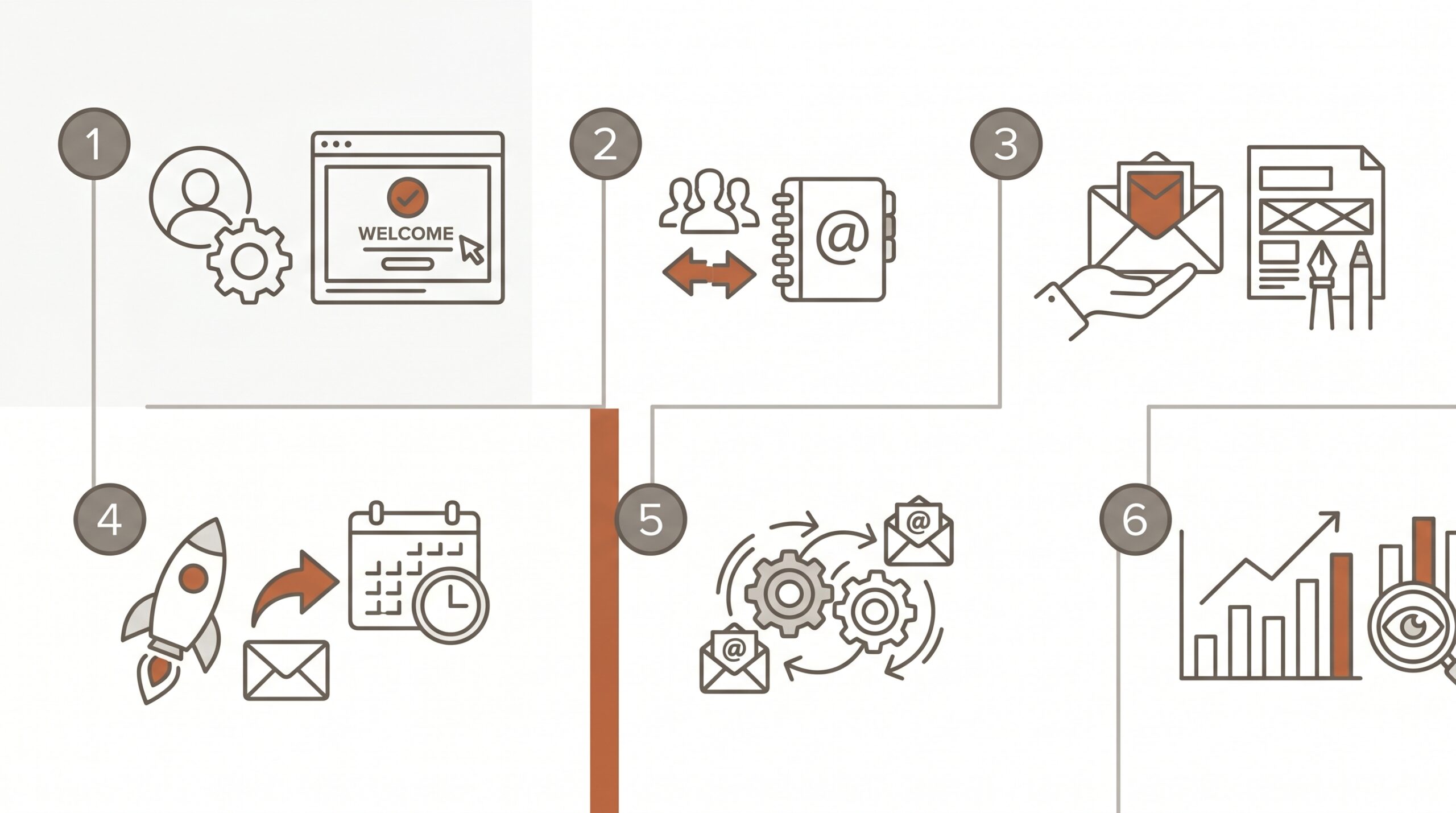
Step 2 — Know the Pricing Tiers Precisely
Brevo’s pricing model is one of its genuine differentiators. Unlike Mailchimp, which charges based on contact count (including unsubscribes), Brevo charges based on email volume. This matters enormously for businesses with large but infrequently-mailed lists.
- Free Plan: 300 emails/day (9,000/month), unlimited contacts, basic automation for 2,000 contacts, 1 landing page, Brevo branding on all emails.
- Starter ($9/month): 5,000 emails/month scaling to 100k+, no daily sending limit, 1 landing page, Brevo branding removable for $10.80/month extra.
- Business ($18/month): Full automation without contact limits, A/B testing, advanced analytics, 5 landing pages, send-time optimization, multi-user access.
- Enterprise ($449+/month): Dedicated IP, SSO, custom reporting, higher-touch support — a painful pricing cliff from the $18 Business plan.
The gap between Business ($18) and Enterprise ($449+) creates a real problem for scaling businesses. Brevo is approximately 72% cheaper than Mailchimp for equivalent email volumes — a meaningful saving for high-volume senders. But the comparison changes when you factor in all the adjacent tools you’ll need to buy separately.
Step 3 — Map Your Gap Analysis: What the Brevo Email Marketing Platform Doesn’t Include
This is the step most users skip — and it’s the one that ends up costing the most money. Let me map the gaps explicitly:
- Booking/Scheduling: No native appointment booking. You’ll need Calendly ($16+/month) or Acuity if you do consultation calls or appointments.
- Sales Funnel Builder: Landing pages are not full funnel pages. There’s no upsell/downsell flow, no order bump, no checkout integration. You’re looking at ClickFunnels ($97+/month) or similar.
- Reputation Management: Zero capability here — no review request automation, no Google Business Profile integration, no review monitoring.
- Advanced CRM: Works for basic contact management but not serious sales pipeline management. Many users end up pairing with HubSpot Free or Pipedrive.
- Social Media Management: WhatsApp campaign support and Facebook Ads integration only — no full social scheduling.
- Membership/Course Platform: None whatsoever.
In my experience auditing small business stacks, the typical Brevo user ends up with: Brevo ($18) plus Calendly ($16) plus ClickFunnels ($97) plus HubSpot Free plus a reputation tool ($30–50). That’s $130–180/month in fragmented tools, each with its own login and support queue.
If you’re building your email strategy, also read our guides on the best email marketing software and top email marketing platforms compared for the full competitive landscape.
Step 4 — Set Up Brevo Correctly: The 7-Step Process
If you’ve decided Brevo fits your needs, here’s how to set it up properly. Most users get this wrong and wonder why their deliverability suffers or their automation doesn’t fire.
1. Authenticate your sending domain. Configure SPF, DKIM, and DMARC records in Settings > Senders & IP > Domains. Non-negotiable for deliverability.
2. Import and segment your list before sending anything. Tag contacts by source, interest, and engagement level. At minimum create segments for: active subscribers (opened last 90 days), cold subscribers (no opens 90+ days), and customers vs. leads.
3. Set up double opt-in. Improves list quality and GDPR compliance simultaneously. Configure under Contacts > Subscription Forms before launching any lead magnet.
4. Build your welcome sequence first. A 3–5 email sequence should be waiting for new subscribers before your first import: Day 0 welcome plus lead magnet, Day 2 key insight, Day 4 social proof, Day 7 soft offer.
5. Configure transactional email separately. Keep transactional and marketing email in separate sender profiles. This protects your marketing deliverability from transactional volume spikes.
6. Set up re-engagement automation for cold subscribers. Trigger when a contact hasn’t opened in 90 days. Send a targeted re-engagement email, wait 7–14 days, then move non-responders to a suppression list. This single workflow can improve overall open rates 20–30% by keeping your active list clean.
7. Monitor your sending reputation dashboard weekly. Keep hard bounces under 2%, spam complaints under 0.1%, and unsubscribes under 0.5% per send. If any metric spikes, pause and investigate before your next campaign.

Step 5 — Advanced Automation Strategies That Actually Work
Most platform tutorials stop at setting up a welcome email. Here are the automation workflows I build for clients that drive measurable revenue:
The Post-Purchase Ascension Sequence
Day 1: Order confirmation plus expectation setting. Day 3: Shipping update plus cross-sell of a complementary product. Day 7: Delivery confirmation request plus review ask. Day 14: Loyalty offer (10% off next purchase). Day 30: Win-back if no second purchase. This sequence typically increases 30-day repeat purchase rate by 15–25%.
The Lead Scoring and Sales Handoff Workflow
On Brevo’s Business plan, set up rule-based lead scoring tied to email engagement and website visits. Build a workflow that automatically moves contacts to a hot lead list when their score exceeds a threshold, then triggers an internal notification email to your sales person. Not as sophisticated as HubSpot, but functional for small teams.
The Abandoned Cart Recovery Sequence
Send the first reminder 1 hour after cart abandonment, the second at 24 hours with a social proof element, the third at 72 hours with a modest 5–10% discount. Don’t show the discount on email 1 — it trains buyers to abandon carts and wait for the offer.
Step 6 — Honest Pros and Cons of the Brevo Email Marketing Platform After Years of Use
Where Brevo Genuinely Excels
- Generous free tier: 300 emails/day and unlimited contacts — no credit card required, no time limit.
- Volume-based pricing: If you have 50,000 contacts but email twice a month, Brevo is dramatically cheaper than Mailchimp or Constant Contact.
- Transactional email infrastructure: Battle-tested, developer-friendly, well-documented API. One of the best in this price range.
- Unified SMS plus email: Multi-channel automation is genuinely integrated, not a bolt-on afterthought.
- GDPR compliance: European company with strong built-in compliance tooling — a real advantage for EU audiences.
- Solid deliverability: Around 87% inbox placement. Improves significantly after proper domain authentication.
Where Brevo Falls Short
- CRM depth: Functional but thin. Growing sales teams hit the ceiling within months.
- Landing page limits: One page on Starter is genuinely constraining for any lead generation operation.
- No booking/scheduling: Forces you to add Calendly or equivalent — another monthly cost and another login.
- No funnel builder: Landing pages are not full sales funnels.
- No reputation management: Zero review request or monitoring capability built in.
- Analytics depth: Basic compared to dedicated platforms; export-heavy for detailed analysis.
- Massive pricing cliff: Jumping from Business ($18) to Enterprise ($449+) is a shock to growing businesses.
For a deeper look at alternatives, check our full guide to the best Mailchimp alternatives for small businesses.
Step 7 — Calculate Your True Total Cost of Ownership
Before committing to Brevo, list every tool you currently use or plan to use for marketing and sales, then note the monthly cost and whether Brevo replaces it or leaves a gap. A realistic Brevo-based stack typically costs $130–280/month once you add supplementary tools.
Meanwhile, ASM’s email marketing and the full automation suite come in one integrated platform at $150/month flat. The economics shift the moment you need even two additional tools beyond Brevo itself.
For a broader framework on evaluating your options, our marketing automation software comparison covers the full landscape with specific recommendations by business type.
How ASM Compares: The All-in-One Alternative
I want to be transparent here: I recommend the Automated Sales Machine (ASM) to clients who’ve outgrown fragmented stacks, so this is a genuine comparison, not a stealth pitch.
ASM is a single platform at $150/month flat that replaces the entire fragmented stack:
- Email marketing with full campaign and automation capabilities
- SMS marketing (two-way, not just broadcast)
- Full CRM with pipelines, deal stages, and contact management
- Funnel builder with full multi-step sales flows
- Booking and scheduling built-in — replaces Calendly entirely
- Reputation management with review request automation
- Social media planner and scheduling
- Memberships and courses
- AI tools including AI content assistant and AI chatbot
The honest comparison: if you only need email marketing and you’re early stage, Brevo’s free or Starter plan serves you well. The economics tilt the other way the moment you need two additional tools. At 3–4 tools, the math almost always favors an all-in-one. At 5+ tools, it’s not close.
See our full platform comparison page to see how the numbers work out for your specific situation.

Frequently Asked Questions
Is Brevo a good email marketing platform?
Yes, for email-focused use cases. Brevo delivers solid deliverability (around 87% inbox placement), a generous free tier (300 emails/day, unlimited contacts), competitive volume-based pricing, and reliable transactional email. For businesses needing email plus SMS automation without a heavy CRM or funnel builder, it’s a strong choice at a low price point.
What is Brevo’s free plan limit?
Brevo’s free plan includes 300 emails per day (9,000 per month), unlimited contacts, basic automation workflows for up to 2,000 contacts, and one landing page. Email campaigns display Brevo branding, removable with a paid plan. There’s no time limit — you can stay on the free plan indefinitely.
How does Brevo pricing compare to Mailchimp?
Significant savings are available when switching to the brevo email marketing platform from Mailchimp — independent reviews report cost reductions of up to 72% for equivalent email volumes. The pricing structure differs fundamentally: Mailchimp bills you for every contact in your database regardless of send frequency; Brevo only charges for the emails you actually send each month. If your list is large but you send less than weekly, this difference can be enormous.
Does Brevo have a CRM?
Yes, but it’s lightweight. Brevo includes deal pipelines, contact management, task assignment, and basic activity logging. It works for solopreneurs and small teams with simple sales processes. Businesses needing advanced pipeline management or complex CRM automation will find it limiting and often pair it with a dedicated CRM tool.
Is Brevo GDPR compliant?
Yes. Brevo is a European company (headquartered in Paris) with GDPR compliance built in — double opt-in, consent management, easy unsubscribe, data export, and data deletion tools are all included. For businesses with EU-based subscribers, this is a genuine advantage over US-headquartered platforms.
What are Brevo’s biggest limitations?
The main limitations: no native booking system, very limited landing pages on lower plans, a basic CRM that doesn’t scale for sales teams, no funnel builder for multi-step sales flows, no reputation management or review automation, and a shocking pricing jump from Business ($18) to Enterprise ($449+) plans.
Can Brevo replace Mailchimp?
For email-only use cases, yes — and usually at lower cost if you have a large list. Brevo’s email editor, automation, segmentation, and deliverability are all competitive. See our detailed guide on Mailchimp alternatives for a full comparison breakdown.
Ready to Stop Juggling 5 Separate Tools?
After 20+ years building email marketing stacks, the conclusion I keep reaching is the same: the tools that cost the least upfront often cost the most overall — in subscription fees, integration time, and cognitive load. Brevo is a genuinely capable tool for email-focused operations. If email plus basic SMS is all you need, it earns a strong recommendation.
But if you’re running a business that needs booking, funnels, CRM, reputation management, and automations that connect all those pieces — the math points toward a unified platform. ASM was built specifically for that use case: everything in one place, one login, one support team, at $150/month flat.
Book a 30-minute demo to see how ASM compares to your current stack — bring your tool list and we’ll map it out together. Or visit our pricing page to run the numbers yourself.
Still in research mode? Our guides on email marketing software and email marketing platforms give you the full competitive landscape before you commit to any tool.