
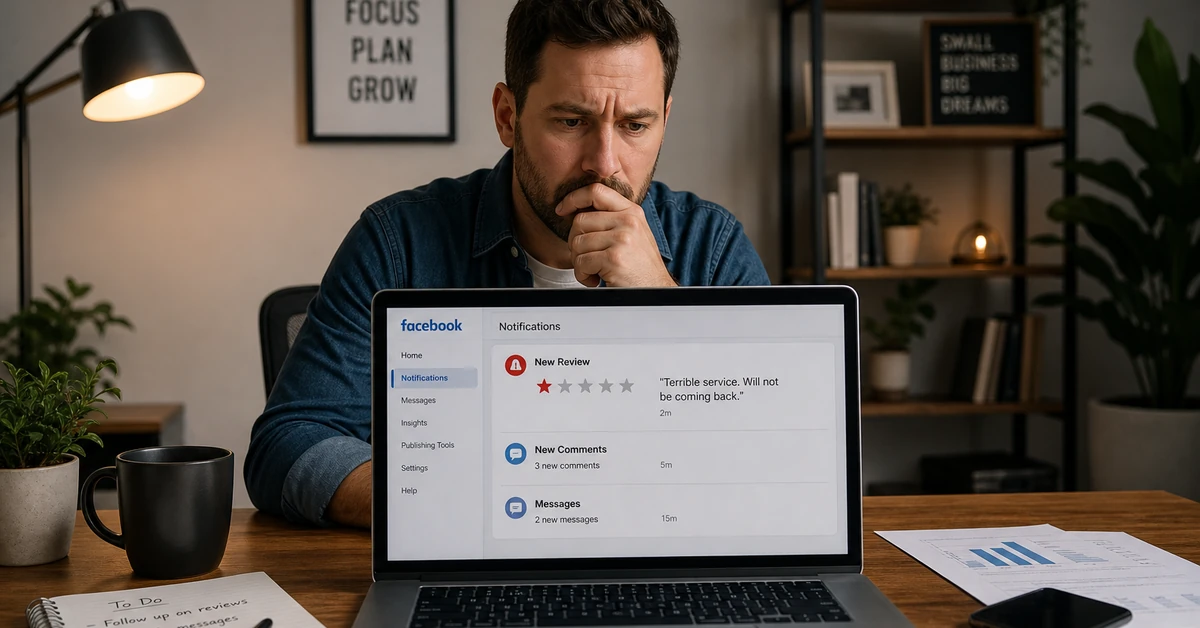

Knowing how to remove a Facebook review—or what your actual options are as a business owner—starts with one uncomfortable truth: you cannot delete reviews posted by other users. Facebook does not give businesses that power. What you can do is report reviews that violate Facebook’s Community Standards, temporarily disable the Recommendations feature on your Page, or craft a strategic public response that shifts the narrative in your favor. The most effective long-term approach is a proactive review generation system that builds your rating continuously with authentic positive feedback.
Ready to automate your reputation management at scale? See how Automated Sales Machine helps service businesses generate and manage reviews on autopilot — book a free demo.
Why Facebook Reviews Are a First-Impression Problem
Before a customer walks through your door, books an appointment, or submits a lead form, they’ve already judged you. Facebook reviews are often the deciding factor—and one bad review, one fake hit job from a competitor, or one unresolved complaint can undo months of marketing investment.
According to Pew Research Center, 82% of U.S. adults say they at least sometimes read customer reviews before making a purchase decision. Research published in the Harvard Business Review found that a one-star increase in a business’s online rating correlates with a 5–9% increase in revenue. One poorly handled review can undercut an entire quarter’s growth.
This is why every service business owner eventually faces the same question: how to remove a Facebook review that’s inaccurate, fake, or unfair. This guide covers every legitimate option—what Facebook allows, what it doesn’t, and how to build the review recovery system that wins long term.
It’s also worth framing the stakes clearly. Online reputation is no longer a secondary concern—it is primary marketing infrastructure for local and service businesses. A dental practice, med spa, home services contractor, or fitness studio lives and dies by its local search visibility and social proof. Facebook Recommendations are indexed, shared, and surfaced in discovery feeds. A business with 4.8 stars and 120 reviews is categorically more competitive than a business with 3.4 stars and 9 reviews—regardless of how good the actual service is. Reputation is now a revenue variable, and managing it actively is as important as managing your ad spend.
How to Remove a Facebook Review You Left (Step-by-Step)
If the question is how to remove a Facebook review you personally posted—not one posted about your business—the process is straightforward. Facebook gives individual users full control over reviews they’ve written. This is the one scenario where a true deletion is available.
Finding and Deleting Your Own Review
- Log in to Facebook and navigate to your personal Profile.
- Click the Reviews tab (visible in your activity history or on the business page where you left the review).
- Locate the specific review you want to remove.
- Click the three-dot menu (…) in the upper right corner of your review post.
- Select Edit Review to update the content or Delete Review to remove it entirely.
- Confirm the deletion when prompted.
How to Remove a Facebook Review: Editing vs. Deleting
Knowing how to remove a Facebook review is one thing—knowing whether to edit or delete is the strategic call. If you’ve had a positive resolution with a business after leaving critical feedback, editing your original post to reflect the updated experience is often more credible than deleting it entirely. It shows authentic progression: the business made it right. Deleting is the right call when the review is outdated, no longer relevant, or was posted in error.

Can a Business Owner Remove a Facebook Review They Didn’t Write?
The Honest Answer
No—not directly. When business owners ask how to remove a Facebook review posted by a customer, the answer is that Facebook does not provide a deletion button for third-party content. This is a deliberate platform design decision: the credibility of Facebook Recommendations depends on businesses not being able to scrub unfavorable content at will.
Any tool, service, or agency claiming they can guarantee removal of any Facebook review is misrepresenting what they can do or operating in violation of Facebook’s terms of service. Don’t waste money there.
What Facebook Actually Allows Business Owners to Do
There are four legitimate actions available to you when facing a negative review you didn’t write—and knowing how to remove a Facebook review through each of these channels is where your real power lies:
- Report the review if it violates Facebook’s Community Standards
- Respond publicly to any review—positive or negative—to shape the narrative
- Disable the Recommendations feature entirely on your Page
- Build volume—generate enough positive reviews to statistically dilute the impact of negative ones
Used strategically, these four levers form a complete reputation management framework—even without the ability to directly delete reviews you didn’t write.
How to Report and Flag a Fake or Inappropriate Facebook Review
The most direct path for how to remove a Facebook review through Facebook’s official process is the reporting system. Reviews that violate Facebook’s Community Standards—spam, hate speech, fake content, or irrelevance to the business—can be flagged for moderation. Facebook can and does remove reviews that clearly violate its policies.
Step 1: Identify Reviews That Qualify for Removal
Facebook will consider removing a review in these specific situations:
- Spam or advertising: The review promotes a competing business or contains promotional links
- Irrelevant content: The reviewer describes an experience at the wrong business, or the content has no connection to an actual customer interaction
- Hate speech or harassment: The review contains discriminatory language, threats, or targeted personal attacks
- Fake or misleading identity: Evidence indicates the reviewer has never been a customer
- Conflict of interest: The review was posted by a competitor, current employee, or family member
Facebook will not remove a review simply because it’s negative, harsh, or one-sided. A real customer who had a genuinely bad experience has the right to say so publicly. This is where many business owners get frustrated when researching how to remove a Facebook review—the platform protects legitimate feedback, even when it stings.
Step 2: Submit Your Report
- Navigate to your Facebook Business Page.
- Click the Reviews or Recommendations tab.
- Find the review you want to flag.
- Click the three-dot menu (…) in the upper right of the review.
- Select Find Support or Report Recommendation.
- Choose the violation category that best describes the issue.
- Submit the report with as much context as possible.
Step 3: Document and Follow Up
Facebook’s review moderation is not instant. Resolution can take anywhere from a few days to several weeks depending on report volume and violation severity. If your initial report is denied, you can escalate through Facebook’s Oversight Board support documentation for more egregious cases.
The key to a successful report is documentation: screenshot the review, capture the reviewer’s profile, note any contradicting evidence (timestamps, CRM transaction records, appointment history). The more specific your report, the better your odds of actual removal.

How to Turn Off Facebook Recommendations (Reviews) for Your Business Page
The Trade-Off You Need to Know First
Another approach for how to remove a Facebook review’s visibility entirely is to disable the Recommendations feature on your Page. Before you do this, understand the trade-off clearly: you’ll hide the negative reviews, but you’ll also hide every five-star review you’ve ever earned.
For businesses with a strong review profile, this is the wrong move. For businesses in crisis mode facing a coordinated fake review attack, it can be a temporary tactic while you fight back. Be aware that a business with no visible reviews often looks more suspicious to potential customers than one with a mixed profile and thoughtful responses.
Step-by-Step: Disabling Facebook Recommendations
- Go to your Facebook Business Page.
- Click Settings in the left-hand sidebar.
- Select Privacy.
- Click Page and Tagging.
- Find the option: Allow others to view and leave reviews on your Page?
- Toggle this setting Off.
- Save your changes.
Treat disabling Recommendations as a temporary measure—never a permanent strategy. The goal is to buy time while you execute your review recovery plan below.
What Happens to Your Existing Reviews When You Disable Recommendations
When you turn off the Recommendations feature, all existing reviews—positive and negative—are hidden from public view. They are not deleted. If you re-enable the feature later, they return exactly as they were. This is an important distinction: disabling is reversible. The reviews themselves remain in Facebook’s database; they’re simply no longer displayed on your Page or in search results while the toggle is off.
For businesses with a strong historical review record, disabling Recommendations can feel like burning the house down to stop a leak. Before taking this step, assess the ratio of negative to positive reviews. If you have 80 positive reviews and 5 new suspicious fake reviews, a targeted reporting strategy is almost certainly the better move than hiding everything. Disabling is most justified when fake reviews represent a significant percentage of your overall count and are actively dragging your average below a threshold that affects discovery visibility.
The Smarter Strategy: Building a Review Recovery System
Every business that learns how to remove a Facebook review eventually arrives at the same conclusion: removal is reactive. Recovery is proactive. The businesses that win the reputation game aren’t the ones frantically flagging every negative comment—they’re the ones running an automated review generation machine that makes individual bad reviews statistically irrelevant.
According to Statista, 46% of consumers trust online reviews as much as personal recommendations from friends or family. Your review volume and recency directly affect how that trust is distributed. A business with 12 reviews averaging 3.8 stars loses to a competitor with 94 reviews averaging 4.2 stars—every time, without exception.
Respond to Every Negative Review Professionally
A professional, empathetic response to a negative review does more for your reputation than the removal of that review ever could. Potential customers aren’t evaluating your perfection—they’re evaluating how your business handles problems. A thoughtful response demonstrates accountability, customer focus, and operational maturity.
Your response framework for any negative review:
- Acknowledge the experience—don’t dismiss or minimize it
- Apologize specifically—generic “sorry you feel that way” responses are worse than silence
- Offer a concrete resolution path—a direct contact, a callback, a specific next step
- Take the conversation offline—resolve the issue privately, then ask if they’ll consider updating their review
Never argue with a reviewer publicly. Even when you’re right, the audience watching the exchange will side with the customer. One defensive response can cause more damage than the original negative review.
Generate a Surge of New Positive Reviews
The fastest way to dilute a negative review is to add ten new positive ones. This requires a systematic review solicitation approach—not occasional manual asks, but an automated, consistent pipeline that fires without your involvement.
Tactics that work:
- Post-service SMS or email sequences: automated follow-ups sent 24–48 hours after service completion with a direct Facebook review link
- NPS segmentation: survey customers internally first, then route high scorers to Facebook for public reviews—route low scorers to a private feedback form
- Team-level review generation incentives: train staff to verbally mention reviews at the natural close of a positive customer interaction
- QR codes on receipts and checkout surfaces: frictionless mobile access to your Facebook Recommendations page
Automate Your Review Management With CRM Integration
Manual review management collapses the moment your business scales. When you’re handling 50+ customer interactions per week, chasing individual reviews by hand becomes impossible—and inconsistent. This is where an integrated CRM and marketing automation platform pays for itself directly in reputation ROI.
A purpose-built system can:
- Automatically trigger review request sequences when a job is marked complete in your CRM
- Alert your team in real time when a new review posts—positive or negative—so you respond within minutes
- Track review volume trends by team member, service line, or location
- Centralize review responses across Facebook, Google, and Yelp in a single dashboard
Rather than manually monitoring multiple platforms and chasing customers for feedback, the right all-in-one CRM platform automates the entire review funnel—from post-service trigger to submission—so your rating improves on autopilot.
What to Do When Competitors Post Fake Reviews
Coordinated fake review attacks are more common than most business owners realize. If you suspect a wave of negative reviews is artificial—rather than organic customer feedback—take these steps immediately:
- Document everything immediately: Screenshot all suspicious reviews with timestamps, star ratings, and reviewer profile links
- Look for artificial patterns: New accounts with no review history, similar posting dates within hours or days, vague or generic content, no profile photos—these are classic fake review signatures
- Report each review individually through Facebook’s flagging process, citing the specific policy violation and attaching your evidence
- Escalate to Facebook Business Support with a formal ticket if the volume warrants it and individual reports are being denied
- Consider legal escalation: Coordinated fake reviews increasingly qualify as actionable business defamation. Contact an attorney or file a complaint with the FTC if evidence is strong
Simultaneously, launch an aggressive positive review generation campaign. Fighting fake reviews through removal alone is slow—sometimes painfully slow. Flooding your page with verified legitimate five-star reviews is the fastest path to rating recovery, regardless of how to remove a Facebook review from the platform side of the equation.
Start Managing Your Facebook Reputation at Scale
You now have the complete playbook: how to remove a Facebook review when Facebook’s own tools make it possible, how to report and flag fake ones, how to disable Recommendations strategically as a temporary measure, and how to build the proactive system that makes individual bad reviews irrelevant.
The businesses that win local reputation battles aren’t the ones frantically researching how to remove a Facebook review after every complaint—they’re the ones running an automated, consistent review generation machine that keeps their rating strong and their pipeline full regardless of the occasional bad actor.
Automated Sales Machine was built exactly for this. Our all-in-one CRM and marketing automation platform includes native review request workflows, post-service follow-up sequences, and centralized reputation monitoring—so your rating improves while you focus on running your business.
The businesses winning on Facebook reviews right now aren’t doing anything exotic. They have a simple, automated sequence: serve the customer, trigger a follow-up, deliver a one-click review link, and track the results in a dashboard. That’s it. The sophistication isn’t in the tactic—it’s in the consistency. When every customer who has a great experience gets an automated review request within 48 hours, the math works in your favor. Most businesses don’t do this because they’re managing it manually, which means it happens occasionally rather than systematically. Automation removes the variable. Your review volume compounds every week on its own.
The bottom line: understanding how to remove a Facebook review is a useful skill—but building a system that makes removal less necessary is the actual competitive advantage.