


If you are running a small or mid-sized business on HubSpot, you have probably noticed the same pattern: the platform that started as an affordable CRM now costs more than your office lease. Finding the right HubSpot alternative is no longer optional — it is a strategic imperative. This proven migration guide walks you through every phase of moving from HubSpot to a full-stack CRM that consolidates your entire tech stack into one platform, eliminates per-contact billing traps, and gives your team the automation tools HubSpot locks behind enterprise pricing.
The stakes are real. According to Gartner, organizations relying on siloed data take five times longer to generate cross-functional insights. McKinsey reports that companies with fragmented tech stacks spend 29% more on technology while achieving less business impact than streamlined competitors. Migration is not just about saving money — it is about removing the operational drag that prevents your business from scaling.
This guide covers exactly what to evaluate in a HubSpot alternative, how to migrate your data safely, and how to avoid the pitfalls that cause 47% of CRM migrations to fail.
The Hidden Cost of Staying on HubSpot
HubSpot markets itself as a growth platform, but its pricing architecture creates a growth penalty. The longer you stay, the more you pay — and the features you actually need remain locked behind increasingly expensive tiers. Understanding these costs is the first step toward evaluating a legitimate HubSpot alternative.
The Starter-to-Professional Price Cliff
HubSpot’s Marketing Hub Starter costs $20 per seat per month. Reasonable on the surface. But the moment you need workflow automation, A/B testing, custom reporting, or lead scoring, you hit the Professional tier at $890 per month — a 44x price increase. That is not a gradual upgrade path. That is a financial cliff that pushes growing businesses toward a HubSpot alternative faster than any competitor’s marketing ever could.
Add Sales Hub Professional at $100 per seat per month, and a typical SME running Marketing, Sales, and Service Hub at the Professional level faces annual licensing costs exceeding $25,000, according to analysis from Pixcell. For a 10-person team managing active sales pipelines, that number climbs significantly higher.
Contact-Based Billing Traps
HubSpot charges based on the number of marketing contacts in your database. Professional tier starts with 2,000 contacts, with overages at $50 per month per additional 1,000 contacts. A business with just 5,000 contacts pays approximately $1,040 per month — before adding any seats or hubs.
Worse, when you upgrade from HubSpot’s free CRM to any paid Marketing Hub plan, all your existing CRM contacts automatically count against your new paid contact tier. Your “free” contact database instantly becomes a billing liability. A full-stack HubSpot alternative charges a flat monthly rate regardless of contact count — eliminating this entire category of cost surprise.
Mandatory Onboarding Fees
HubSpot requires a one-time onboarding fee for Professional and Enterprise tiers: $3,000 for Marketing Hub Professional, $1,500 for Sales Hub Professional, and $7,000 for Marketing Hub Enterprise. These fees are non-refundable and mandatory — regardless of whether your team actually needs onboarding assistance.
A full-stack CRM alternative eliminates this entire pricing structure. No contact-based billing. No mandatory onboarding fees. No 44x price cliffs between tiers. When evaluating any HubSpot alternative, pricing transparency should be the first qualifying criterion.

What Full-Stack CRM Means and Why It Matters
A true HubSpot alternative does not just replicate one hub — it replaces the entire stack. Full-stack CRM means CRM, marketing automation, sales pipeline management, appointment scheduling, reputation management, website builder, and communication tools all live inside one platform with one login and one monthly price.
CRM Plus Marketing Automation Plus Sales Pipeline in One
The features HubSpot gates behind its $890/month Professional tier — workflow automation, lead scoring, A/B testing, custom reporting — come standard in a full-stack CRM. There is no tier-gating. Every user gets every feature. This is the fundamental difference between a modular platform that charges for complexity and a consolidated HubSpot alternative that eliminates it.
For small businesses and agencies managing clients across real estate, med spas, fitness, dental, and home services, this consolidation is transformative. Instead of stitching together separate tools for email marketing, landing pages, appointment booking, review management, and pipeline tracking, everything operates from a single dashboard. The operational simplicity alone justifies the switch — before you even factor in cost savings.
Eliminating the Integration Tax
According to research from BetterCloud, companies with 75 to 199 employees use an average of 44 SaaS applications. Forrester reports that employees switch between an average of 9.5 applications per day, losing up to 1.25 hours daily to navigation alone.
Every integration between disconnected tools introduces latency, data sync errors, and maintenance overhead. Gartner estimates that approximately 30% of SaaS spend is wasted on unused licenses, redundant applications, and underutilized features — representing roughly $90 billion globally. Meanwhile, marketing technology utilization has dropped to just 33%, down from 58% in 2020.
A full-stack CRM alternative to HubSpot eliminates the integration tax entirely. Your contacts, deals, emails, campaigns, appointments, and analytics all share one database. No Zapier workarounds. No CSV exports. No sync conflicts. This is the single biggest operational gain businesses report after migrating away from fragmented platforms.
Your 5-Phase HubSpot Migration Roadmap
Organizations that conduct a formal readiness assessment before migrating have 2.4x higher success rates, according to SyncMatters. This five-phase roadmap ensures your HubSpot alternative migration is structured, safe, and complete.
Phase 1: Audit Your Current HubSpot Stack
Before touching any data, document exactly what you are using inside HubSpot and what you are not:
- Active contacts vs. total contacts — How many contacts actively engage with your marketing? HubSpot counts all marketing contacts toward billing, but many databases contain 40-60% inactive records that inflate costs without delivering value.
- Workflows in production — List every active automation workflow. Note which ones drive revenue and which are legacy workflows running on autopilot.
- Integrations — Document every third-party tool connected to HubSpot via API, Zapier, or native integration. Count them. Most businesses discover they are paying for integrations a consolidated platform handles natively.
- Custom properties — Export your complete list of custom contact, company, and deal properties. Flag which ones appear in active reports or automations.
- Reporting dashboards — Screenshot or export every report your team actively uses. These are the metrics your new platform must replicate on day one.
This audit typically takes two to three business days for a team of five to ten users. Do not skip it. The audit is your migration blueprint and the foundation for every subsequent phase.
Phase 2: Map Your Data Architecture
With your audit complete, map each HubSpot component to its equivalent in your chosen HubSpot alternative:
- Contact records → CRM contacts (including all relevant custom fields)
- Companies → Business or account records
- Deals and pipelines → Opportunity pipelines with matching stages
- Email templates → Email builder templates
- Workflows → Automation sequences and triggers
- Forms and landing pages → Funnel builder pages and forms
- Lists and segments → Smart lists, tags, and dynamic segments
Create a field-by-field mapping document. This is the single most important artifact in your migration. According to Forrester, combined automated and manual migration methods reduce overall data risk to under 3% — but only when the mapping is comprehensive and validated before execution begins.
Phase 3: Execute the Migration
Run the migration in stages, not all at once. A staged approach lets you catch errors early before they compound:
- Export contacts and companies from HubSpot as CSV files. Clean the data during export — remove duplicates, fix formatting inconsistencies, and purge genuinely inactive records that have not engaged in 12 or more months.
- Import into your new CRM using the field mapping from Phase 2. Most full-stack CRM platforms offer a guided import wizard that validates data before committing.
- Rebuild automation workflows — Do not attempt to replicate HubSpot workflows verbatim. Rebuild them natively in your new platform. Full-stack CRMs often handle complex automations in fewer steps because the data already lives in one system. This is where a HubSpot alternative demonstrates its architectural advantage.
- Migrate email templates — Recreate your top-performing templates in the new email builder. This is also an opportunity to refresh designs, update CTAs, and improve conversion rates.
- Reconnect essential integrations — With a full-stack CRM, you will need far fewer integrations. Reconnect only what the consolidated platform does not already handle natively. Most teams cut their integration count by 60% or more.
Phase 4: Test and Validate
Before going live, run a parallel testing period of five to seven business days:
- Send test emails through every automation sequence to verify triggers, delays, and conditional logic.
- Create test deals and move them through every pipeline stage to confirm field mappings and stage-based automations.
- Verify contact data — Spot-check 50 to 100 records against the original HubSpot data for field accuracy.
- Test form submissions — Ensure every web form correctly creates contacts and triggers the right automations and internal notifications.
- Run reports — Confirm your key metrics are tracking accurately against historical benchmarks.
This is where the 47% CRM migration failure rate drops to near zero. Teams that test thoroughly and methodically simply do not fail. The testing phase is your insurance policy — invest the time.
Phase 5: Train Your Team and Optimize
Fewer than 40% of companies fully implement their CRM systems, and 42% cite lack of training as the biggest barrier. Training is not optional — it is the difference between a successful migration to your HubSpot alternative and an expensive shelf decoration.
- Schedule live training sessions for each team (sales, marketing, operations). Hands-on sessions outperform video tutorials by a significant margin.
- Create a quick-reference guide with the five most common workflows in the new system and the keyboard shortcuts that accelerate daily tasks.
- Assign a migration champion — one person responsible for answering questions during the first 30 days. This role prevents small frustrations from becoming abandonment risks.
- Review and optimize after 30, 60, and 90 days. Your new full-stack CRM will surface workflow improvements that were invisible inside HubSpot’s siloed hub structure. Each review cycle compounds your efficiency gains.
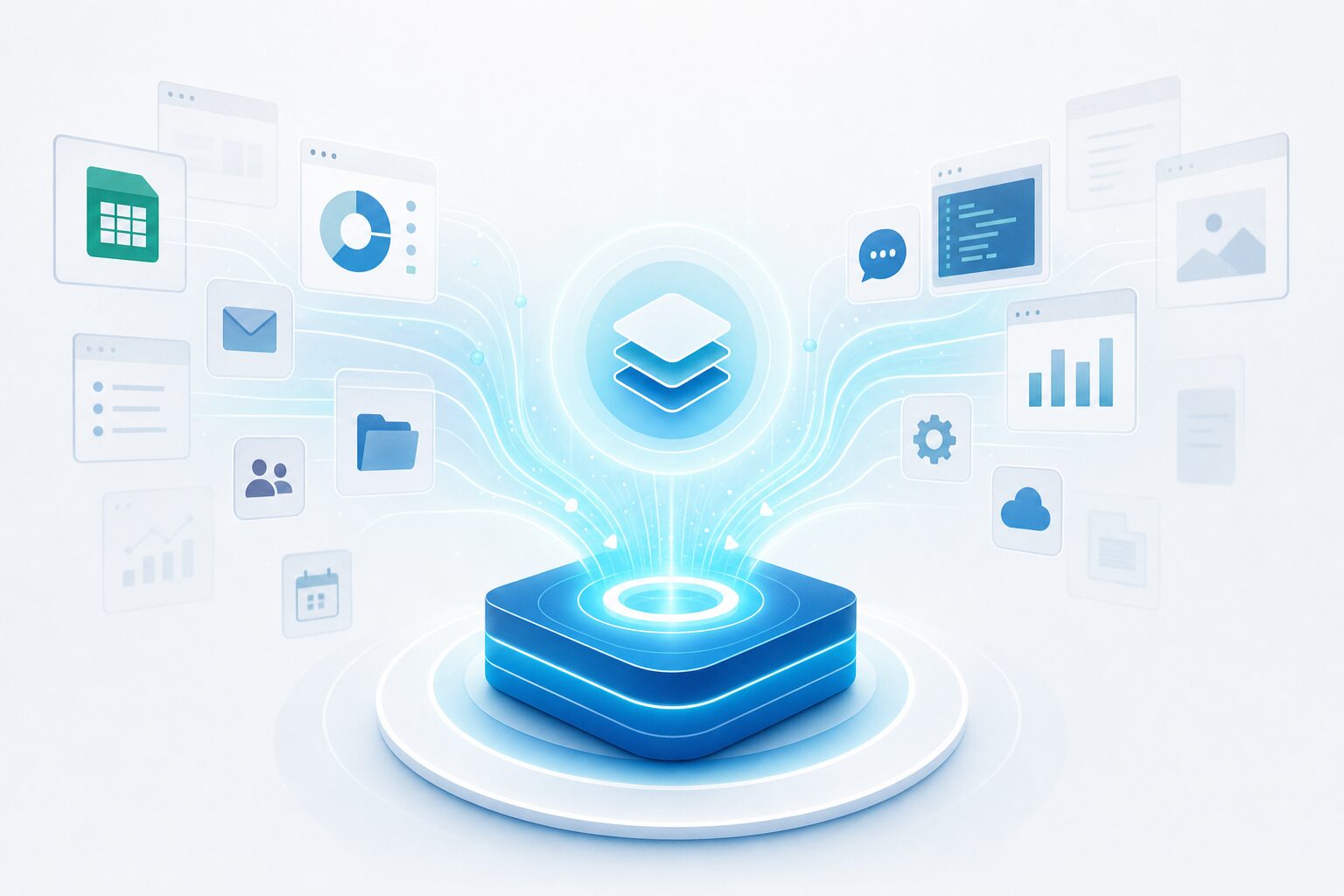
Critical Data You Must Migrate
Not all HubSpot data deserves a spot in your new CRM. Migrating everything indiscriminately creates the same bloat you are trying to escape. Strategic migration means moving what matters and intentionally leaving behind what does not.
Contact Records and Custom Fields
Migrate all contacts with engagement history within the last 12 months. For contacts that have not opened an email or visited your website in over a year, archive them separately. Every contact you migrate adds to your addressable database — make sure each one has earned its place through actual engagement.
Custom fields require special attention. HubSpot allows unlimited custom properties, and most businesses create far more than they actively use. Audit every custom field during Phase 2 and migrate only the fields your team references in active reports, automations, or customer segmentation. A clean database inside your new CRM outperforms a bloated one every time.
Email Templates and Automation Workflows
Export your top 10 to 15 performing email templates by open rate and click-through rate. Recreate these first in your new platform. Legacy templates with below-average performance are candidates for retirement, not migration.
For automation workflows, prioritize revenue-generating sequences: lead nurture flows, appointment reminders, follow-up sequences, and re-engagement campaigns. Administrative workflows like internal notifications and data cleanup routines can be rebuilt after launch as needed. Focus your migration energy on the workflows that directly impact pipeline and revenue.
Deal Pipelines and Revenue Data
Your sales pipeline history is critical for forecasting accuracy. Export all deals from the current quarter and the two preceding quarters. This gives your new CRM enough historical data to generate accurate pipeline reports and conversion rate benchmarks from day one.
Historical deals older than six months rarely impact active forecasting. Archive them in a spreadsheet for reference, but do not import them into your new pipeline. Your HubSpot alternative will build its own historical dataset within 90 days of active use.
Common Migration Pitfalls and How to Avoid Them
Forrester attributes the 47% CRM failure rate to three root causes: lack of business strategy (48%), lack of process change (45%), and lack of executive support (40%). Here is how to neutralize each one and ensure your HubSpot alternative migration succeeds.
Pitfall 1: Migrating Without a Data Audit
The most common migration failure starts with a full database export dumped into a new system without review. Without an audit, you import duplicate records, outdated contact information, broken automations, and irrelevant custom fields. The new CRM feels cluttered and unreliable from day one, and team adoption suffers.
The fix: Complete Phase 1 (audit) before any data moves. Accept that your HubSpot database contains waste. A clean migration produces a cleaner CRM — and a team that actually trusts and uses it.
Pitfall 2: Ignoring Team Training
A new CRM delivers zero value if your team reverts to spreadsheets, sticky notes, and manual workarounds within two weeks. Industry data shows that 42% of CRM implementations fail because of inadequate training.
The fix: Budget time and resources for Phase 5. Schedule hands-on training sessions — not just video tutorials or PDF guides. Appoint a migration champion who fields daily questions during the transition period. The investment in training pays for itself within the first month through higher adoption rates and fewer support tickets.
Pitfall 3: Trying to Replicate HubSpot Exactly
Some businesses attempt to recreate their entire HubSpot configuration inside the new platform — every workflow, every custom field, every dashboard arranged identically. This approach fails because it assumes HubSpot’s architecture was optimal. It was not. You are migrating because it was not.
The fix: Use the migration as an opportunity to redesign your workflows from scratch. A full-stack HubSpot alternative handles automation differently than HubSpot’s hub-and-spoke model. Rebuilding natively will produce cleaner, faster, and more effective automations that take advantage of having all your data in one unified system.
Making the Switch With Confidence
Migrating from HubSpot to a full-stack CRM alternative is not a gamble — it is a calculated upgrade backed by clear data. Gartner reports that eliminating redundant applications reduces technology costs by an average of 22% while simultaneously improving team performance metrics. Salesforce research shows that 85% of sales leaders are already planning to consolidate their tech stacks over the next two years to improve operational efficiency.
The businesses that move to a HubSpot alternative first gain the compounding advantage: lower costs, faster workflows, cleaner data, and a team that operates from one platform instead of nine disconnected tools.
The five-phase roadmap in this guide removes the uncertainty from migration. Audit your stack, map your data, migrate in stages, test thoroughly, and train your team. Every step is designed to eliminate the risks that cause nearly half of all CRM migrations to fail.
Your current HubSpot bill is not going down. Your team’s frustration with disconnected tools is not going away. The question is not whether to find a HubSpot alternative — it is how quickly you can execute the migration and start operating from a single platform that scales with your business.
Explore what a full-stack CRM alternative looks like in action — book a live demo. Or get started with a free trial today and see the difference consolidation makes on day one.