
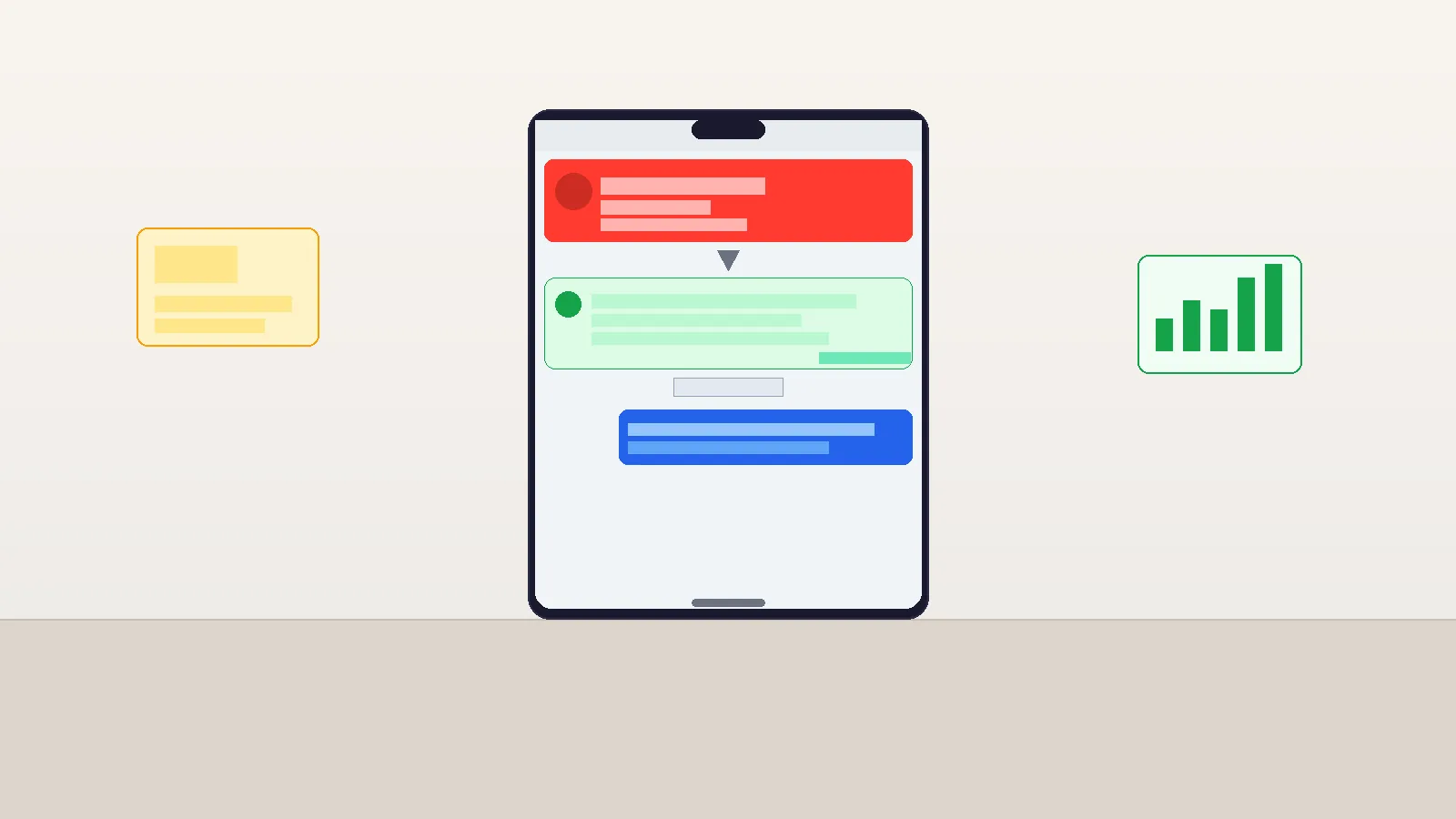

Missed call text-back is an automation that fires an SMS to a caller within 30 seconds of a missed call — keeping the conversation alive at the exact moment the caller is most likely to respond. In 2026, it’s the single highest-ROI automation a local business can deploy: 62% of business calls go unanswered,1 and 85% of callers who reach voicemail don’t call back. Missed-call text-back recovers 35-50% of those leads.
Set this up in 5 minutes — start your free 14-day trial →
The Shocking Math: 62% of Business Calls Go Unanswered
Here’s a number that should stop you cold: 62% of all inbound business calls go unanswered.1 Not for lack of wanting to answer — but because owners and staff are busy with customers, on another call, or simply unavailable. It’s structural, not a discipline problem.
What happens to those callers? 85% of callers who reach voicemail don’t leave a message or call back.2 They move on. They Google the next result. They call your competitor. The lead is effectively gone within 3-5 minutes of a missed call.
Now multiply this by your call volume. If your business receives 100 calls per month:
- 62 go unanswered
- 52 of those callers (85%) never follow up on their own
- Those 52 leads represented real buying intent — they took the time to call you
If your average transaction value is $200, and even 20% of those lost leads would have converted, you’re leaving $2,080/month on the table. Every month. Just from the phone not being answered.
Missed-call text-back stops this bleed.
What a Missed-Call Text-Back Actually Does
Missed call text-back is exactly what it sounds like: an automation that sends a text message to a caller’s number within 30 seconds of a call going unanswered. The message arrives before they’ve finished typing your competitor’s name into Google. It re-engages them at peak intent.
The automation triggers on a specific condition: the phone rings your business number AND the call is not answered (the caller hangs up, or the call goes to voicemail). The system detects the missed call event and fires the SMS workflow automatically, with no human involvement.
What makes it so effective:
- SMS open rates run at 98% — compared to 20-30% for email3
- The message arrives in context — they just called you, they’re expecting a response, and a text feels natural
- Speed matters — responses within 60 seconds dramatically outperform delayed responses
- It eliminates the awkward voicemail problem — most people hate leaving voicemails; a text is frictionless
The business doesn’t need to do anything. The caller gets a response. The conversation starts. That’s the entire value proposition.
The First-Message Template: 3 Versions We Tested
The wording of your missed-call text-back message matters more than most businesses realize. We’ve tested dozens of variations with local service businesses — here are the three that consistently perform best, with our conversion data:
| Message Style | Template | Response Rate | Best For |
|---|---|---|---|
| Friendly / Personal | “Hi, this is [Name] from [Business] — I just missed your call! I’d love to help. What can I do for you today? Reply here or call me back at your convenience.” | ~42% | Service businesses, real estate agents, coaches |
| Professional / Efficient | “[Business Name] here — we missed your call. How can we help? Reply to this message or schedule a callback: [link]” | ~38% | Medical, legal, financial services |
| Direct / Sales-Focused | “Hey! [Business] missed your call. Are you looking to [get a quote / book an appointment / learn more about X]? Reply YES and we’ll reach out right away.” | ~29% | Use sparingly — works for warm lists, less effective for cold first contact |
Response rates based on aggregated data from local service businesses using automated SMS follow-up workflows. Individual results will vary based on industry, timing, and message personalization.
Our recommendation for most businesses: start with the Friendly version. It’s warm but not pushy, invites an open-ended reply (which generates conversation), and doesn’t assume what the caller wants. Personalize with your first name and business name — avoid generic “Our team will be with you shortly” corporate-speak.
“We switched from a generic ‘we missed your call, call us back’ voicemail to the friendly text-back template. Same call volume, but we went from recovering maybe 5 leads per month from missed calls to recovering closer to 22. The math on that alone paid for the tool 10 times over.”
Want to see what the missed-call text-back automation looks like inside ASM?
View the unified inbox and conversation tools → or start your 14-day free trial to set it up yourself.
Anatomy of the Workflow: Call Event → SMS → CRM Record
Here’s exactly how the automation chain works inside ASM:
- Trigger: Missed call event — A call comes in to your ASM phone number. The caller hangs up without the call being answered (or goes to voicemail and doesn’t leave a message). ASM detects the missed call event.
- Action 1: Lookup or create contact — ASM checks whether the caller’s number already exists as a contact in your CRM. If yes, it appends the activity to their record. If no, it creates a new contact automatically with the caller’s number.
- Action 2: Tag and segment — The contact gets tagged “Missed Call” and optionally moved into a pipeline stage (e.g., “New Inquiry”). This makes them visible in your sales pipeline immediately.
- Action 3: Send SMS (within 30 seconds) — The text message fires with your chosen template. Personalization variables (contact first name if already in CRM) are inserted automatically.
- Action 4: Create follow-up task — A task is created in your ASM dashboard: “Follow up with [Caller Name/Number] — missed call at [time].” This ensures the lead doesn’t fall through the cracks if they don’t respond to the text.
- Action 5: Wait and branch — The workflow waits 10 minutes. If the caller replies, a notification fires to the assigned staff member. If no reply, the workflow can send a second follow-up after a delay (optional — we recommend 4-6 hours for a second touch).
The entire chain runs without human involvement. The only time a human gets involved is when the caller replies — which is exactly the moment they want to talk to you.
All conversations surface in ASM’s unified inbox, where you can see SMS, email, and chat in one view. No missed replies, no switching between apps.
Real Conversion Numbers From Local Businesses
The industry data on missed-call text-back is compelling. Here’s a realistic picture of what local businesses can expect:
- SMS response rate after a missed call: 35-50% when the message is sent within 60 seconds4
- Revenue recovery from lost missed-call leads: 18-34% of what would otherwise have been lost revenue2
- SMS conversion rates for local service businesses: approximately 45% for campaigns sent to engaged contacts3
- SMS open rates: 98% vs. 20-30% for email5
To put this in concrete terms: an HVAC company receiving 80 calls per month, with 50 going unanswered, deploys missed-call text-back. At a 40% response rate, 20 of those missed callers respond to the text. If 30% of those convert to booked jobs at $400 average value, that’s 6 additional jobs = $2,400/month from an automation that costs a few minutes to set up.
The businesses we see the biggest impact in are:
- Local trades (HVAC, plumbing, electrical) — technicians are often on-site and can’t answer; missed-call text-back catches the service inquiry in real time
- Real estate agents — listing inquiries come at any hour; text-back keeps the conversation alive until the agent can follow up (see our full real estate CRM coverage)
- Medical and dental practices — appointment scheduling calls that go unanswered turn into booked appointments via text
- Lawyers and financial advisors — referral calls that miss a callback turn cold within hours; text-back holds them warm
Common Mistakes That Kill Your Conversion Rate
Missed-call text-back sounds simple, but there are five implementation mistakes we see consistently that crush the conversion rate:
- Delay too long — Any delay beyond 5 minutes dramatically drops response rates. The caller is still holding their phone when they receive the text at 30 seconds. At 30 minutes, they’ve moved on. Configure your automation to fire in under 60 seconds.
- Generic or corporate copy — “A member of our team will contact you shortly” reads like an auto-reply and gets ignored. Use a first name, use conversational language, invite a reply rather than asking them to call back.
- Sales-forward opener — The first message should open a conversation, not close a sale. Don’t lead with pricing, promotions, or aggressive calls to action. Ask an open question. Get them talking.
- No follow-up if no reply — A single text gets a 35-50% response rate, which means 50-65% of people don’t respond to the first message. A second message 4-6 hours later can recover another 15-20% of those contacts. Don’t stop at one touch.
- Not creating a CRM record — If the missed call only triggers a text but doesn’t create a CRM contact, there’s no visibility into who was contacted and no follow-up task. Every missed-call interaction should create or update a contact record automatically.
5-Minute Setup in ASM
Here’s the exact setup sequence in Automated Sales Machine:
- Step 1 — Provision your phone number
In ASM, navigate to Phone Numbers and provision a local number for your area code. This becomes your business inbound number. Call forwarding from your existing number is optional but not required. - Step 2 — Open the Workflow Builder
Go to Automations → Workflows → Create New Workflow. Name it “Missed Call Text-Back.” - Step 3 — Add the trigger
Select “Customer Replied” → change to “Inbound Call” trigger type → select “Missed Call” as the specific trigger condition. - Step 4 — Add the SMS action
Click the + button to add an action. Select “Send SMS.” Write your message in the text field. Use the personalization variables to insert the contact’s first name if available: {{contact.first_name}}. Set the delay to 0 (send immediately). - Step 5 — Add contact creation and tagging
Add an action: “Add Contact Tag” → “Missed Call.” Add an action: “Add to Pipeline” → select your inbound leads pipeline and the “New Inquiry” stage. This ensures the contact surfaces in your CRM. - Step 6 — Optional: add follow-up branch
Add a “Wait” step for 4-6 hours. Then add an “If/Else” branch: if the contact has replied to the previous SMS, end the workflow. If not, send a second, softer follow-up text. - Step 7 — Publish and test
Set the workflow to Active. Call your own ASM phone number from your personal cell and hang up. Confirm the text arrives within 30 seconds.
Total setup time: 4-6 minutes. Ongoing maintenance: none. The automation runs 24/7 without any further configuration.
For the full set of automation and inbox capabilities, visit automatedsalesmachine.com/features/inbox.
Set up missed-call text-back in the next 5 minutes.
Join 2M+ businesses recovering leads they used to lose to voicemail. Start your 14-day free trial — no credit card required.
Start Your Free 14-Day Trial →
Or watch the 4-minute demo first
Bonus: Layering AI Voice for After-Hours Capture
Missed-call text-back handles the 62% of calls that go unanswered when you’re busy. But what about after-hours calls — when the business is closed and there’s no one to answer at all?
This is where ASM’s AI voice agent adds another layer. Instead of the call going unanswered (and text-back firing), the AI voice agent answers the call, handles the inquiry, and books appointments directly — while the text-back automation remains on standby for callers who hang up before the AI can engage.
The two automations work together:
- During business hours: Staff answers. If they can’t, missed-call text-back fires within 30 seconds.
- After hours: AI voice agent answers. If the caller hangs up before connecting, missed-call text-back fires within 30 seconds as backup.
For businesses like HVAC contractors, dental practices, and real estate agents — where after-hours inquiries are common and high-value — this combination captures virtually every inbound contact regardless of when they call.
Learn more about ASM’s AI features at automatedsalesmachine.com/features/ai.
For industry-specific applications of these automations, see our guides for the full feature set and our article on CRM and automation for real estate agents.
Frequently Asked Questions
What is missed call text-back?
Missed call text-back is an automated SMS that fires to a caller’s phone number within 30 seconds of a call going unanswered. When someone calls your business and the call isn’t picked up, the automation detects the missed call event and immediately sends a personalized text message to that caller. The message typically acknowledges the missed call, invites the caller to respond via text, and optionally includes a link to book an appointment or learn more. The goal is to re-engage the caller at the moment they’re most likely to respond — before they move on to a competitor. In Automated Sales Machine, this automation is built into the Workflow Builder and can be set up in under 5 minutes.
How does missed call text-back work technically?
When a call comes in to your ASM business phone number and is not answered (the caller hangs up before being connected, or the call goes to voicemail), ASM detects a “missed call” event. This event triggers the Workflow Builder automation you’ve configured. The workflow first checks whether the caller’s number exists as a contact in your CRM — if yes, it appends the activity; if no, it creates a new contact record. Then it sends an SMS to the caller’s number using the message template you’ve written. The SMS typically arrives within 15-30 seconds of the call. Any reply from the caller surfaces in your ASM unified inbox, where you can continue the conversation. The workflow can also add tags, move contacts into pipelines, and create follow-up tasks — all automatically.
What should I say in my missed-call text-back message?
The best missed-call text-back messages are short (under 160 characters ideally), conversational, and open-ended. Use a first name — yours or a staff member’s — to make it feel personal rather than automated. Open with an acknowledgment of the missed call, then invite a reply with an open question rather than directing them to call back. Example: “Hi, this is [Name] from [Business] — I just missed your call! How can I help? Just reply here.” Avoid: generic corporate-speak (“A team member will contact you shortly”), immediate sales pitches, or asking multiple questions in the same message. The goal of the first message is to get a reply, not close a sale. The conversion happens in the conversation that follows.
What response rate can I expect from missed-call text-back?
Industry data suggests a 35-50% response rate when messages are sent within 60 seconds of the missed call. This is significantly higher than voicemail callback rates (15% or less) and email follow-up rates (20-30% open rate, much lower reply rate). Response rates vary by industry — medical and dental practices typically see higher response rates because the caller has a specific, pressing need. Trades like HVAC and plumbing see strong results during busy seasons. Real estate agents see high response rates for listing inquiries because the lead is actively searching. A second message sent 4-6 hours after no response can recover another 10-15% of non-responders.
Does missed-call text-back work if I already have voicemail?
Yes — and they serve different purposes. Voicemail captures callers who stay on the line long enough to leave a message. Missed-call text-back captures callers who hang up before or after hearing the voicemail greeting — which is the majority. Most people prefer to text over leaving voicemails, and the text-back arrives immediately on the device they’re already holding. Many businesses run both: callers who leave a voicemail get a follow-up workflow, and callers who hang up get the missed-call text-back. They’re complementary, not redundant.
Is missed-call text-back available for all business types?
Missed-call text-back works for any business that receives inbound phone calls, but it delivers the highest ROI for businesses where: (1) calls often go unanswered because staff are occupied (trades, medical, real estate, salons), (2) the average transaction value is high enough that each recovered lead has significant financial impact, and (3) customers expect fast follow-up. It’s particularly effective for local service businesses — HVAC, plumbing, dental, legal, real estate — where competitors are just a Google search away and response speed is a competitive differentiator. E-commerce businesses with high call volume also benefit, but the ROI calculation is typically stronger for service businesses.
How is missed-call text-back different from a chatbot or live chat?
Live chat and chatbots handle visitors already on your website. Missed-call text-back handles people who called your phone number and didn’t get through. These are different channels reaching different intent moments. A chatbot on your website intercepts passive browsers who might not have committed to contacting you yet. Missed-call text-back intercepts active callers who already decided to reach out and were blocked by an unanswered phone — they have higher intent and are more likely to convert. The two tools work together: a visitor might start with live chat, then call for follow-up, then get a missed-call text-back if they can’t get through. Each touchpoint is captured in the ASM unified inbox.
Key Takeaways
- 62% of business calls go unanswered; 85% of callers who reach voicemail don’t call back — missed-call text-back bridges this gap
- Sending an SMS within 60 seconds of a missed call generates a 35-50% response rate — far higher than email or voicemail callbacks
- The Friendly template (“Hi, I just missed your call — how can I help?”) consistently outperforms Professional and Sales-forward variants
- The full automation chain: missed call event → create/update CRM contact → tag and add to pipeline → send SMS → create follow-up task → wait/branch on reply
- Set up takes 4-6 minutes in ASM’s Workflow Builder; runs 24/7 with zero ongoing maintenance
- Common mistakes: firing more than 5 minutes late, using corporate copy, no follow-up for non-responders, not creating CRM records
- Layer AI voice agent on top for after-hours coverage — missed-call text-back acts as backup if the caller hangs up before the AI connects