


Moody — a quick look at the moody mac wallpaper launched on Product Hunt.

Moody — Your Mac wallpaper that listens to your music & weather
117 upvotes · #8 Product of the Day · Launched May 18, 2026 — View on Product Hunt
Moody reimagines the Mac wallpaper as a dynamic, responsive element—a living surface that listens to what the user does and adapts in real time. Rather than remaining static, the moody mac wallpaper shifts with music playing through the system, reflects current weather conditions, and synchronizes with focus modes to create an environment that matches the user’s actual moment. For Mac users and small business owners who spend hours at their desks, this approach transforms the desktop from background decoration into an active part of the working experience.
Topics: Mac, Design Tools, Productivity
What Moody Does
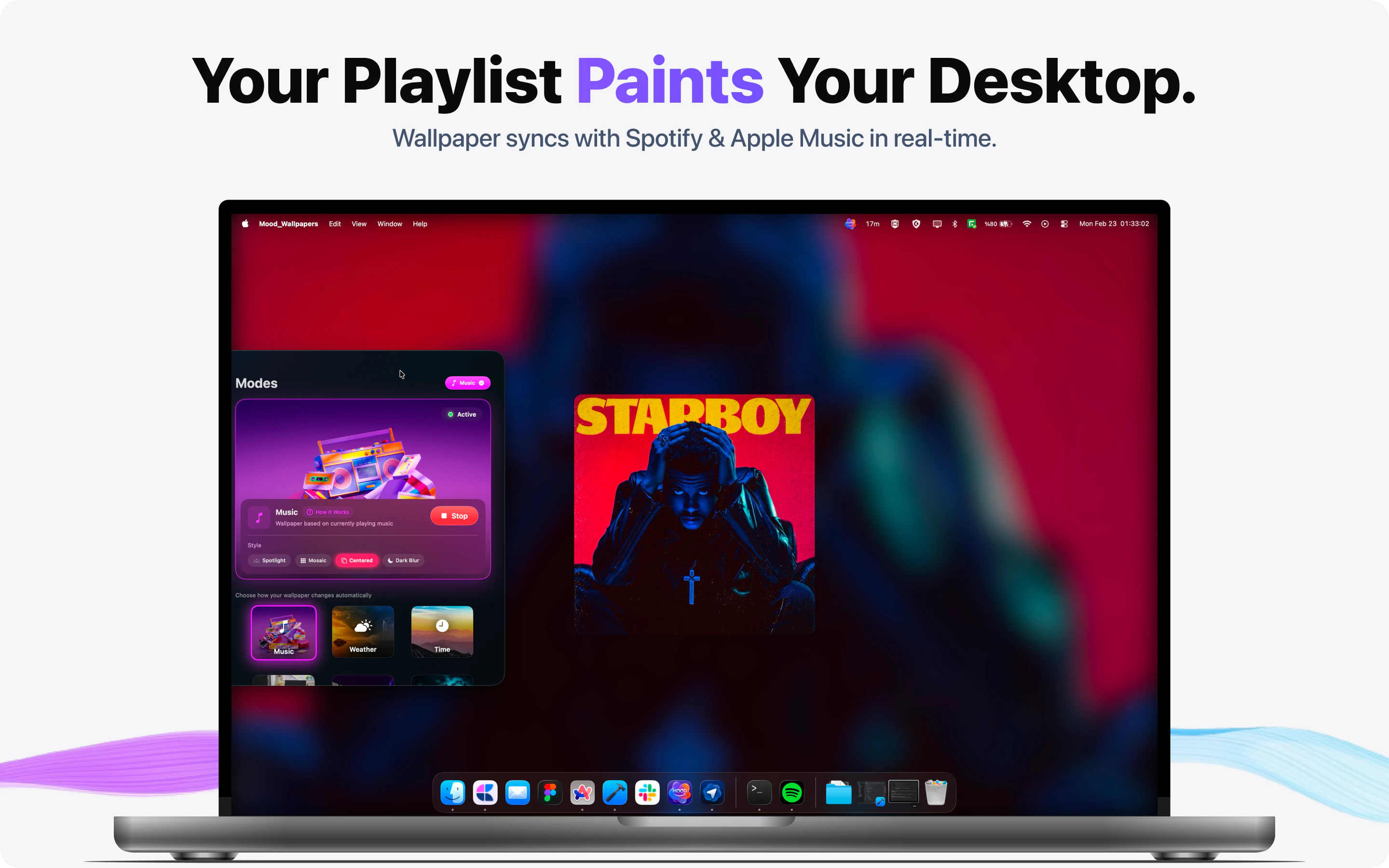
Moody operates across six smart modes, each designed to address a specific use case. The music-reactive mode analyzes audio playing on the Mac and adjusts the wallpaper’s colors and patterns in sync with the beat and energy. The weather-aware mode pulls local weather data and displays conditions that match reality—rain effects, cloud patterns, seasonal colors. Focus-syncing ties the wallpaper directly to macOS focus modes, so switching between Work, Personal, or Do Not Disturb contexts instantly changes the visual environment.
The remaining modes—Mood, Time of Day, and a customizable dynamic mode—give users additional control. Together, these create a moody mac wallpaper system that feels personalized rather than generic. The app delivers 4K wallpapers optimized for modern Retina displays and supports multi-monitor setups, critical for professionals running extended workspaces.

How the Moody Mac Wallpaper Reacts
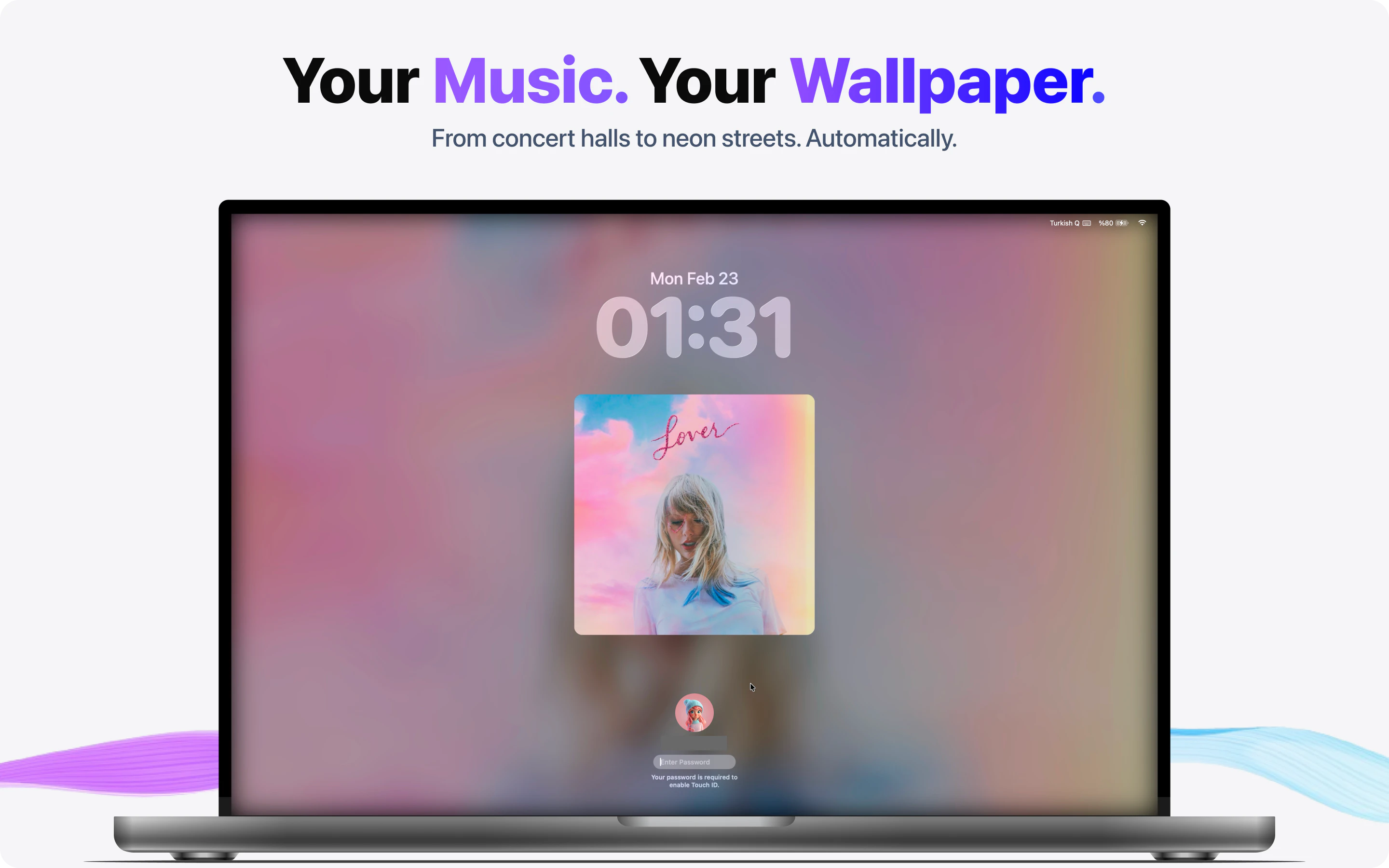
The technical foundation behind the moody mac wallpaper is straightforward but effective. When music-reactive mode is active, Moody analyzes audio frequencies—bass, treble, mid-range—and translates them into visual feedback. A bass-heavy beat might intensify color saturation or introduce motion; quieter passages dial back intensity. This real-time translation creates an almost meditative feedback loop.
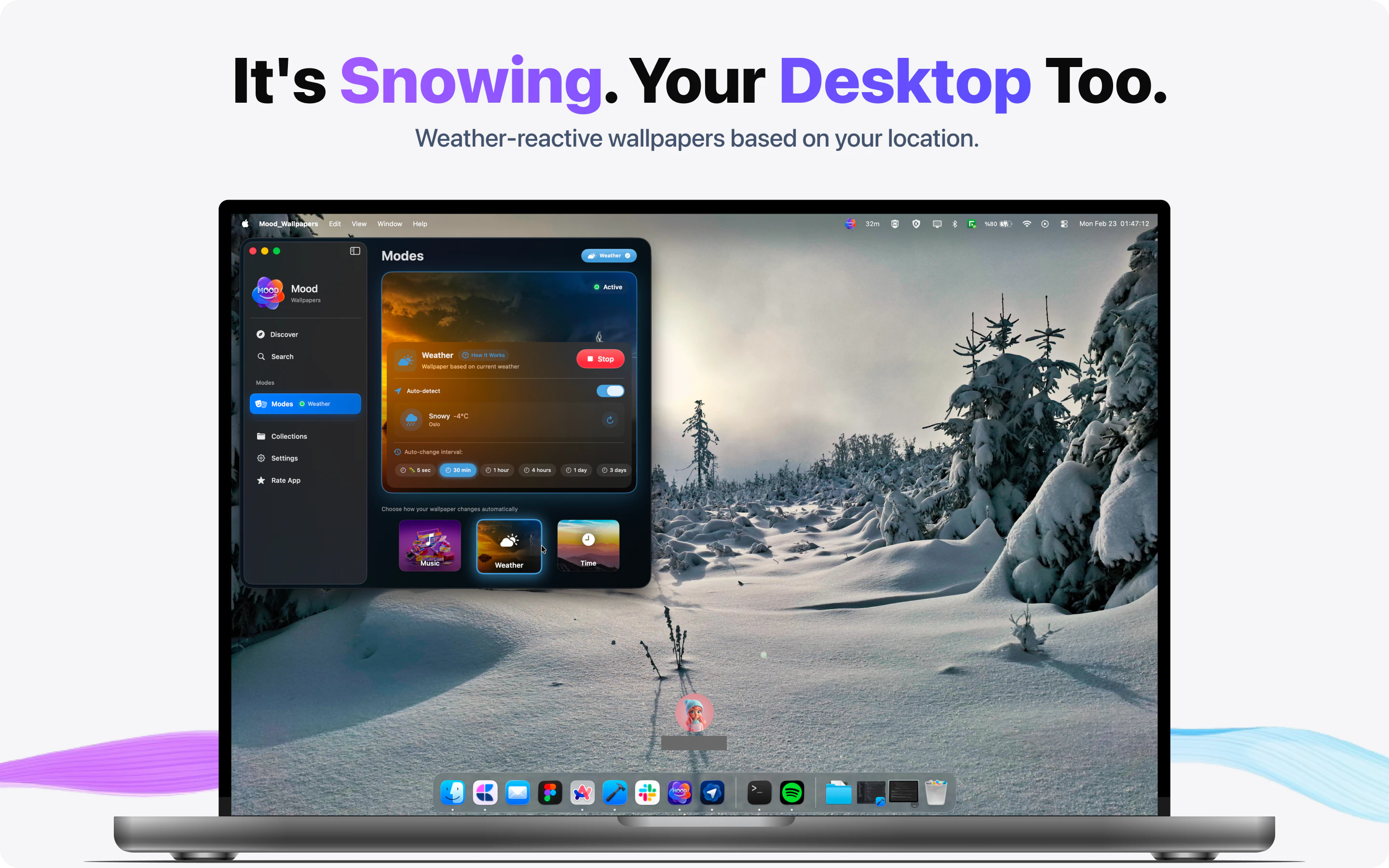
Weather integration works by accessing local weather APIs and mapping conditions to visual metaphors. Sunny weather brings bright, warm palettes. Overcast days introduce cooler tones and softer patterns. Rain adds animated texture. For users who work indoors all day, this connection to external conditions creates a subtle but meaningful link to the real world outside the window.
The focus-syncing feature addresses a growing need among knowledge workers: visual separation between context shifts. Switching to Work mode can trigger a professional, minimal aesthetic; Personal mode might brighten the environment. This contextual design pattern, borrowed from app design best practices, translates well to the desktop itself.
Key Features
Moody’s feature set balances simplicity with depth. The app includes:
- Six independent smart modes (music, weather, mood, focus, time of day, custom)
- 4K resolution wallpapers optimized for high-DPI displays
- Multi-monitor support for extended workspaces
- Real-time audio analysis without requiring audio extraction
- Integration with native macOS focus modes
- Minimal system overhead—designed to run in the background
The moody mac wallpaper system also respects user privacy; it analyzes audio and weather locally or through standard macOS APIs rather than sending data to external servers. For small business owners concerned about system performance and data practices, this matters.
Use Cases for Knowledge Workers
Designers and creative professionals benefit most visibly from music-reactive mode. The continuous visual feedback creates an immersive working environment, particularly valuable during focused creative sessions. The wallpaper becomes a secondary display of creative energy, reinforcing flow state.
Writers and analysts value weather-aware and time-of-day modes. These passive visual cues anchor long work sessions to the external world without requiring conscious attention. A rainy afternoon wallpaper subconsciously signals the appropriate mood for deep work; a sunset palette signals the day’s end.
Remote workers and small business owners often juggle multiple contexts—client calls, internal focus time, personal breaks. Focus-syncing addresses this directly, creating visual separation that cues mindset shifts faster than manually reorganizing windows.
Pricing and System Requirements
Moody requires macOS 14.6 or later, ensuring compatibility with recent Mac systems. The app works across Mac models with Retina displays or better, which includes nearly all active Macs in use today. Pricing details are listed on the Moody product page, where 117 votes reflect early interest from the Mac community.
Alternatives
Static wallpaper apps and screensaver utilities exist, but few integrate music reactivity with weather awareness and focus-syncing. Some music visualizers run as screensavers, but don’t adapt the desktop itself. Generic wallpaper apps offer variety but no contextual intelligence. The moody mac wallpaper fills a specific gap: dynamic, responsive, and purposefully designed for modern Mac workflows. For background on macOS customization, Apple’s macOS page provides authoritative context.
Pros and Cons
Pros: Seamless focus mode integration, real-time responsiveness, privacy-first design, multi-monitor support, and minimalist approach to system resources. The concept appeals directly to designers and productivity-focused users who value thoughtful interface details.
Cons: Effectiveness depends on personal preference—some users may find constant visual change distracting rather than enhancing. Music-reactive mode requires audio playback; weather integration depends on location services being enabled. The platform works best for users who keep music playing or prefer dynamic environments.
The Verdict
Moody represents a thoughtful intersection of design, personalization, and productivity. Rather than treating the desktop as passive real estate, the the platform transforms it into an active element that responds to the user’s immediate context. for design-minded professionals and operators who value design detail and environmental awareness, this offers measurable value—both aesthetically and functionally. The focus-syncing feature alone justifies exploration for remote workers managing context switching throughout the day. The 117 votes on Product Hunt reflect a community recognizing something meaningful: desktops deserve to be as thoughtful and responsive as the applications running on top of them.
Check out Moody on Product Hunt or visit the official Moody website to learn more.