


TL;DR: Sales automation software for small business eliminates repetitive manual tasks from your sales process — letting your team focus on closing deals instead of chasing paperwork. The right platform consolidates CRM, email sequences, lead scoring, appointment booking, and pipeline tracking into one system, with small businesses reporting measurable ROI within 60–90 days. Automated Sales Machine is an all-in-one platform built specifically to replace your fragmented tech stack and automate every stage of your sales workflow.
Sales reps at small businesses spend only 28–53% of their workday actually selling. The rest is admin tasks, data entry, follow-up emails, scheduling calls, and status updates that software could handle automatically — and faster, and without human error.
That’s not a minor inefficiency. At a five-person sales team, that imbalance costs 2–3 hours per rep per day. Time that could be closing.
The right sales automation software for small business changes that math. But choosing a platform when you’re a growing business — not a Fortune 500 operation with a dedicated IT department — takes more than picking the tool with the most features. This guide covers what actually matters: what to look for, what to avoid, and how to evaluate options against your real sales process.
What Is Sales Automation Software — and Why Small Businesses Need It Now
Sales automation software automates the repetitive, time-consuming tasks that eat into your team’s selling hours. Email follow-ups after demos. Pipeline stage updates. Appointment scheduling with prospects. Call note logging. Lead routing. All of it — handled by software, triggered by rules your team sets once.
The adoption numbers signal where the market is heading. 76% of companies now use some form of sales automation, with 61% of B2B businesses already running automation solutions as of 2025. And the market backing this trend is substantial — the global sales automation market grew from $7.8 billion in 2019 to $16 billion in 2025, with projections to surpass $31 billion by 2035.
Small businesses aren’t lagging behind on this. They’re driving the adoption — because manual sales processes hurt lean teams disproportionately. One missed follow-up isn’t a minor slip. It’s a deal that walks to a competitor who had automation in place.
The financial case is direct: the average CRM ROI is $8.71 for every $1 spent, with companies using CRM 86% more likely to exceed their sales goals. Those aren’t marketing claims — they’re measured outcomes from businesses that replaced manual processes with automation.
The core value proposition of sales automation software for small business is straightforward: your team should be spending their best hours on conversations and closes, not on tasks that software handles better. That’s the trade the right platform enables.
Choosing sales automation software for small business also means separating tools built for small teams from enterprise platforms that were scaled down. Enterprise CRM products offer powerful features — and equally powerful complexity. They were designed for IT departments, dedicated RevOps teams, and onboarding budgets measured in months. Small business sales automation software should set up in days, not quarters, and add capability without adding headcount to manage the platform itself.
The Sales Tasks You Should Stop Doing Manually Today

Before evaluating any platform, map which tasks your team currently handles manually — and which ones sales automation software can absorb entirely.
Email follow-up sequences. The average prospect needs 6–8 touches before buying. Manually tracking where each contact sits in that sequence breaks down past 50 active leads. Automated sequences send the right message at the right time, every time — without a rep remembering to do it.
Lead routing and assignment. Who handles the new inquiry from your web form? If that answer requires a Slack message or a judgment call, you’re burning time. Automation routes leads by territory, industry, or rep capacity the instant they come in. No delay. No conversation required.
Appointment scheduling. Back-and-forth calendar emails kill momentum in sales conversations. Booking links tied to live calendar availability close that gap — a prospect picks a time, a confirmation goes out automatically, and the meeting hits the CRM record. Done.
Pipeline stage updates. Reps forget to advance deals. Managers can’t forecast accurately. Automation moves deals based on real activity: a proposal sent, a demo attended, a payment collected. The pipeline stays current without relying on rep discipline.
Call logging. Manual call notes after every conversation costs 15–20 minutes per rep per day. AI-powered logging captures, transcribes, and files the interaction automatically — so reps spend that time on the next call, not documenting the last one.
Contact data enrichment. Leads often come in with just a name and email. Enrichment fills in company size, industry, job title, and social profiles before a rep even opens the record. First calls become more informed conversations when you already know who you’re talking to.
Reporting. Weekly sales reports assembled from spreadsheets take two hours and deliver stale numbers. Automated dashboards pull from live data — so every decision is based on what’s actually happening in your pipeline right now.
Small B2B sales teams face a real paradox: quota attainment is at a six-year low even as access to technology grows. The reason? Technology without automation still requires manual work. The businesses winning are the ones that deployed sales automation software for small business operations and removed the manual layer entirely.
How to Choose Sales Automation Software for Small Business
Enterprise platforms were built for enterprise problems. Hundreds of seats. Complex approval workflows. Six-figure implementation contracts. That’s not the small business reality.
Evaluating sales automation software for small business teams requires a different lens than evaluating enterprise CRM. The criteria below are what actually separate platforms that get adopted from platforms that sit unused after the first month.
Here’s what actually matters when evaluating sales automation software for small business operations:
| Evaluation Factor | What to Look For | What to Avoid |
|---|---|---|
| Ease of use | Intuitive UI, shallow learning curve, guided onboarding | Certification programs required to use core features |
| Platform scope | All-in-one (CRM + email + scheduling + pipeline) | Point solutions that require separate integrations for each function |
| Pricing model | Transparent flat pricing by tier or seat | Per-contact, per-automation, or per-integration charges that inflate real cost |
| Scalability | Grows with your team without forcing a full migration | Hard caps on contacts or workflows at the core tier |
| Integration fit | Native connections to tools you already use | Fragile Zapier-only integrations for critical workflows |
| Automation depth | Automation is a core feature, not a paid add-on | Basic tier is a database; automation costs extra on every tier |
When evaluating sales automation software for small business teams, also ask how new team members will be onboarded. If a new hire needs two weeks of platform training before they can run a sequence or update a deal, you have a tool adoption problem, not a sales process problem. The best platforms are intuitive enough that a rep can run core functions on day one — and graduate to advanced automations over the following weeks without a certification course.
The all-in-one vs. fragmented stack question deserves special attention. Managing 5–7 separate tools — CRM, email platform, scheduling, pipelines, reporting, prospecting — costs more than the subscription fees suggest. Integration overhead, data fragmentation, context-switching, and the maintenance burden when an API changes or a Zapier flow breaks: those are hidden costs that accumulate quietly.
Platforms like Automated Sales Machine consolidate those functions into a single interface. One login. One data model. One support conversation when something breaks. For small teams, that simplicity isn’t a convenience — it’s the difference between a system your team actually uses and one they work around.
The Features That Actually Move the Needle for Small Business Sales Teams
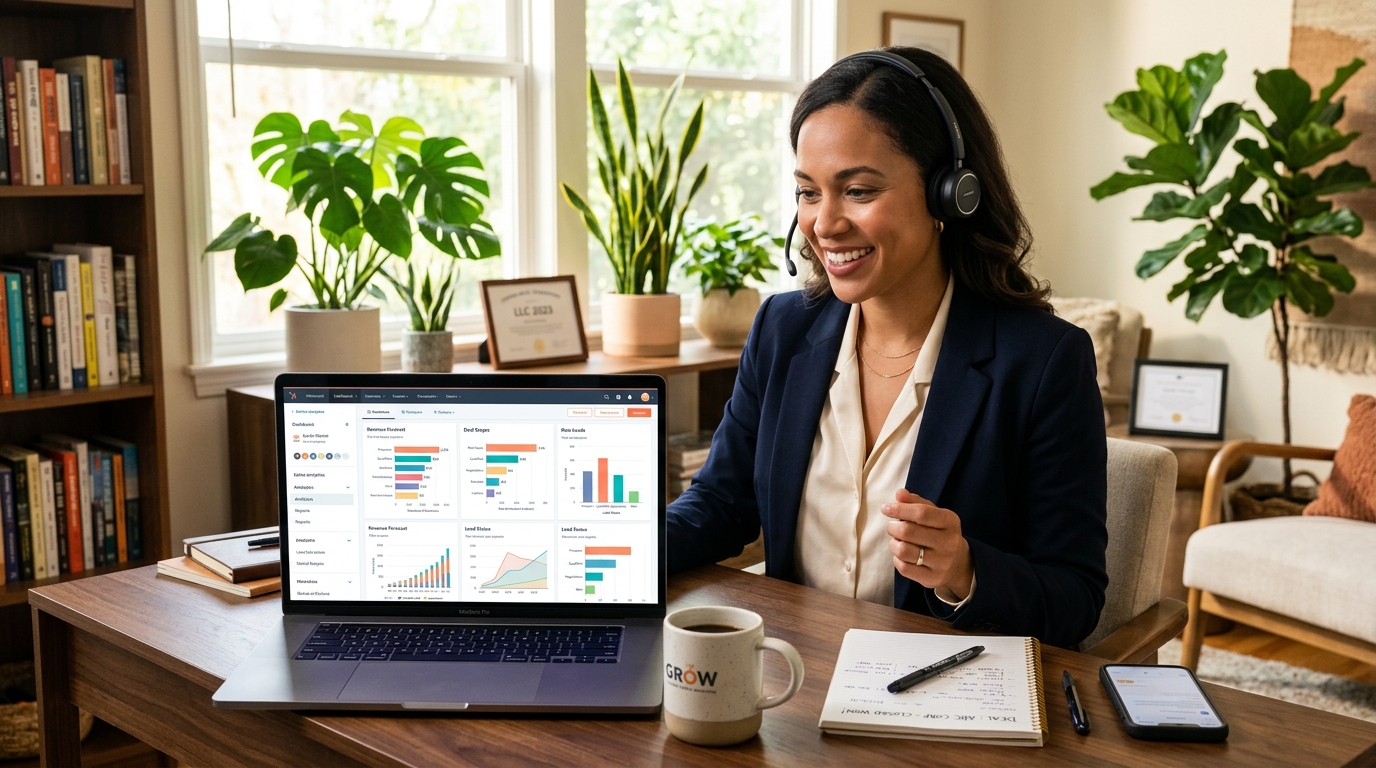
Not all platform features produce equal outcomes. These are the ones that generate measurable results — and what to look for when evaluating each.
CRM and Contact Management
The foundation everything else runs on. Every lead, prospect, and customer should live in one place with a complete interaction history: emails sent and opened, calls logged, deals in progress, tasks pending. Look for custom fields, behavior-based tagging, and segmentation that filters your database on activity signals, not just demographics.
Automated Sales Machine’s CRM module centralizes contact data with full activity timelines, pipeline associations, and two-way communication logging across email, SMS, and voice — so every rep opens a call knowing exactly where a prospect stands.
Automated Email Sequences
Sequences — cadences, drip campaigns, call them what you want — send a defined series of emails based on triggers. New lead. Demo request. Trial signup. Proposal sent. Gone quiet after a strong first call. The best platforms branch sequences based on behavior: someone opens email 3 but doesn’t reply, they get a different email 4. They book a call, the sequence pauses entirely. Behavior-based branching is what separates a simple email tool from genuine sales automation software.
AI-Powered Lead Scoring and Assignment
AI-powered CRM tools boost sales representative productivity by 41%, according to Salesforce’s State of Sales research. Lead scoring is a major driver. It ranks inbound leads by conversion likelihood — using firmographic data, behavioral signals, and historical close patterns — so your best rep works the hottest leads. Everyone else works from a defined priority queue. No gut-feel guessing. No senior rep wasting time on a lead that hasn’t qualified.
Appointment Booking Automation
Booking links tied to live calendar availability remove the friction between “I’m interested” and “I’m scheduled.” The platforms worth using go further: automatic reminders before the meeting, rescheduling options if a prospect cancels, and automatic CRM logging when the meeting happens. The rep shows up prepared. The prospect shows up at all.
Sales Pipeline Visualization
A visual pipeline gives every rep and manager a real-time picture of where every deal stands, what’s needed to advance it, and what’s about to close or stall. Automated stage changes — triggered by email opens, payments, form submissions, or call outcomes — keep the pipeline accurate without relying on rep memory. When managers can trust the pipeline, forecasting becomes a function, not a negotiation.
Reporting and Analytics
Real-time dashboards replace the Monday morning scramble. Conversion rates by stage. Rep performance by call volume and close rate. Email open rates by sequence. Revenue by source. Pipeline velocity. The platforms worth the subscription show you not just what happened, but where your pipeline leaks — and specifically what to fix. That’s the difference between reporting as a history lesson and reporting as a management tool.
The Real Cost of Running Sales on Disconnected Tools
Here’s a calculation most small businesses haven’t done explicitly.
A typical fragmented sales stack includes a CRM (HubSpot or Pipedrive), an email platform (ActiveCampaign), a scheduling tool (Calendly), a proposal tool, a prospecting database, and a reporting layer. You’re likely spending $400–$800 per month on subscriptions alone — before seat count scaling or feature tier upgrades.
That’s the visible cost. The invisible one is larger.
Every tool in a disconnected stack requires a separate login, separate data entry, separate onboarding for new hires, and manual integration maintenance. When Zapier breaks or an API updates, a deal falls through a gap. When customer data lives in three systems, nobody has a complete view of a prospect’s history. When reporting requires pulling from four sources, the numbers are already outdated by the time they’re assembled.
The global Sales Software Market is estimated at $35.9 billion in 2026, projected to reach $71.8 billion by 2031. That growth is driven by the consolidation trend — businesses replacing fragmented stacks with unified platforms that do more, cost less, and break less often.
For a small business, the math is especially compelling. Generative AI in CRM is projected to reach $61.2 billion by 2030 — one of the fastest-growing segments in enterprise software. The platforms investing in that direction aren’t adding features as accessories. They’re rebuilding the core of how sales teams operate.
The right sales automation software for small business teams doesn’t just save time. It changes the structure of how a small team competes. A three-person sales operation with the right automation in place can handle a pipeline that would historically require five or six reps managing it manually.
The question for small business owners isn’t whether sales automation software is worth adopting. The market data and ROI figures answer that. The question is which platform to adopt — and whether to move before competitors do.
Automated Sales Machine consolidates CRM, workflow automation, AI appointment booking, reputation management, email marketing, SMS, and pipeline tracking into one platform. No integration overhead. No duplicate data entry. No tools that stop communicating with each other when a prospect is in the middle of a deal cycle.
Watch a free demo of Automated Sales Machine to see how your sales workflow looks when every manual task is handled automatically. Or start a free trial and run your first automation today.
Frequently Asked Questions About Sales Automation Software for Small Business
What is sales automation software, and how does it differ from a basic CRM?
A CRM stores and organizes your customer data. Sales automation software takes action on that data automatically — sending follow-up emails, routing leads, updating pipeline stages, booking appointments. Most modern platforms combine both functions, which is why the terms are often used interchangeably. If a tool only stores contacts without triggering automated actions, it’s a CRM database, not sales automation software for small business applications.
How much does sales automation software cost for a small business?
Pricing varies from $15 per user per month for basic CRM tools to $300+ per month for all-in-one platforms with full automation depth. The real cost comparison isn’t tool vs. tool — it’s all-in-one vs. fragmented stack. A business paying separately for CRM, email, scheduling, and reporting typically spends more in total than a unified platform costs. Always calculate total stack cost, not just the headline price.
Can a small business with no technical background set up sales automation effectively?
Yes — modern sales automation software for small business is designed for non-technical operators. The best platforms offer drag-and-drop workflow builders, pre-built sequence templates, and guided setup wizards. Expect a 1–2 week ramp period to get core automations running reliably. Prioritize platforms with responsive support and clear documentation — poor onboarding will cost weeks of lost setup time and adoption momentum.
What’s the realistic ROI timeline for sales automation software?
Most small businesses see measurable results within 60–90 days of deployment: reduced follow-up lag, faster lead response times, and more accurate pipeline data. The average CRM ROI is $8.71 for every $1 invested. Teams that automate the highest-frequency manual tasks reclaim 2–4 hours per rep per day — time that compounds into more calls, more closed deals, and better close rates over the following quarters.
Which sales tasks should a small business automate first?
Start with the highest-frequency, lowest-judgment tasks: lead routing, appointment confirmation and reminder emails, follow-up sequences for new inquiries, and pipeline stage updates triggered by deal activity. These deliver the fastest time-to-value with the clearest ROI signal. Once those are running reliably, move to more sophisticated workflows: lead scoring, re-engagement campaigns for cold contacts, and behavior-based branching sequences.
Is sales automation software for small business different from enterprise solutions?
Enterprise platforms are built for enterprise complexity: hundreds of seats, custom approval hierarchies, dedicated IT teams, and multi-year implementation timelines. Small business-focused sales automation software prioritizes fast setup, intuitive interfaces, and lean-team workflows. The best platforms in this category still offer enterprise-grade capability — AI lead scoring, multi-channel automation, real-time reporting — without the implementation burden or the pricing model built for Fortune 500 budgets.