
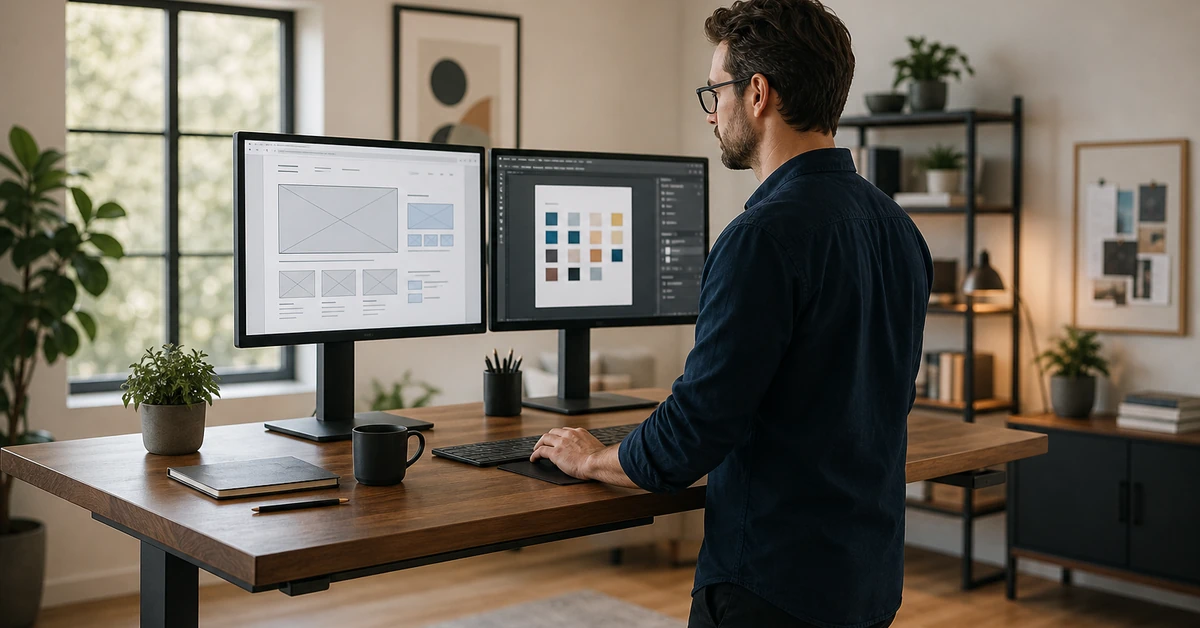

What is web design? Web design is the practice of planning, creating, and optimizing a website’s visual layout, structure, and user experience so that every page serves a business objective — whether that’s capturing a lead, booking an appointment, or closing a sale. For small business owners, understanding what is web design means recognizing that your website isn’t a digital brochure; it’s your most powerful sales tool, operating around the clock. According to Salesforce State of the Connected Customer, 80% of customers say the experience a company provides is as important as its products or services — and your website is almost always the first experience they have. Ready to stop leaving revenue on the table? Book a free demo and see how Automated Sales Machine builds sites that convert.
The First Impression Problem: Why Web Design Is Your #1 Sales Tool
Before diving into the tactical detail of what is web design in practice, consider the stakes. You have roughly 50 milliseconds to make a first impression online. That’s not a metaphor — it’s the window a site visitor uses to form a gut reaction about your business before they’ve read a single word. In that fraction of a second, they’re asking: Does this business look legitimate? Is this site easy to use? Can I trust these people with my money?
Web design answers those questions before your copy gets the chance. Stanford Web Credibility Research found that 75% of users judge a company’s credibility based on its website design. Forty-six percent of that credibility judgment comes from the visual appeal of the homepage alone. That’s not a small detail — that’s the difference between a prospect who clicks “Book a Call” and one who bounces directly to your competitor.
For service businesses — real estate, dental, fitness, home services, med spas — the stakes are even higher. Your website isn’t competing with other websites; it’s competing with every other option a potential customer sees in a Google search result. A weak design signals a weak business. A high-converting design signals professionalism, competence, and reliability before the prospect reads a word of your offer.
The good news: you don’t need a Fortune 500 budget to build a site that closes. You need a clear understanding of what is web design, which elements actually move the needle, and how to apply those elements to your specific business model. This guide breaks it all down — definition, core elements, types, costs, and the exact best practices that separate high-converting sites from expensive liabilities.
What Is Web Design? A Complete Definition
At its most precise, what is web design is this: the discipline of creating the visual layout, structure, navigational logic, and interactive experience of a website — combining aesthetics with functionality to achieve a defined business outcome. Web design encompasses every decision a visitor sees and interacts with: the color palette, typography, button placement, image selection, whitespace, menu structure, and the flow from one page to the next.
What is web design not? It’s not just making something look pretty. Pure aesthetics without strategic intent produces beautiful websites that generate zero leads. The most effective web design is conversion-focused — every visual choice is made in service of a business goal, whether that’s booking an appointment, capturing an email address, or driving a phone call.
Modern web design operates at the intersection of three disciplines:
- Visual design — color, typography, imagery, and layout that communicate brand identity and establish trust
- UX design (User Experience) — the architecture of how a visitor moves through the site, what they see first, what action they take next
- Conversion design — the strategic placement of calls to action, form fields, social proof, and offers that turn visitors into leads
When these three disciplines work together, you get a website that doesn’t just exist — it performs.
Web Design vs. Web Development: Key Differences
Business owners often use “web design” and “web development” interchangeably. They’re related but distinct disciplines. Web design is the creative and strategic layer — what the site looks like and how it flows. Web development is the technical layer — the code that makes the design function in a browser.
Think of it this way: web design is the architectural blueprint; web development is the construction. A web designer determines that your homepage needs a full-screen hero image, a bold headline, and a prominent CTA button above the fold. A web developer writes the HTML, CSS, and JavaScript that actually renders that design in a browser.
For most small businesses deciding what is web design they actually need, the answer is both — or a platform that handles both for you. All-in-one tools like Automated Sales Machine give service businesses a complete suite that handles design, development, hosting, and automation in one platform — eliminating the need to manage multiple vendors or pay agency retainers for routine updates.
The 7 Core Elements of Effective Web Design
Now that you understand what is web design at a conceptual level, let’s get tactical. Here are the seven elements that separate a site that converts from one that costs money without generating results.
1. Visual Hierarchy and Layout
Visual hierarchy is the strategic arrangement of elements on a page so the visitor’s eye moves in a deliberate sequence — from the most important information to the next most important, guiding them toward a conversion action. Strong layout design uses size, contrast, whitespace, and position to establish this hierarchy without the visitor consciously noticing it.
The F-pattern and Z-pattern are two proven reading patterns web designers use to structure layouts. The F-pattern (used on text-heavy pages) places the most critical content along the top and left edge. The Z-pattern (used on landing pages) guides the eye from top-left to top-right, then diagonally to the bottom-left and across to the bottom-right CTA. Both patterns keep conversion actions in the natural visual path of the reader.
2. Typography and Readability
Typography is one of the most underestimated elements in web design. The right font choices establish brand personality, create hierarchy between headlines and body text, and — critically — ensure your content is actually read. Poor font choices, insufficient line spacing, or text that’s too small on mobile can cause visitors to abandon a page before they reach your offer.
Best practice: use no more than two font families (one for headlines, one for body copy). Set body text at a minimum of 16px with a line height of 1.5–1.6 for maximum readability. Ensure sufficient contrast between text color and background — the Web Content Accessibility Guidelines (WCAG) recommend a minimum contrast ratio of 4.5:1 for body text.
3. Color Psychology and Brand Consistency
Color is not decoration. In web design, color is a functional tool. Blue conveys trust (why it dominates financial and tech industries). Green signals growth, health, and permission (used heavily in CTA buttons). Red creates urgency. Every color choice sends a subconscious signal to your visitor.
For small businesses, brand consistency across color is equally important. Your website’s primary and secondary colors should align with your logo, business cards, email templates, and social media — creating a cohesive brand experience that reinforces recognition and trust at every touchpoint.
4. Navigation and User Flow
Navigation is the skeleton of your website’s user experience. A clear, intuitive navigation structure reduces friction — the less a visitor has to think about where to go, the more cognitive energy they can spend on your offer. Best practice: limit your primary navigation to five to seven items maximum, use descriptive labels (not clever jargon), and ensure every page has a clear next step.
5. Responsive Design and Mobile Optimization
More than 60% of web traffic now comes from mobile devices, according to StatCounter Global Stats. A site that looks sharp on desktop but breaks on mobile isn’t just losing conversions — it’s actively damaging your brand. Google also uses mobile-first indexing, meaning the mobile version of your site is what Google evaluates for ranking purposes. Responsive design — layouts that adapt fluidly to any screen size — is not optional in 2026. It’s the entry fee for being competitive online.

6. Page Speed and Performance
Every one-second delay in page load time reduces conversions by 7%, per Akamai research. Google’s Core Web Vitals — Largest Contentful Paint (LCP), First Input Delay (FID), and Cumulative Layout Shift (CLS) — are now official ranking signals. A slow site doesn’t just frustrate visitors; it gets buried in search results before those visitors even have a chance to find you.
7. Calls to Action (CTAs)
The CTA is the hinge on which your entire website design swings. Every page needs one clear, prominent, and compelling call to action. “Submit” is not a CTA. “Book Your Free Strategy Call” is a CTA. The difference is specificity, value, and action orientation. Your CTA text should tell the visitor exactly what they’re getting and exactly what to do to get it — in five words or fewer.
The 5 Types of Web Design Every Business Owner Should Know
When researching what is web design and which approach fits your business, you’ll quickly discover there are multiple models — each with different cost, flexibility, and performance trade-offs. Each serves a different purpose and comes with different cost, flexibility, and performance trade-offs.
1. Static Web Design — Individual HTML pages with no dynamic content or database. Extremely fast and secure; ideal for simple brochure sites or single-page businesses with minimal content needs. Limited scalability.
2. Dynamic Web Design — Content pulled from a database, rendering different output for different users or conditions. Powers most modern websites including WordPress. Highly flexible and scalable; requires more robust hosting and maintenance.
3. Responsive Web Design — Design approach (not a technology) that ensures layouts adapt to any screen size. This is now the industry standard for all web design. Non-responsive sites are obsolete.
4. Single Page Applications (SPAs) — JavaScript-heavy sites that load a single HTML page and dynamically update content as the user interacts. Fast, app-like feel; popular for software products and interactive tools. Requires JavaScript expertise and careful SEO implementation.
5. CMS-Based Design (WordPress, Webflow, etc.) — Design built on a content management system, giving non-technical business owners the ability to update content without touching code. The most practical choice for service businesses who need ongoing content publishing and SEO without developer dependency. According to W3Techs, WordPress alone powers 43% of all websites on the internet.
For most small and medium service businesses, CMS-based design on a platform that also handles CRM, automation, and marketing gives the best long-term return. You get the design flexibility of a professional site without the overhead of managing separate tools for every business function.
Essential Web Design Best Practices for Small Businesses
Knowing what is web design is one thing. Applying it strategically to your business is another. These are the non-negotiable best practices that separate high-performing small business websites from those that generate traffic but zero revenue.
Mobile-First Design Is Non-Negotiable
Design for the smallest screen first, then scale up to desktop. This is a complete reversal of the desktop-first approach that dominated web design a decade ago. Mobile-first design forces you to prioritize the most critical content and conversion elements — because there’s no room for anything else on a 390px screen. The discipline of mobile-first produces sharper, cleaner, faster websites on every device.
Practical implementation: Test your site on real devices, not just browser resize tools. Check that every CTA button is large enough to tap with a thumb (minimum 44px × 44px per Apple Human Interface Guidelines). Ensure text doesn’t require pinching or zooming to read. Verify that forms auto-focus the correct input fields on mobile keyboards.
Page Speed Directly Impacts Your Revenue
Every 100ms of load time improvement translates to a 1% improvement in conversion rate, according to Deloitte Digital research. Compress all images before uploading (aim for under 200KB per image). Use a content delivery network (CDN) to serve assets from servers geographically close to your visitors. Minimize JavaScript and CSS files. Choose a hosting provider with a server response time under 200ms. Enable browser caching so returning visitors load your site near-instantly.
Every Page Needs One Clear Call to Action
Analysis paralysis is real. When a visitor lands on a page with three competing CTAs, their brain instinctively hesitates — and hesitation on a website equals bounce. Design each page with a single primary conversion goal and a single primary CTA. Secondary options (like “Learn More” or “View Pricing”) can exist, but they should be visually subordinate to the primary action you want the visitor to take.

Common Web Design Mistakes That Kill Conversions
Even well-funded businesses make these web design mistakes consistently. Identifying and correcting them is often the fastest path to improving conversion rate without changing a word of your offer.
- No clear value proposition above the fold. If a visitor can’t understand what you do and why they should care within three seconds of landing on your homepage, they leave. Your headline must answer: What do you do? Who do you serve? What result do you deliver?
- Stock photos that look like stock photos. Generic handshake images and smiling-at-a-laptop photos undermine credibility. Real photos of your team, your workspace, or your actual customers consistently outperform stock imagery in A/B tests.
- Walls of text with no visual breaks. Long paragraphs kill readability on both desktop and mobile. Break content into short paragraphs (3-4 sentences maximum), use subheadings every 200-300 words, and introduce bullet lists wherever appropriate.
- No social proof near the conversion point. Testimonials, case studies, star ratings, and client logos should appear adjacent to your CTAs — not buried at the bottom of a separate “Testimonials” page. According to McKinsey & Company research, word-of-mouth and peer recommendations influence 20–50% of all purchasing decisions.
- Forms with too many fields. Every additional field in a form reduces conversion rate. For lead generation forms, ask only for what you need to initiate a conversation: name, email, and phone. Add qualifying questions on a follow-up step once you’ve captured the lead.
How Much Does Web Design Cost? A Realistic Breakdown
Once you understand what is web design and why it matters, the next question every small business owner asks is: what does it cost? The answer varies enormously depending on the approach, the provider, and the scope of what you’re building. Here’s an honest breakdown of the most common options small businesses encounter:
DIY Website Builders (Wix, Squarespace, etc.): $15–$40/month. You get templates, hosting, and drag-and-drop editing. The trade-off is limited customization, mediocre SEO performance, and no CRM or automation integration. Suitable for businesses that need a basic online presence and nothing more.
Freelance Web Designer: $2,000–$15,000 for a new site. Wide quality range. You get a custom design, but ongoing updates and maintenance require either developer access or retainer fees. No automation, no CRM, no pipeline management — just the website.
Agency: $10,000–$100,000+ for a full project. Enterprise-grade design and development. Significant upfront investment with ongoing retainer costs for updates, hosting, and SEO. Appropriate for large organizations with complex technical requirements.
All-in-One Business Platforms: $97–$500/month. Platforms that combine professionally designed websites with CRM, email automation, pipeline management, and lead nurturing in a single subscription. For service businesses that need more than a website — they need a system that captures, tracks, and converts leads — this delivers the highest ROI per dollar spent.
Per Forrester Research, companies that invest in user experience design see $100 returned for every $1 invested. The question isn’t whether professional web design is worth it — it’s which delivery model gives your business the highest return.
What to Look for in a Web Design Partner
If you’re not building a site yourself, choosing the right partner determines whether you get a high-performing website or an expensive maintenance liability. Here’s the checklist that separates genuine expertise from surface-level design work:
- Conversion-first portfolio. Ask to see case studies — not just screenshots of pretty sites, but before/after data: lead volume, conversion rate, page speed improvements. A strong design partner tracks results, not just aesthetics.
- SEO foundation built in. Web design and SEO aren’t separate conversations. Your partner should understand technical SEO fundamentals: site structure, mobile-first indexing, page speed optimization, and schema markup. A site that looks good but doesn’t rank is invisible.
- Integration capability. Your website needs to connect to your CRM, email marketing, booking system, and analytics. A partner who builds in a silo and hands you a static site with no integration plan creates a bottleneck from day one.
- Ongoing support model. Websites require ongoing maintenance: security updates, plugin updates, performance monitoring, and content updates. Understand the support model upfront — hourly billing, retainer, or included in a platform subscription — before you commit.
- Mobile-first methodology. If a prospective partner leads with desktop mockups, they’re designing backward. Insist on seeing mobile designs first.
According to Harvard Business Review, businesses that use data-driven approaches to design decisions are 23 times more likely to acquire customers and 19 times more likely to be profitable than competitors who rely on intuition alone. The web design partner you choose should be able to back every decision with data — or at minimum, be willing to test and iterate based on it.
Build a Website That Works as Hard as You Do
Understanding what is web design is the first step. The second — and far more important — step is building a site that does what your business actually needs: attract the right visitors, capture their contact information, and nurture them toward becoming paying customers.
For service businesses, that means integrating web design with CRM, automation, and lead management — so the moment a prospect fills out a form or books a call, your system takes over. No leads falling through the cracks. No manual follow-up. No revenue left on the table because you were too busy to respond within the critical first five minutes of a new inquiry.
That’s the system Automated Sales Machine was built to deliver. A professionally designed, conversion-optimized website connected to a full sales and marketing automation stack — so your site doesn’t just exist, it generates revenue while you sleep.
Ready to Build a Website That Generates Revenue?
Book your free demo of Automated Sales Machine and see how the platform combines high-converting web design with CRM, email automation, appointment booking, and pipeline management in one place — so you can stop managing tools and start managing growth.