
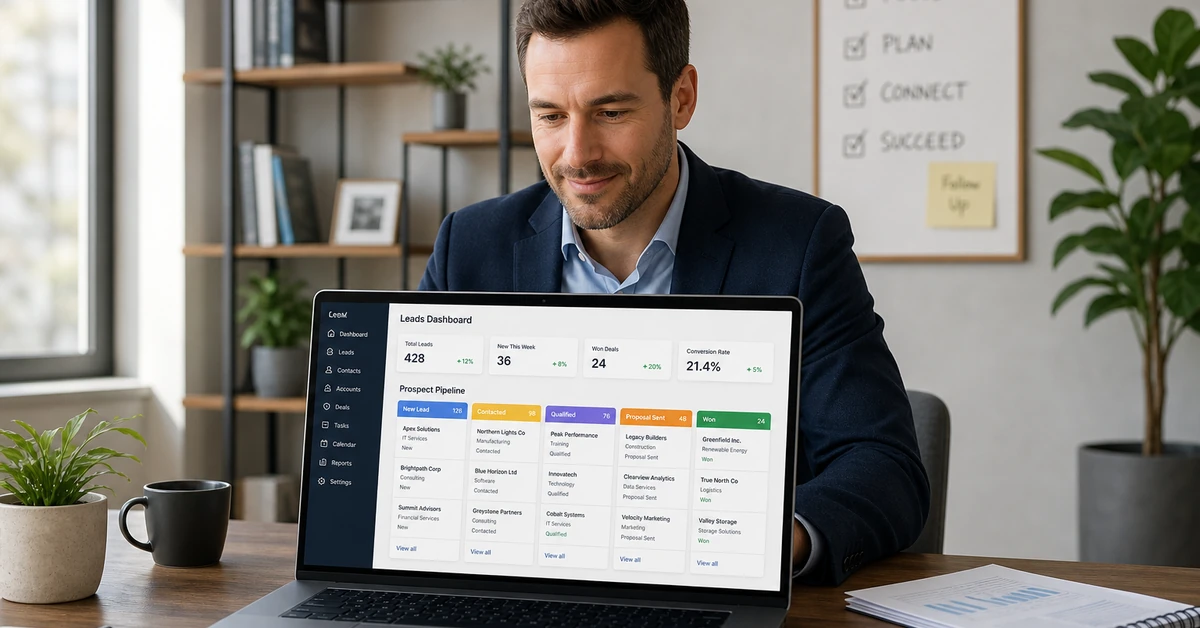

CRM software for lead generation centralizes every prospect interaction — from first contact to closed deal — into a single automated hub that captures, scores, and nurtures leads without manual effort. The right platform routes inquiries from your website, social media, and email campaigns into a unified pipeline, then triggers personalized follow-up sequences that work around the clock. According to Salesforce’s State of Sales report, companies using integrated CRM software for lead generation achieve 29% higher win rates and 41% lower cost per lead compared to disconnected manual outreach methods.
Ready to automate your lead pipeline? See how Automated Sales Machine manages every lead from first click to closed deal →
What Is CRM Software for Lead Generation?
Most small business owners think of CRM as a glorified address book — a place to store contact information after the sale is already won. That’s the wrong frame entirely. CRM software for lead generation is an active revenue engine, not a passive database. It functions as the operational backbone of your entire prospect pipeline: capturing inquiries the moment they occur, tagging them by source, scoring them by intent signals, and triggering automated outreach sequences before a competitor can respond.
The core distinction matters. A basic contact manager stores data. CRM software for lead generation acts on that data — automatically and continuously — so your sales process keeps moving whether you’re in a meeting, on a job site, or asleep. This is the fundamental shift that separates businesses running scalable lead machines from those stuck manually chasing every inquiry one follow-up at a time.
How CRM Platforms Differ from Basic Contact Managers
Legacy contact managers (think: a spreadsheet with names and phone numbers, or a simple address book app) are passive. They hold data you’ve already entered. CRM software for lead generation is a live system that:
- Pulls in new leads automatically from web forms, landing pages, social media lead ads, and inbound calls
- Assigns scores based on behavioral signals — page visits, email opens, form completions, and appointment requests
- Triggers timed follow-up sequences via SMS, email, voicemail drop, or any combination
- Tracks every touchpoint in a visual pipeline so nothing falls through the cracks
- Reports conversion metrics by channel, campaign, and rep — so you know where to double down
The result: every lead that enters your system gets an immediate, professional response — then a structured nurture sequence — without you lifting a finger for routine touchpoints.
The Lead Generation Loop: Capture, Score, Nurture, Convert
High-performing businesses using CRM software for lead generation operate on a four-phase loop that compounds over time:
- Capture — Every inquiry from every channel (web, social, referral, paid ad) lands in one system with source attribution intact
- Score — Behavioral and demographic criteria automatically rank each lead by conversion probability
- Nurture — Automated sequences deliver value-first content, offers, and calls-to-action based on where the lead is in the funnel
- Convert — Hot leads get priority routing to your calendar, sales rep, or checkout flow; closed opportunities feed back as data to refine scoring models
Per McKinsey & Company’s Future of Sales analysis, companies that implement AI-assisted CRM tools experience a 50% reduction in time spent on administrative tasks while doubling their lead conversion rates. The loop is the leverage — once built, it scales without proportional headcount increases.
7 Core CRM Features That Drive Lead Generation Results

Not every CRM is built for lead generation. Many enterprise platforms are engineered for sales rep activity tracking — great for large organizations, expensive and overcomplicated for small businesses. The right CRM software for lead generation checks seven specific capability boxes that directly drive pipeline volume and conversion rates.
1. Multi-Channel Lead Capture
Your leads don’t arrive through one door. They find you through Google Search, Facebook and Instagram ads, referral partners, your website contact form, inbound phone calls, and organic social. A CRM built for lead generation pulls all of these streams into a single unified inbox — with source tagging so you know which channels are producing.
The practical implication: when a lead fills out a form at 11 PM, they’re in your CRM within seconds. When someone calls from a Google Ads click and hangs up before you answer, that missed call becomes an automatic text-back sequence. No lead requires manual entry.
2. Automated Lead Scoring
Not all leads are created equal. A contact who visited your pricing page three times, opened your last two emails, and downloaded your case study is far more sales-ready than someone who submitted a contact form last month and hasn’t engaged since. Lead scoring assigns numerical values to these behavioral signals so your pipeline is always sorted by conversion probability — not by chronological arrival.
Effective CRM software for lead generation lets you configure scoring rules around behavioral triggers (email opens, link clicks, page visits, appointment requests) and demographic markers (business size, industry, job title, location) without requiring a data science team to maintain the model.
3. Follow-Up Sequence Automation
Speed to lead is the single biggest driver of conversion rates in inbound lead generation. A Harvard Business Review analysis of 1.25 million B2B sales leads found that companies responding within one hour were 7x more likely to qualify the lead than those waiting two hours — and 60x more likely than those waiting 24 hours. Manual follow-up at that speed is impossible at scale. Automated sequences are not optional; they’re the mechanism that makes the speed-to-lead standard achievable for any team size.
Best-in-class CRM platforms for lead generation automate multi-channel follow-up sequences — combining email, SMS, voicemail drops, and task assignments — with customizable timing delays, conditional logic based on lead behavior, and automatic stop conditions when a lead replies or books an appointment.
4. Pipeline Visibility and Stage Management
A visual pipeline isn’t just a dashboard feature — it’s an operational control system. Every lead has a position in your process (new inquiry → contacted → appointment set → proposal sent → closed), and your CRM should surface exactly where each one stands in real time. Stage-based visibility eliminates the “I thought someone else was following up on that” problem that costs service businesses thousands in lost revenue annually.
5. Email and SMS Campaign Integration
Standalone email marketing tools and CRM systems that don’t talk to each other create data silos and broken attribution. The right CRM software for lead generation houses email and SMS campaign tools natively — so every campaign response, click, and conversion is automatically logged against the lead record. You see the full contact history in one place: which email they opened, which link they clicked, which SMS they replied to.
6. Reporting and Conversion Analytics
You can’t optimize what you can’t measure. CRM platforms built for lead generation track cost per lead, lead-to-appointment rate, appointment-to-close rate, and average deal value — by source, by campaign, and by time period. These metrics tell you which lead channels deserve more budget and which follow-up sequences need revision based on actual conversion data rather than gut feel.
7. Native Integrations With Your Marketing Stack
Your CRM for lead generation should connect directly with your landing page builder, Google Ads and Facebook Ads lead forms, calendar booking tool, and payment processor — without requiring custom API development. Explore how Automated Sales Machine replaces five tools with one integrated platform →
How to Build a CRM Lead Generation Pipeline (Step by Step)
Building a functional CRM lead generation pipeline is a four-step process. Each step compounds on the previous one — skip the foundation and the automation doesn’t stick.
Step 1: Map Your Lead Sources
Before configuring a single automation, audit every channel where leads currently arrive: website contact forms, inbound phone calls, Google Business Profile messages, Facebook/Instagram lead ads, referral partner introductions, trade show contacts, and any other touchpoints. Map them to their current disposition — are leads getting followed up within minutes, or sitting in a spreadsheet for days? This audit exposes the revenue leak your CRM will plug.
Step 2: Define Your Pipeline Stages
Pipeline stages should reflect your actual sales process — not a generic template. A home services company might use: New Lead → Initial Contact Made → Estimate Scheduled → Estimate Delivered → Closed Won / Closed Lost. A medical spa might use: Inquiry → Consultation Booked → Consultation Completed → Treatment Package Sold. Define 4–7 stages that mirror the decisions a lead makes on the path to becoming a customer. Each stage transition should trigger a specific action in your CRM.
Step 3: Set Up Automated Entry Points
For each lead source identified in Step 1, build a direct integration into your CRM. Web forms should post directly to CRM via native embed or webhook. Facebook and Instagram lead forms should sync in real time via native integration (not CSV download). Inbound calls should trigger immediate lead record creation with call metadata. Missed calls should trigger an automatic SMS response within two minutes. Every entry point should be zero-manual-effort — the lead should appear in your pipeline before you’ve had a chance to reach for a spreadsheet.
Step 4: Build Your Follow-Up Sequences
Each pipeline stage needs a corresponding automated sequence. A new lead entering at Stage 1 should receive an immediate SMS acknowledgment, an email with a value resource within 60 seconds, a follow-up call task for your team within the hour, and a secondary SMS 24 hours later if no response. Every sequence should have a conditional branch: if the lead replies or books, the sequence stops and routes to the appropriate next stage. If they don’t engage after a defined threshold (typically 5–7 touches over 10–14 days), they move to a long-term nurture list rather than clogging your active pipeline.
7 Proven Strategies to Generate More Leads Using Your CRM
Once your pipeline infrastructure is built, these seven strategies systematically increase the volume and quality of leads entering your CRM.
Strategy 1: Website Form Automation With Instant Response
The most underutilized CRM lead generation lever is response speed on website form submissions. Configure your CRM to trigger an SMS within 60 seconds of every form submission — before your team even knows the lead came in. The message should be personalized (using the lead’s first name from the form), confirm receipt, and either provide immediate value or invite the lead to book a time. This single automation regularly produces a 30–50% increase in contact rate for service businesses.
Strategy 2: Missed-Call Text-Back
Every missed inbound call is a potential lead that will call your competitor next. CRM software for lead generation with missed-call text-back automatically sends an SMS the moment a call goes to voicemail: “Hey [Name], sorry we missed your call — we’ll get back to you within the hour. In the meantime, here’s a link to book a time that works for you: [booking link].” This converts a lost opportunity into a booked appointment without any human action required.
Strategy 3: Social Media Lead Ad Sync
Facebook and Instagram lead ads generate high-intent inquiries at predictable CPLs — but they only convert into revenue if the follow-up is immediate. Integrate your Meta lead form directly with your CRM so leads sync in real time. The moment a prospect submits a Facebook lead form, they’re in your pipeline and your automated sequence is running. The difference between a 24-hour lag and a 2-minute response on social leads routinely determines whether you get the business or lose it to whoever responds first.
Strategy 4: Referral Source Tracking and Partner Attribution
CRM software for lead generation with robust source tracking lets you tag every lead by referral source — strategic partner, past customer, or specific campaign — and then measure close rates and average deal values by source over time. This data tells you exactly which referral partnerships to deepen, which past customers to re-engage for introductions, and which lead channels deliver not just volume but qualified buyers. Revenue-per-lead by source is the metric that separates lead generation strategy from lead generation guesswork.
Strategy 5: Re-Engagement Campaigns for Cold Leads
Your CRM contains a goldmine most businesses never touch: the list of leads that engaged, then went silent without converting. These contacts already know your brand. A targeted re-engagement campaign — an email sequence with a time-limited offer, a new lead magnet, or a simple “checking in” sequence — consistently produces 10–20% reactivation rates from cold leads at near-zero acquisition cost. Schedule quarterly re-engagement campaigns to every lead that entered your pipeline in the past 6–18 months but never converted.
Strategy 6: Lead Magnet + Automated Nurture Sequence
High-quality lead magnets (assessment tools, calculators, comparison guides, checklists) attract prospects at the research stage — before they’re ready to buy. When connected to your CRM, a lead magnet download triggers a structured 5–7 email nurture sequence that educates the prospect, establishes authority, addresses objections, and introduces your offer progressively over 2–4 weeks. According to Forrester Research, companies that excel at lead nurturing generate 50% more sales-ready leads at 33% lower cost than companies without structured nurture programs.
Strategy 7: Appointment Booking Integration
Every follow-up sequence should have a clear call to action that routes hot leads directly to your calendar. Embedding a real-time booking link in SMS and email sequences — connected natively to your CRM — eliminates the back-and-forth of scheduling and allows a lead to self-select into your pipeline at the exact moment of peak interest. When a prospect clicks “Book a Free Consultation” in a follow-up email and lands in your calendar within 30 seconds, you’ve converted a lead without a single manual action.
How to Score and Prioritize Leads in Your CRM

Lead scoring is the mechanism that prevents your sales team from spending equal time on every contact regardless of conversion probability. Properly configured CRM software for lead generation sorts your pipeline automatically — so high-intent leads get human attention immediately, while low-intent prospects continue through automated nurture without consuming sales rep time.
Behavioral Scoring Criteria
Behavioral signals are the most predictive indicators of purchase intent. Assign positive point values to:
- Email opens (+2 points each, capped at 10)
- Email link clicks (+5 points per click)
- Pricing page visit (+10 points)
- Services/product page visit (+5 points)
- Case study or testimonial page view (+8 points)
- Contact form submission (+15 points)
- Appointment booking page visit (+12 points)
- Calendar booking completed (+25 points)
- Replied to an email or SMS (+20 points)
Assign negative values to inactivity signals: -5 points for 14 days of no engagement, -10 points for an email unsubscribe attempt (route immediately to a special re-permission sequence before removing).
Demographic Scoring Criteria
Behavioral signals tell you how engaged a lead is; demographic signals tell you how well they fit your ideal customer profile. Assign positive points for:
- Business type matches your target verticals (+10 points)
- Geographic area within your service region (+5 points)
- Team or business size matches your ICP (+8 points)
- Job title is a decision-maker (owner, founder, director) (+10 points)
- Lead source is a high-converting referral channel (+8 points)
Score Thresholds and Routing Rules
Once your scoring model is active, define action thresholds:
- 0–30 points: Low intent — automated nurture only, no rep time spent
- 31–60 points: Medium intent — continue nurture, add to weekly callback list
- 61–80 points: High intent — trigger direct outreach task for rep within 4 hours
- 81+ points: Hot lead — trigger immediate SMS from rep, priority pipeline position
This tiered system ensures your team’s limited bandwidth is concentrated exclusively on the leads most likely to close — while every other contact stays in motion through automation.
Choosing the Right CRM for Lead Generation
The enterprise CRM market is crowded with platforms built for sales teams of 50+ reps, complete with six-figure implementation fees and six-month onboarding timelines. That’s not what small businesses and service operators need. When evaluating CRM software for lead generation for a 1–15 person organization, the selection criteria look fundamentally different.
What Small Business Owners Need (vs. Enterprise)
Small business and service business operators need a platform that is:
- Fast to deploy — active within days, not quarters
- All-inclusive — CRM, email marketing, SMS automation, landing pages, and appointment booking in one subscription rather than 5–10 disconnected tools
- Automation-first — pre-built sequences for common scenarios (new lead, missed call, post-appointment follow-up) rather than requiring custom development
- Mobile-accessible — full lead management and pipeline visibility from a smartphone, since service business owners aren’t sitting at desks all day
- Transparent pricing — flat monthly subscription, no per-seat fees that penalize growth
Enterprise CRM platforms like Salesforce and HubSpot offer expansive customization at the cost of complexity, implementation overhead, and pricing that scales exponentially with user count. For most small businesses generating under 500 leads per month, that overhead delivers zero additional conversion value.
Key Questions to Ask Before Choosing a Platform
Before signing any contract for CRM software for lead generation, get specific answers to these questions:
- Does the platform capture leads from Facebook and Instagram lead ads natively, in real time?
- Is there a missed-call text-back feature, and is it included or a paid add-on?
- Can I build multi-step email + SMS sequences without purchasing additional tools?
- Does the platform include a built-in appointment booking calendar?
- How does pricing scale as my contact list and automation volume grow?
- What does the implementation process look like, and who handles it?
- Is there a mobile app with full pipeline management capabilities?
The right platform answers yes to questions 1–5 and provides clear, non-punitive answers to 6 and 7.
5 Lead Generation Mistakes a CRM Eliminates
Even good-faith manual lead management consistently produces the same five failure modes. CRM software for lead generation automates the fix for each one.
Mistake 1: Slow Follow-Up That Loses the Sale
The average sales team takes 42 hours to follow up on a new inbound lead. The average prospect has decided within 5 minutes whether they’ll engage. This gap kills conversions. CRM automation closes it by triggering an SMS and email response within 60 seconds of every lead entry — regardless of time zone, day of week, or team availability.
Mistake 2: Leads Falling Through the Cracks
Without a CRM, leads live in email inboxes, sticky notes, text threads, and mental to-do lists. The result is predictable: contacts get forgotten, follow-ups never happen, and revenue evaporates quietly. A CRM pipeline creates an explicit record for every lead, with automated task reminders, sequence status visibility, and alerts when a lead goes cold unexpectedly.
Mistake 3: No Visibility Into What’s Actually Working
If you can’t tell which lead sources produce the highest close rates, which follow-up sequences outperform others, and which pipeline stages have the highest drop-off rate — you’re running your sales process blind. CRM software for lead generation generates these insights automatically, transforming gut-feel marketing decisions into data-driven allocation of budget and time.
Mistake 4: Duplicate Outreach and Conflicting Messages
When leads exist in multiple systems (an email tool, a separate CRM, a shared spreadsheet, individual inboxes), they receive duplicate outreach, inconsistent messaging, and sometimes conflicting offers from different team members. A single CRM with centralized lead records eliminates this immediately — one contact record, one sequence, one history visible to every team member.
Mistake 5: Inconsistent Brand Voice at Every Touchpoint
Automated sequences built inside a well-configured CRM deliver perfectly consistent brand messaging across every touchpoint. Every lead from every channel receives the same quality of initial response, the same nurture cadence, and the same professional impression of your business — even when the human on your team is dealing with a hundred other priorities. Consistency is the CRM’s silent competitive advantage.
Start Filling Your Pipeline With CRM-Driven Lead Generation
CRM software for lead generation is the operational infrastructure behind every high-performing small business sales process. It captures every lead automatically, responds faster than any human team can, scores contacts by real purchase intent, and nurtures cold prospects into hot buyers while your team focuses on closing. The businesses winning the most inbound leads in competitive markets aren’t working harder — they’ve built smarter systems.
The seven strategies outlined in this guide — from instant form automation to behavioral lead scoring to referral attribution — are all executable within a single integrated CRM platform. Each one compounds on the others: more leads captured means more data to score, which means better prioritization, which means higher conversion rates, which means more revenue to reinvest in lead channels that are provably working.
The question isn’t whether your business needs CRM software for lead generation. The question is how much revenue you’ve already left on the table without it.