


Looking for the best CSAT tools to measure how your customers actually feel about your business? You’re in the right place. This guide covers 11 leading platforms for customer satisfaction survey software — from lightweight rating forms to full-scale experience management suites — so you can find the right fit for your team size, budget, and automation goals. Many small businesses are also moving to automated survey software that triggers follow-up sequences the moment a response comes in, eliminating the manual effort that kills most feedback programs. Whether you’re tracking post-purchase satisfaction, measuring NPS across a client base, or building automated customer satisfaction surveys that run without your team lifting a finger, the right tool makes the difference between data you file away and data you actually act on.
The best customer satisfaction survey software at a glance
Choosing the right customer satisfaction survey software can make or break your ability to act on customer feedback. Most platforms stop at data collection — they give you charts and export buttons, then leave your team to figure out what to do next. The eleven tools below range from bare-bones free forms to enterprise-grade experience platforms, so this guide will help you find the right fit for your team size, budget, and — most importantly — your ability to close the loop on every response.
Quick answer: If you need one platform that collects customer satisfaction surveys and automatically triggers follow-up sequences, updates CRM records, and routes leads based on survey responses, Automated Sales Machine (ASM) is the only tool on this list that does all of that natively. Every other tool on this list collects feedback well — but then hands the baton to a separate CRM or Zapier chain.
What to look for in customer satisfaction survey software
Before comparing platforms, establish what “good” looks like for your use case. Here are the capabilities that separate adequate tools from genuinely useful ones:
- Survey types supported: CSAT (1–5 rating), NPS (0–10 scale), CES (effort score), open-text, and multi-question forms cover 95% of use cases. Check that the tool supports the exact format your customers respond well to.
- Distribution channels: Email, SMS, in-app widgets, and post-purchase embeds each reach different audiences. A B2B SaaS company needs email; an e-commerce brand needs post-purchase popups.
- Response routing and automation: Can you automatically follow up with detractors? Tag contacts in your CRM based on score? This is where most tools fall short — they collect responses but don’t act on them.
- Reporting and dashboards: Real-time trend lines, score segmentation by customer segment, and response rate tracking help you identify systemic issues before they compound.
- Integrations: Native integrations with your CRM, helpdesk, and email platform reduce manual data movement and the error rate that comes with it.
- Pricing model: Per-response, per-survey, or per-seat pricing models have vastly different cost implications at scale. Run the math for your expected monthly response volume.
- Ease of setup: Template libraries, drag-and-drop builders, and no-code logic branching reduce time to first survey — important if your team is non-technical.
With those criteria in mind, here are the eleven best options available in 2026.
11 best customer satisfaction survey software tools for 2026
1. Automated Sales Machine (ASM) — Best all-in-one: surveys + CRM + automation
Best for: Small to mid-size businesses that want to collect feedback and act on it automatically, without duct-taping five separate tools together.
Most customer satisfaction survey software hands you a CSV and wishes you luck. Automated Sales Machine takes a different approach: every survey response lands directly in a built-in CRM, where it can trigger automations, update contact records, and fire off personalized follow-up sequences — all without leaving the platform.
The ASM forms and survey builder supports CSAT, NPS, multi-step questionnaires, and conditional logic branching. When a customer rates you 3 out of 5, ASM can automatically enroll them in a service recovery email sequence. When a promoter rates you 9 or 10, it can trigger a referral request or review ask. No Zapier. No manual export. No “we’ll deal with the detractors next week.”
The built-in CRM stores all responses against contact records, so your sales and support teams always have full context when they reach out. This feedback-to-action loop is the core differentiator — and it’s why ASM ranks first on this list even though it’s not a pure-play survey tool.
Key features:
- Drag-and-drop survey and form builder with conditional logic
- CSAT, NPS, and custom rating scale support
- Native CRM — responses automatically update contact records
- Automation builder: trigger email/SMS sequences based on survey score
- Pipeline view so teams can act on feedback without switching tools
- SMS and email distribution for surveys
Pros: Closed-loop feedback automation with zero third-party connectors needed; all-in-one pricing instead of per-response billing; surveys tie directly to sales and follow-up pipelines.
Cons: Not built for enterprise academic or government research use cases; fewer out-of-the-box survey templates than SurveyMonkey; best value is realized when you use ASM as your full CRM, not just for surveys.
Pricing: Starts at $97/month (all features included, unlimited contacts). See full plans at automatedsalesmachine.com/pricing.
2. SurveyMonkey — Best for template library and enterprise scale
Best for: Mid-market and enterprise teams that need a proven, scalable survey platform with hundreds of expert-written templates.
SurveyMonkey is the most recognized name in survey software for good reason: it offers over 400 expert-written templates, robust analytics, and integrations with Salesforce, HubSpot, and most major CRMs. It handles CSAT, NPS, employee satisfaction, and market research surveys with equal competence.
Key features: Branching logic, A/B testing for questions, team collaboration, advanced analytics dashboard, Salesforce and Marketo integrations.
Pros: Unmatched template library; trusted brand with enterprise-grade security; strong reporting.
Cons: Per-seat pricing gets expensive for larger teams; free plan limits responses to 10 per survey; no native CRM — you’ll need to sync data separately to act on responses; can feel overwhelming for simple use cases.
Pricing: Individual plans from $25/month; Team plans from $25/user/month.
3. Typeform — Best for conversational, high-completion surveys
Best for: Brands that prioritize survey aesthetics and want one-question-at-a-time formats that feel like a conversation rather than a form.
Typeform’s signature format — showing one question at a time in a clean, full-screen interface — consistently delivers higher completion rates than traditional multi-question forms. It’s the go-to for CSAT surveys embedded in customer-facing touchpoints where design matters.
Key features: One-at-a-time question flow, logic jumps, video questions, custom branding, 500+ integrations via native connectors and Zapier.
Pros: Beautiful design that drives completion; strong embed options; good template library for standard survey use cases.
Cons: Response limits on lower plans; no native CRM or automation; pricier than alternatives for similar functionality. If you’re comparing, see our Typeform alternative guide for a full breakdown.
Pricing: Basic plan from $25/month; Business from $83/month.
4. Jotform — Best for flexible form building and integrations
Best for: Teams that need a highly flexible form builder with 150+ integrations, or those building complex multi-step surveys without coding.
Jotform’s drag-and-drop builder is one of the most flexible available. It supports payment collection, file uploads, e-signatures, and conditional logic alongside standard CSAT survey formats, making it a Swiss Army knife for teams that need forms to do more than just collect ratings.
Key features: 10,000+ templates, payment integrations (Stripe, PayPal), conditional logic, offline data collection, HIPAA compliance option.
Pros: Extremely flexible; strong free tier (up to 5 forms, 100 responses/month); great for healthcare and regulated industries with compliance needs.
Cons: Analytics are basic compared to dedicated CSAT tools; no native CRM or automation workflow builder; UI can feel cluttered at advanced configuration levels.
Pricing: Free tier available; Bronze plan from $34/month.
5. Qualtrics — Best for enterprise experience management
Best for: Enterprise organizations running sophisticated Voice of Customer (VoC) programs across multiple business units with custom analytics needs.
Qualtrics is the heavyweight of the list. Its XM Platform handles customer, employee, product, and brand experience measurement at scale, with predictive analytics and statistical tools that go far beyond what any SMB needs — but are indispensable for Fortune 500 CX teams. According to G2’s customer satisfaction software category, Qualtrics consistently leads enterprise feature satisfaction scores.
Key features: Predictive analytics, text analysis and sentiment detection, closed-loop action management, enterprise SSO, role-based dashboards.
Pros: Best-in-class analytics; broad enterprise integrations; sophisticated sampling and panel management.
Cons: Custom pricing (typically $1,500+/month); steep learning curve; significant implementation overhead — not appropriate for small teams.
Pricing: Custom enterprise pricing; contact sales for a quote.
6. Zonka Feedback — Best for omnichannel feedback across physical and digital touchpoints
Best for: Service businesses, clinics, and hospitality companies that collect feedback across physical kiosks, tablets, email, SMS, and web in a unified dashboard.
Zonka Feedback specializes in multi-channel feedback collection, with particular strength in kiosk and on-premises feedback scenarios. If you run a medical practice, hotel, or retail location and want a tablet-based CSAT survey alongside email and SMS distribution, Zonka handles all of it from one platform.
Key features: Offline kiosk surveys, NPS/CSAT/CES templates, real-time alerts, SMS and WhatsApp distribution, integration with Salesforce and Zendesk.
Pros: Best multi-channel physical+digital feedback experience; good real-time alert system; strong for service businesses with face-to-face customer interactions.
Cons: No native CRM or marketing automation; mid-tier plans required for advanced features; smaller template library than SurveyMonkey.
Pricing: Starter from $49/month; Professional from $99/month.
7. Hotjar — Best for combining behavioral data with survey feedback
Best for: Product teams and digital marketers who want to correlate survey responses with session recordings, heatmaps, and user behavior data.
Hotjar is primarily a product experience platform — heatmaps, session recordings, and behavioral analytics. Its Surveys feature is powerful because responses can be linked directly to session recordings, so when a user rates their experience a 2 out of 5, you can literally watch what they experienced. This makes it uniquely valuable for UX research and website optimization teams.
Key features: Survey responses linked to session recordings, on-page and email surveys, exit-intent surveys, funnel analysis integration, Slack notifications on responses.
Pros: Unique ability to pair qualitative survey data with behavioral recordings; strong free tier; easy to install on any website.
Cons: Surveys are a secondary feature — lacks advanced branching logic and enterprise CSAT capabilities; no CRM or automation; not ideal as a primary survey tool at scale.
Pricing: Basic free plan; Plus from $32/month; Business from $80/month.
8. Google Forms — Best free option for simple surveys
Best for: Freelancers, nonprofits, and small teams that need a no-cost, no-setup survey tool for occasional feedback collection.
Google Forms is entirely free, connects to Google Sheets for instant response tracking, and requires zero technical setup. For a small business that sends a monthly CSAT survey to a handful of clients, it gets the job done. However, it offers no meaningful logic branching, no native NPS scoring, very limited design customization, and zero automation.
Key features: Unlimited responses, Google Sheets integration, basic response charts, optional Google account login for respondents, file upload questions.
Pros: Completely free; zero setup time; integrates naturally with Google Workspace; reliable uptime.
Cons: No CSAT/NPS score calculation; extremely limited design options; no automation, CRM integration, or response routing; not suitable for customer-facing brand experiences.
Pricing: Free.

9. Delighted — Best for quick NPS and CSAT deployment
Best for: Fast-moving teams that want NPS and CSAT surveys live in minutes, with automated sending and clean reporting, without the complexity of an enterprise platform.
Delighted (acquired by Qualtrics) is purpose-built for NPS, CSAT, CES, and five-star surveys with one goal: high response rates through simplicity. A one-click email survey that takes under 10 seconds to complete is the core product, with integrations for Slack, Shopify, Stripe, and Salesforce.
Key features: One-click CSAT/NPS email surveys, autopilot sending cadences, real-time dashboard, Slack notifications on responses, Zapier-based integrations for downstream CRM actions.
Pros: Fastest time-to-first-survey of any tool on this list; very high response rates from the minimalist format; clean reporting dashboard.
Cons: Limited to simple survey formats — not suitable for multi-question or complex research surveys; no native CRM; pricing scales quickly with response volume.
Pricing: Free plan (50 responses/month); Premium from $224/month.
10. AskNicely — Best for service businesses measuring frontline NPS
Best for: Field service, home services, and customer-success-heavy businesses that want to measure and coach frontline employee performance through customer feedback.
AskNicely is built around a specific thesis: that customer satisfaction is driven by frontline employees, and survey data should coach those employees in real time. Its Frontline Success platform shows individual team member NPS scores, triggers coaching notifications, and gamifies service performance — a capability no other tool on this list has.
Key features: Employee-level NPS dashboards, automated coaching workflows, integrations with Salesforce and most field service platforms, SMS and email distribution.
Pros: Uniquely effective for service businesses with large frontline teams; real-time coaching notifications; strong Salesforce integration.
Cons: Custom enterprise-oriented pricing; not suitable for product-led companies or digital-first businesses; limited survey formats beyond NPS/CSAT.
Pricing: Custom pricing; contact sales.
11. Wufoo — Best for form-heavy workflows on a budget
Best for: Small businesses and internal teams that need a reliable, affordable form builder for surveys, event registrations, and data collection without heavy feature requirements.
Wufoo (owned by SurveyMonkey) is one of the original drag-and-drop form builders. It covers the basics — CSAT surveys, registration forms, contact forms — with straightforward pricing and a library of 400+ templates. It lacks advanced analytics and automation, but for budget-conscious teams that just need a working form, it delivers.
If you’re currently using Wufoo and finding it limited, see our Wufoo alternative comparison for a detailed breakdown of what you gain by switching.
Key features: 400+ templates, payment collection (Stripe, PayPal), file uploads, basic branching logic, Zapier integration.
Pros: Low cost; simple to use; decent template variety; payment integration useful for event registrations alongside feedback forms.
Cons: Dated interface; very limited analytics; no NPS scoring or CSAT-specific features; parent company SurveyMonkey has more capable alternatives at similar price points.
Pricing: Free plan (5 forms, 100 entries/month); Starter from $14.08/month.
Customer satisfaction survey software comparison table
| Tool | Starting Price | Pricing Model | Key Strength |
|---|---|---|---|
| ASM | $97/month | Flat monthly (unlimited contacts) | Surveys + CRM + automation in one platform |
| SurveyMonkey | $25/month | Per seat | Largest template library; enterprise scale |
| Typeform | $25/month | Per seat + response limits | Conversational format; high completion rates |
| Jotform | Free / $34/month | Per submission tier | Flexible multi-purpose form builder |
| Qualtrics | Custom (~$1,500+/mo) | Custom enterprise | Enterprise XM platform; predictive analytics |
| Zonka Feedback | $49/month | Per seat/channel | Omnichannel: kiosk + digital feedback |
| Hotjar | Free / $32/month | Per seat + session volume | Surveys linked to behavioral recordings |
| Google Forms | Free | Free | Zero cost; Google Sheets integration |
| Delighted | Free / $224/month | Per response volume | Fastest NPS/CSAT setup; high response rates |
| AskNicely | Custom pricing | Custom enterprise | Frontline NPS coaching for service teams |
| Wufoo | Free / $14.08/month | Per form/entry tier | Budget-friendly basic form builder |
Who each tool is best for
The right tool depends less on feature lists and more on your specific situation. Here is a quick mapping:
- Solopreneurs and freelancers: Google Forms (free) or Wufoo (low cost). Don’t over-engineer a simple check-in survey.
- Small businesses that want to act on feedback: ASM — the automation layer is what separates collecting data from growing revenue. Pair with our email marketing platform comparison to see how survey follow-ups fit into your broader marketing stack.
- E-commerce brands: Delighted (post-purchase CSAT) or Hotjar (on-site behavior plus feedback combined).
- SaaS companies: Typeform (high-completion in-app surveys) or Delighted (NPS automation).
- Field service and home services businesses: AskNicely — frontline coaching is a genuine differentiator for this use case.
- Enterprise CX teams: Qualtrics or SurveyMonkey Enterprise.
- Healthcare or regulated industries: Jotform (HIPAA-compliant plans available).
- Multi-location retail or hospitality: Zonka Feedback for the kiosk plus digital omnichannel capability.
How to choose the right customer satisfaction survey software
Follow this decision framework to avoid the most common mistake: choosing a tool based on features rather than workflow fit.
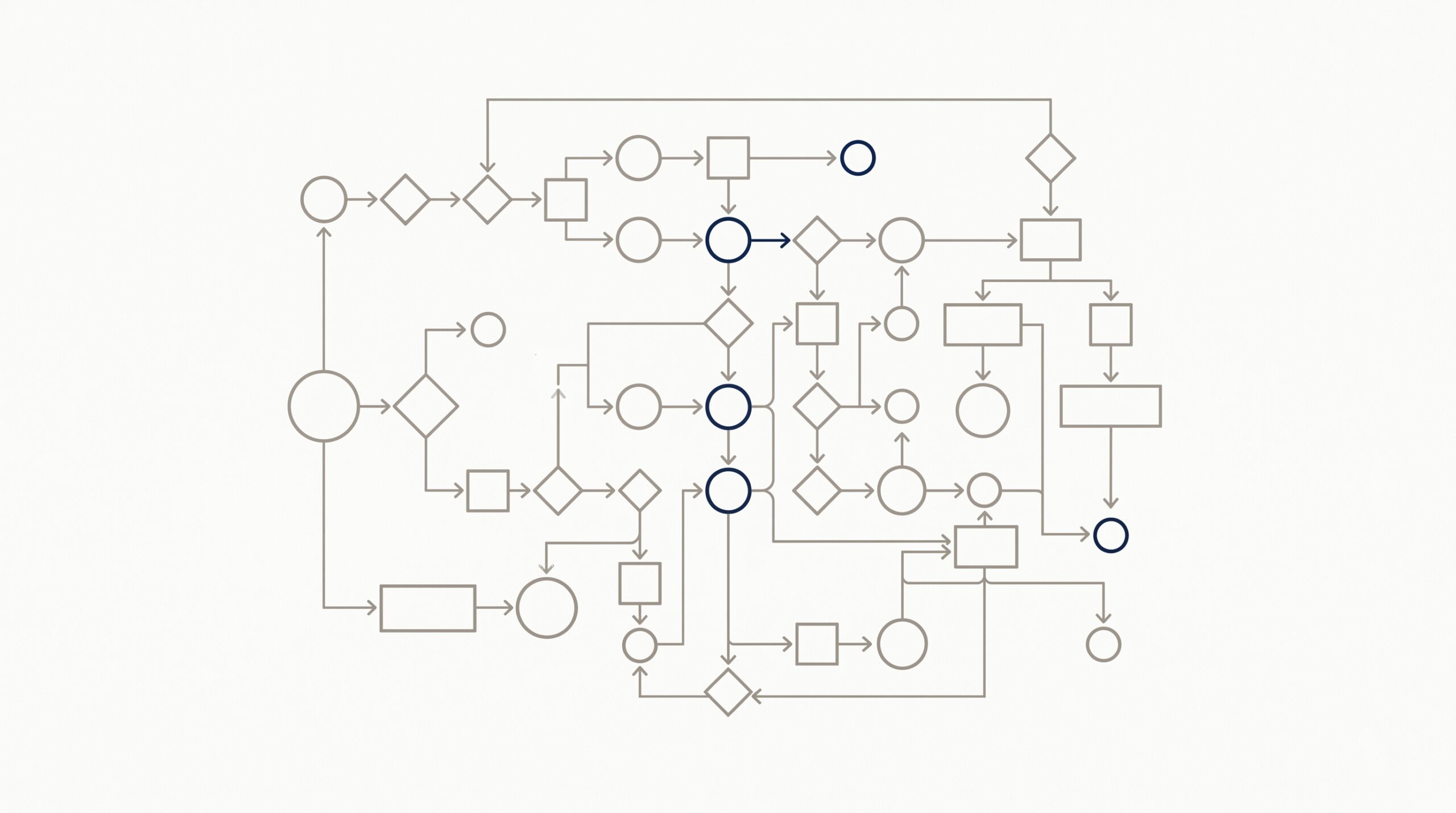
Step 1 — Define your feedback metric. NPS, CSAT, and CES serve different purposes. NPS measures loyalty and referral likelihood. CSAT measures satisfaction with a specific interaction. CES measures the effort customers had to exert. Choose the metric that maps to your business goal, then pick a tool that makes that metric the center of its reporting.
Step 2 — Map your distribution channels. If your customers are primarily email-based, any tool on this list works. If you need SMS, in-app, kiosk, or WhatsApp distribution, your options narrow quickly. Check this before trialing a platform.
Step 3 — Decide what happens after a response. This is the question that eliminates most tools. If you can tolerate a manual process — someone checks the dashboard weekly and follows up by hand — many options work. If you need automatic follow-up sequences, CRM record updates, or alert-based routing, you need either ASM or a survey tool plus a separate automation stack.
Step 4 — Run a true cost analysis. Per-response pricing (Delighted, SurveyMonkey) looks affordable at low volumes but compounds at scale. Run your expected monthly survey volume through each pricing calculator before committing. ASM’s flat pricing model becomes cost-competitive at moderate volumes. Our Mailchimp alternative guide covers similar total-cost-of-ownership analysis for adjacent tools.
Step 5 — Pilot for 30 days before committing. Most tools offer free plans or trials. Send an actual survey to a real segment of customers and measure response rate, time-to-first-response, and how easily your team can act on the results. The last metric is usually the one that reveals the platform’s actual value to your workflow.
Frequently asked questions about customer satisfaction survey software
What is the difference between CSAT, NPS, and CES surveys?
CSAT (Customer Satisfaction Score) measures satisfaction with a specific transaction or interaction, typically on a 1–5 scale. NPS (Net Promoter Score) asks how likely customers are to recommend you, using a 0–10 scale, and groups respondents into Promoters, Passives, and Detractors. CES (Customer Effort Score) measures how easy it was for a customer to accomplish a goal. All three are valuable; the choice depends on what you’re trying to improve. CSAT is best for transaction-level feedback; NPS for relationship health over time; CES for identifying friction in your service or product.
How often should I send customer satisfaction surveys?
For transactional CSAT surveys — post-purchase or post-support — send within 24 hours of the interaction while the experience is fresh. For relationship NPS surveys, quarterly is the standard cadence for most businesses: frequent enough to detect trend shifts, infrequent enough to avoid survey fatigue. CES surveys should be triggered immediately after a customer completes a specific workflow such as onboarding or a returns process. Regardless of frequency, consistency matters more than volume: a quarterly NPS program you run reliably is more valuable than a monthly one you abandon.
Can customer satisfaction survey software integrate with my CRM?
Most dedicated survey tools offer CRM integrations via Zapier or native connectors to Salesforce, HubSpot, and similar platforms. However, these integrations are typically one-directional — responses push to your CRM as data, but triggering automated actions based on those responses requires additional configuration in your CRM or a separate marketing automation tool. ASM handles this natively: survey responses arrive in the CRM and can trigger workflows, sequences, and pipeline updates immediately, without additional connectors.
What is a good CSAT score?
Industry benchmarks vary, but a CSAT score above 80% — meaning 80% of respondents selecting “satisfied” or “very satisfied” — is generally considered strong across most B2B and B2C service industries. Technology and SaaS companies often target 85% or higher. Scores below 70% typically signal systemic issues worth investigating. The more important number is trend direction: a CSAT score that improves from 72% to 78% over two quarters indicates effective change, even if the absolute number is below benchmark.
Is free customer satisfaction survey software good enough?
For very small businesses sending surveys to under 100 customers per month, free tools like Google Forms or Jotform’s free tier can work adequately. The hidden cost is time: without automation, someone has to manually review responses, identify follow-up candidates, and execute outreach. For businesses where customer satisfaction directly impacts retention and revenue, the ROI on paid software that automates the follow-up process typically pays back quickly — often within the first recovered at-risk customer relationship.
Where to go from here
If you’ve read this far, you likely already know whether your biggest need is better data collection, better analysis, or better follow-through on what customers tell you. Most teams that struggle with customer satisfaction aren’t collecting too little data — they’re not closing the loop on the data they already have.
If closing that loop is your priority, explore ASM’s survey and forms features to see how feedback collection connects directly to your CRM and automation workflows. Or book a short demo and we’ll walk through exactly how the feedback-to-action flow works for your specific use case.
If you’re still evaluating tools in adjacent categories, our email marketing software guide and email marketing platform comparison cover the automation tools that customer satisfaction data flows into once you’ve collected it.