



Mantle Chat — Collaboration platform where teams work with AI together
339 upvotes · #4 Product of the Day · Launched May 19, 2026 — View on Product Hunt
This mantle chat review covers a collaboration platform redefining how teams work with AI. Mantle Chat folds AI agents, model chats, and autonomous workflows into a Discord- or Slack-style messaging interface, letting your team summon GPT, Claude, Gemini, and custom agents directly in conversations. If your team runs fast on AI, this is designed for you.
Topics: Productivity, Messaging
What Mantle Chat Does
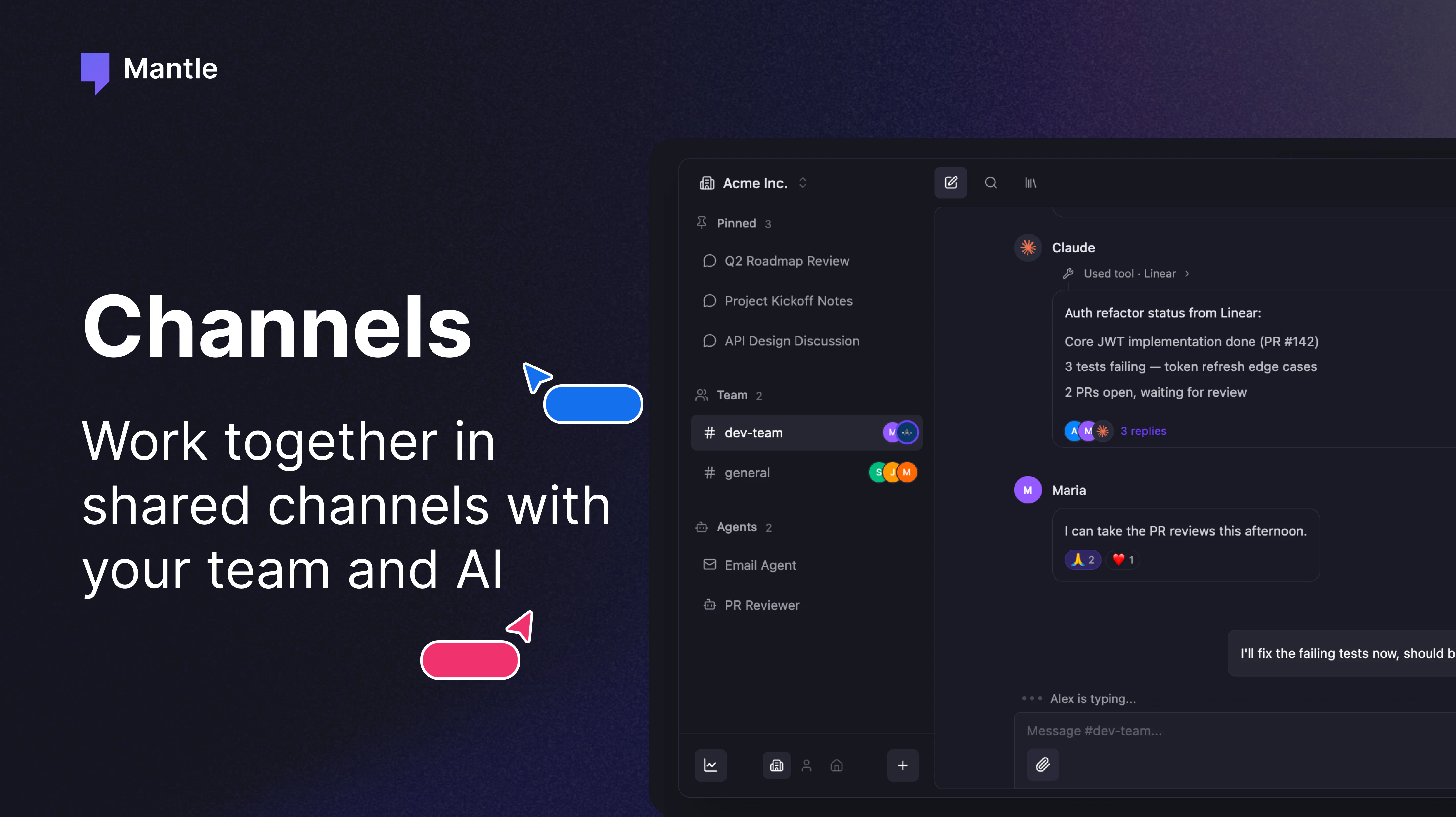
Mantle Chat merges real-time team messaging with embedded AI assistants. Unlike Slack plugins that feel bolted on, Mantle treats AI as a first-class participant. Mention an agent or model by name, and it joins the conversation—no context-switching, no API calls from a separate tool. Your team discusses a feature request, @claude-3-5 weighs in with a spec, @your-custom-agent runs a task, all without leaving the channel.
The platform integrates 30+ tools—Notion, Linear, Gmail, Zapier, and more—so agents can pull data, create tickets, send emails, or log updates directly. Teams get a unified space for human-to-human chat, human-to-AI prompting, and AI-to-tool automation. It’s built for teams that already rely on AI daily and want less friction.
Mantle Chat Key Features
Here’s what you get with Mantle Chat:
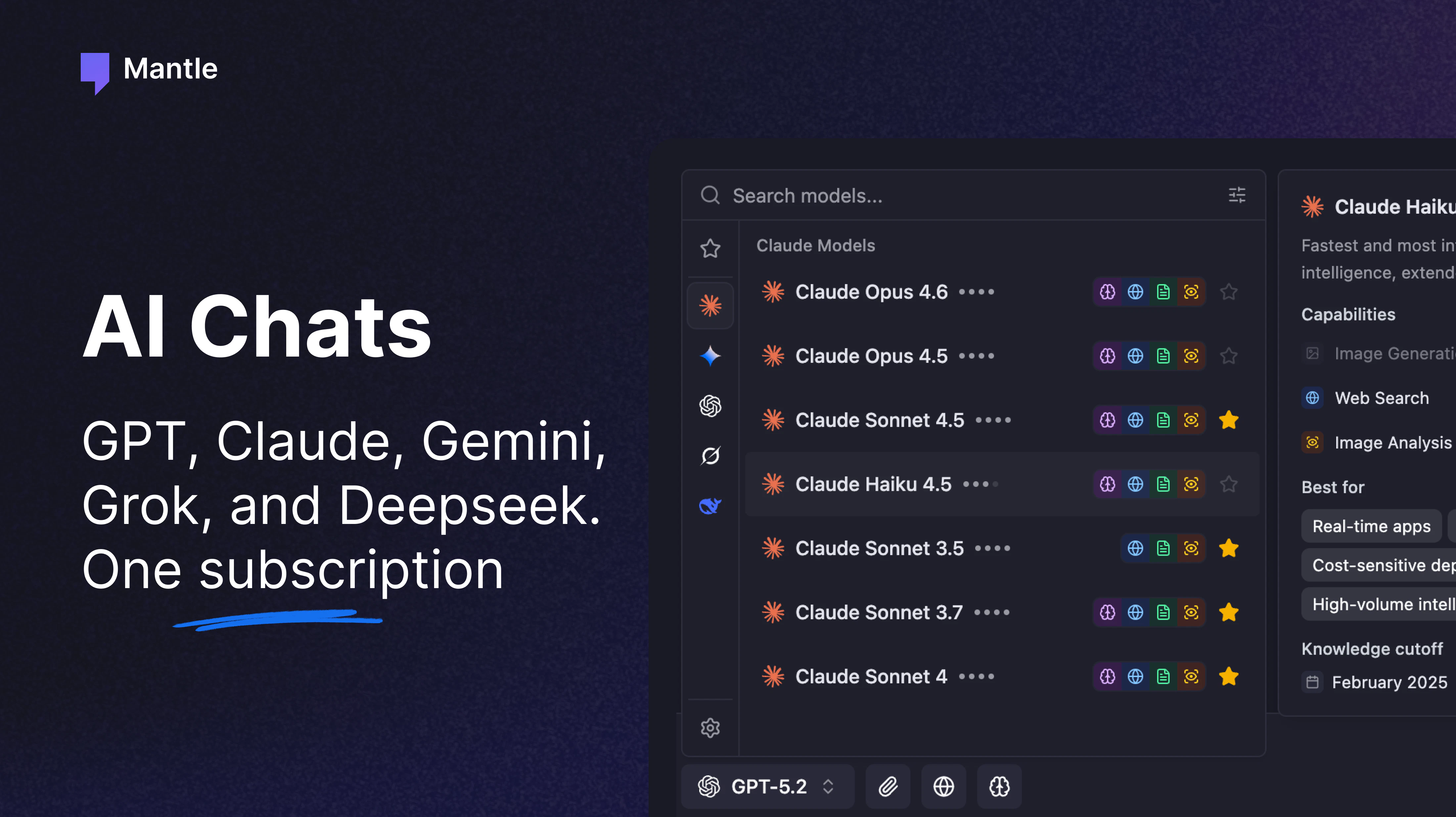
- AI Model Chats in Channels: Summon GPT-4, Claude 3.5, Gemini, Grok, DeepSeek, and others directly via @mention without leaving the channel.
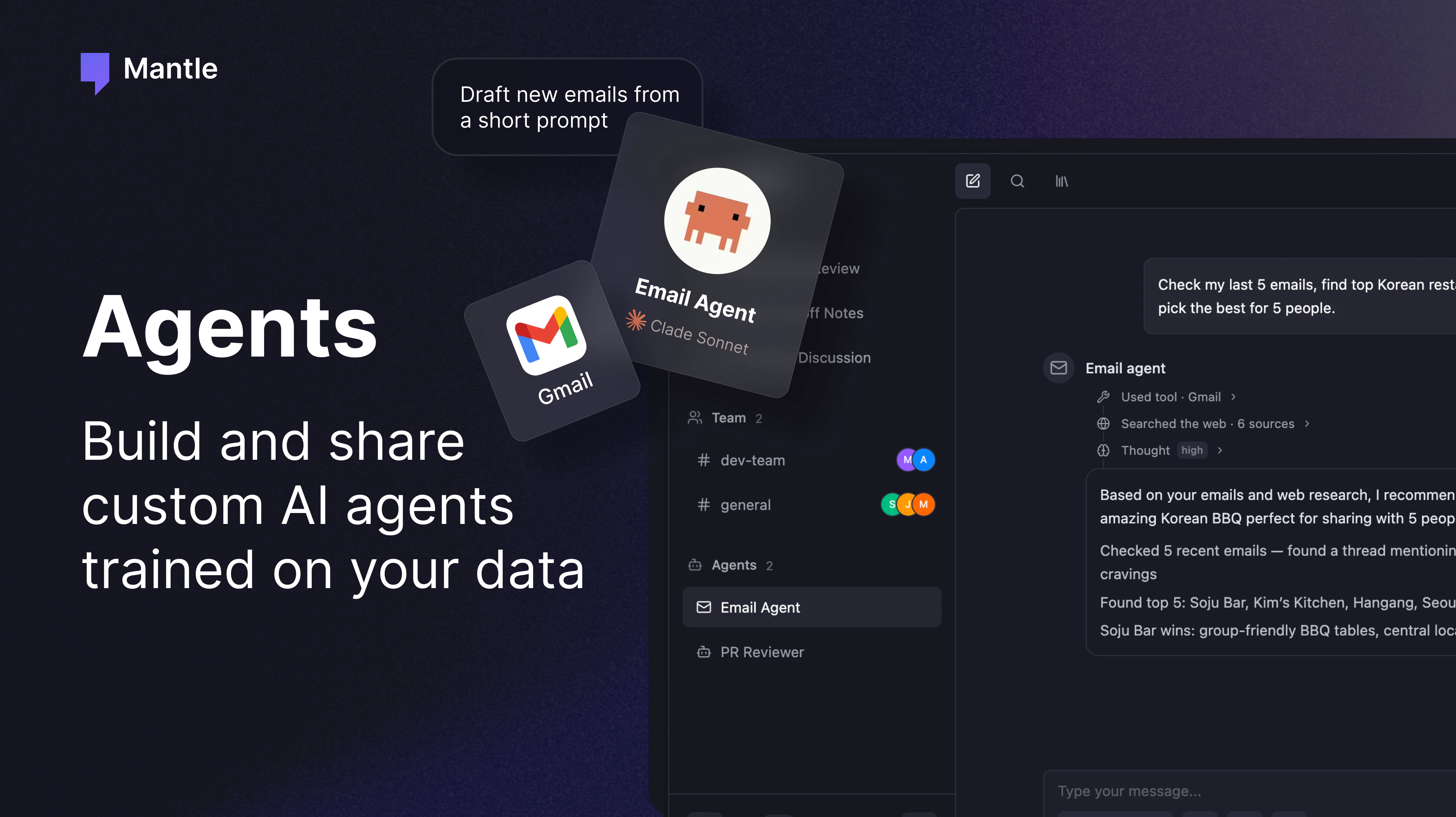
- Custom Autonomous Agents: Build, train, and deploy AI agents that run background tasks, monitor progress, and report findings to the team in real time.
- 30+ Tool Integrations: Connect Notion, Linear, Gmail, Slack, GitHub, Zapier, and more so agents can pull and push data across your stack.
- Slack/Discord-Style Messaging: Familiar channel organization, threads, and user presence keep teams organized without a steep learning curve.
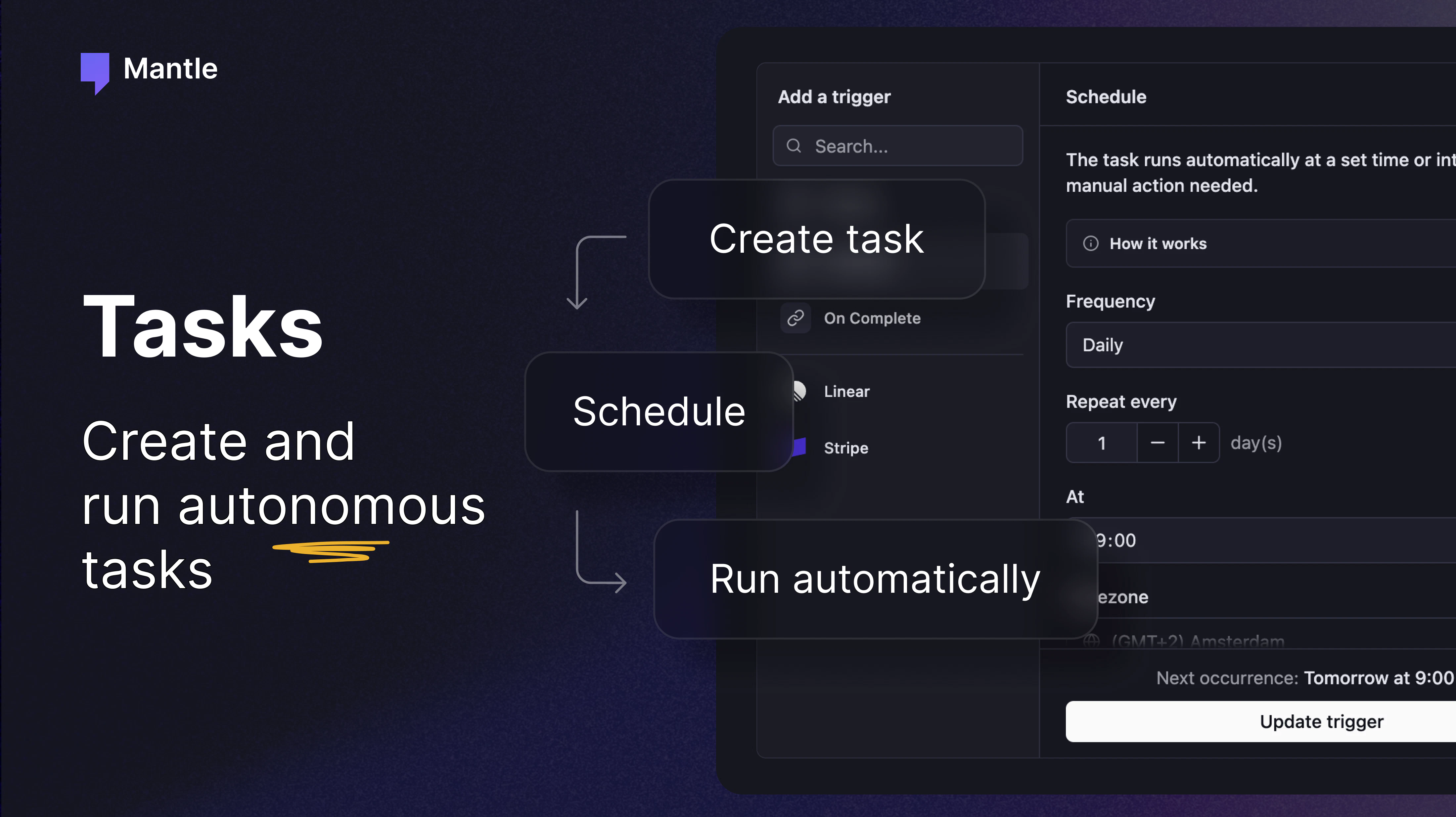
- Autonomous Task Running: Schedule agents to monitor systems, generate reports, or manage workflows while the team stays in the loop via channel updates.
Who Should Use Mantle Chat
Mantle Chat is a fit for small software development teams that already use Claude, ChatGPT, or other AI models in their workflow. If your team is doing prompt engineering, running AI-assisted code reviews, or brainstorming with LLMs daily, consolidating that work in one place cuts friction. Distributed teams running lean with heavy AI adoption—startups, consultancies, or in-house AI teams—see the most immediate gains.
It’s also built for teams that want autonomous agents to handle recurring tasks without hiring additional staff. If you’d use agents for customer outreach, data processing, workflow monitoring, or internal automation, Mantle gives you the infrastructure to build and orchestrate them alongside your human communication. Larger organizations using Slack or Teams may find Mantle too niche; Mantle works best where AI-first culture is already in place.
Mantle Chat Pricing and Plans
Mantle Chat’s pricing structure has not yet been made public. Check the official website or contact the team directly for current tiers, per-user costs, and whether pricing scales with agent usage or message volume. Early adopters may find different terms than the eventual public release.
Mantle Chat vs Alternatives
Slack and Microsoft Teams dominate team chat, but both treat AI as an add-on. You install an app, step out to a popup, run a prompt, paste the result back. Discord and Mattermost offer similar experiences. Mantle flips that model: AI is native, not an afterthought. The comparison isn’t whether Mantle replaces Slack—it may run alongside it—but whether the friction cost of embedded AI assistants and autonomous agents is worth a new chat tool. For teams already running 10+ AI interactions a day, it is.
Pros and Cons
- AI Agents Run Inside Conversations: No context-switching, no separate dashboards. Ask, get results, move on.
- Deep Tool Integration: Agents can pull Notion docs, create Linear issues, send emails, all without manual copy-paste workflows.
- Familiar Interface: If your team knows Slack or Discord, Mantle’s channel structure feels native immediately.
- Scalable Automation: Add custom agents for repetitive work—reporting, monitoring, data ops—without hiring full-time engineers.
- Adoption Friction: Moving off Slack or Teams requires buy-in. Small teams may resist a new platform even if it’s smarter.
- Pricing Opaque: Without public pricing, it’s hard to evaluate cost versus Slack. Unclear whether agent usage drives per-seat costs up.
- Limited Track Record: Newer platform, so team stability and long-term product roadmap are unproven compared to Slack or Teams.
The Mantle Chat Review Verdict
This mantle chat review concludes that Mantle Chat is a legitimate product for teams betting on AI. It doesn’t try to be everything; it’s built for one use case—teams that use AI constantly and want less friction. If your team opens ChatGPT or Claude multiple times an hour, or if you’re building autonomous agents but managing them in scattered Zapier/Make dashboards and Slack threads, Mantle solves a real problem. For everyone else, Slack and Teams remain solid. Mantle’s value is in niche, but the niche is growing. Worth a trial if you’re AI-native.
FAQ About Mantle Chat
Can I import my Slack history into Mantle Chat?
Migration tools vary. Check Mantle’s documentation or contact support to learn whether direct Slack imports are supported or if you’ll migrate conversations manually. For most teams, starting fresh in Mantle and keeping Slack for legacy archives is simpler.
Does Mantle Chat work with open-source LLMs like Llama?
Mantle integrates major API-based models (GPT, Claude, Gemini, DeepSeek). Support for self-hosted or open-source LLMs depends on whether Mantle’s API abstraction layer handles them. Review the integrations list or ask the team for clarification if you rely on local models.
Can I deploy Mantle Chat on-premise or as a private instance?
Mantle Chat is a cloud-hosted SaaS product. On-premise or private deployments are not part of the standard offering. If your organization requires self-hosted chat, Mattermost or Rocket.Chat remain better alternatives to evaluate.
For more on AI-powered team tools, check our reviews of PollyReach, Drizz, and Composer 2.5. And if you’re exploring team automation, see Mantle Chat on Product Hunt.
If you’re weighing other tools alongside this mantle chat review, compare features, pricing transparency, and integrations with what your business already uses.
Check out Mantle Chat on Product Hunt or visit the official Mantle Chat website to learn more.