


Stitch 3.0 by Google — Generate and iterate UI screens with AI on a live canvas
464 upvotes · #1 Product of the Day — View on Product Hunt
The Stitch 3.0 by Google stitch ai ui design tool landed on Product Hunt on May 24, 2026, pulling 464 votes and topping the daily chart. For small business owners who need a working app or website interface but do not have a dedicated design team, that kind of community momentum is worth examining. Stitch lets you describe a screen in plain language, watch a live canvas render it in real time, and export the result directly into Figma, Netlify, Lovable, or Bolt — without touching design software in the traditional sense. The question for any busy owner is whether the speed gain is real, or whether it simply trades one set of headaches for another.
Topics: Design Tools, User Experience, Artificial Intelligence
Stitch AI UI Design Tool: Key Features
Streaming canvas generation. Unlike tools that show a spinner and then drop a finished design, Stitch renders components onto the canvas as the AI processes your prompt. You see the layout take shape in real time, which makes it easier to catch a wrong direction early and adjust the prompt before the generation completes.
Multi-screen output. A single prompt can produce up to five interconnected screens. Stitch maps the navigation logic between them automatically, so you get a rough prototype — not just a single static frame — from one generation. That five-screen batch counts as one generation against your monthly limit, which stretches the free allowance considerably.
In-place AI edits. After a screen is generated, you can highlight a section and give a follow-up instruction such as “make this navigation bar sticky” or “replace the hero image with a product grid.” The change applies to that section without regenerating the entire screen.
One-click export. Finished designs can be sent to Figma, Netlify, Lovable, or Bolt in a single click. The Figma export preserves layout, components, and structure so a designer can continue refining without rebuilding from scratch.
DESIGN.md portability. Stitch introduced an open plain-text format called DESIGN.md that stores a project’s design system in a file that AI coding agents can read. It is compatible with Claude Code, Cursor, and GitHub Copilot.


Who Should Use Stitch 3.0
The stitch ai ui design tool is positioned for product designers and developers who need fast prototypes. In practice, several small business scenarios map onto that description directly.
Founders validating an app idea. If you need to show investors or early customers what an app will look like, Stitch can produce a five-screen clickable prototype in minutes.
E-commerce owners redesigning their storefront. A product page layout, a checkout flow, a mobile home screen — all can be generated from a description of what you sell.
Teams without a dedicated designer. Stitch’s multiplayer editing allows multiple team members to work on the same canvas simultaneously. A product manager, a marketer, and a founder can iterate together without queuing changes.
Pricing
As of May 2026, the stitch ai ui design tool is entirely free through Google Labs. No credit card, no subscription. The free tier provides 350 standard generations per month and 200 higher-quality Pro generations. Google has not announced paid plans. The Google Labs label is a real caveat: the product could become paid, change significantly, or be discontinued.
How It Compares
- v0 by Vercel — Generates React and Tailwind code directly from prompts, making it more useful for developers than designers. Pricing runs from free to $100 per user per month. Better choice if your next step is coding, not designing.
- Figma Make — AI UI generation inside the Figma ecosystem. If your team already lives in Figma, Make reduces context switching. Costs $12–$75 per editor per month. Stitch exports to Figma, so the two tools are complementary rather than competing.
- Uizard — Text-to-UI with nine AI tools in a single interface, priced at $12–$15 per month. More predictable pricing for teams that want to budget before Google announces commercial terms.
Pros and Cons
- Pro: Currently free with a generous generation limit — no cost risk while evaluating.
- Pro: Streaming canvas gives immediate visual feedback during generation.
- Pro: Multi-screen output with automatic navigation logic accelerates early prototyping.
- Pro: One-click export to Figma, Netlify, Lovable, and Bolt covers most common next steps.
- Con: Precise layout adjustments still require a Figma export and manual work.
- Con: Google Labs status means the product could change substantially, gain paywalls, or be shut down.
- Con: No offline mode and no self-hosted option.
Verdict
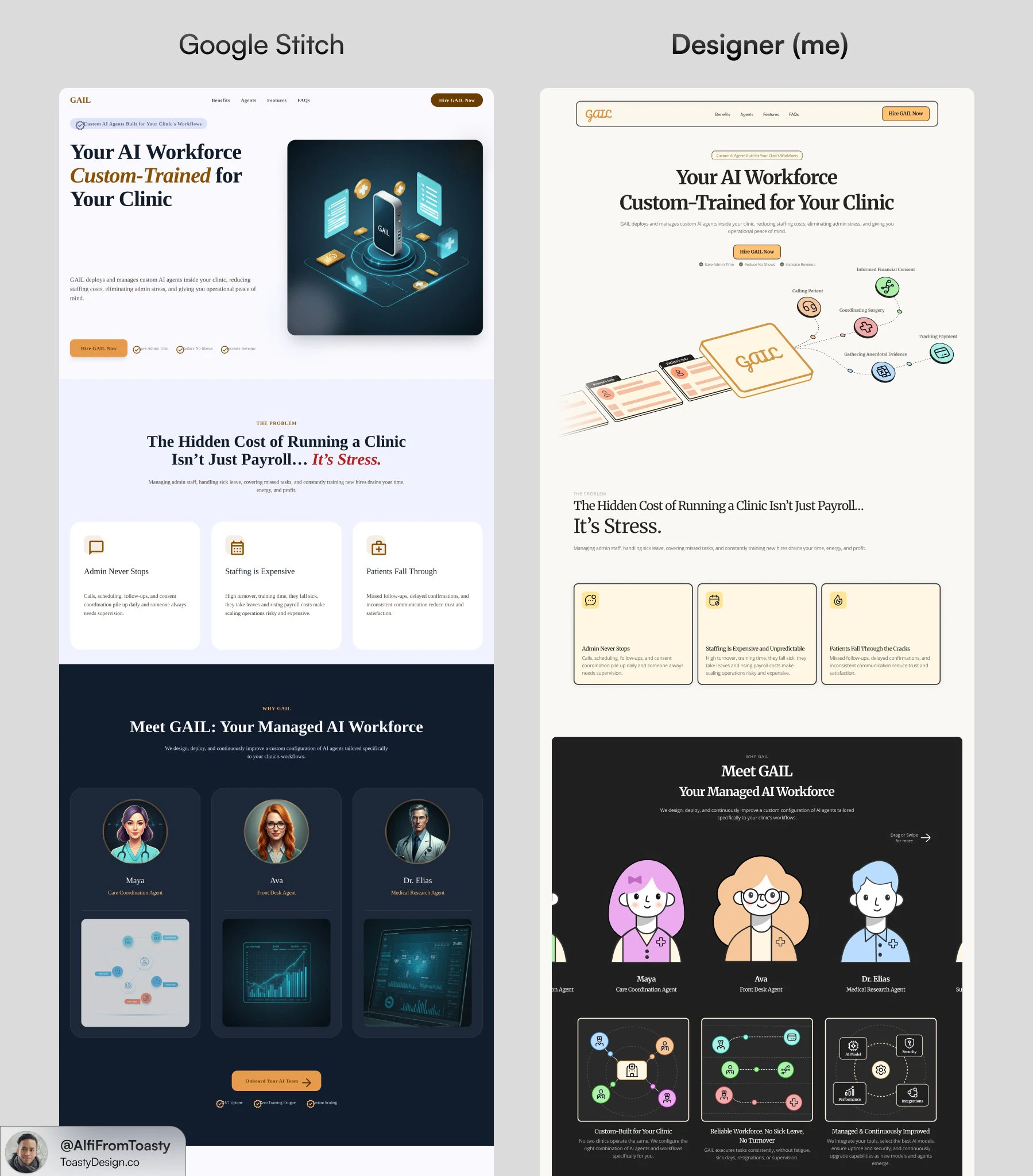
The stitch ai ui design tool is genuinely useful for small business owners who need to move from concept to visual prototype quickly and cannot justify a full design stack. The streaming canvas, multi-screen generation, and one-click Figma export together remove enough friction that non-designers can produce workable first drafts. The honest caveat is the Google Labs label. Start with it for early-stage validation and rapid iteration, but retain Figma or another established tool as the system of record for production assets.
Frequently Asked Questions
Is Stitch 3.0 free to use?
Yes, as of May 2026, Stitch is free through Google Labs. You need a Google account to access it at stitch.withgoogle.com. The free tier includes 550 AI generations per month split between standard and Pro quality modes. Google has not announced a paid plan or a timeline for exiting the Labs phase.
Can I use Stitch 3.0 without knowing how to design?
That is effectively the target use case. You describe what you want in plain language and the AI generates a layout. You can refine it with follow-up prompts without selecting individual design elements. Basic familiarity with what good UI looks like helps you write better prompts, but no design software experience is required.
How does Stitch 3.0 export to Figma or a live website?
Stitch includes a one-click export panel. Selecting Figma sends the design with its layout and component structure intact. Selecting Netlify publishes the design as a live page directly to Netlify’s hosting platform. Lovable and Bolt are also available as export targets. No manual file transfer or code writing is required.
Check out Stitch 3.0 by Google on Product Hunt or visit the official Stitch 3.0 by Google website to learn more.