


ModelHub — The missing menu bar app for local LLMs on Mac. As a local llm manager mac, it addresses a growing need among small business owners.
305 upvotes · #2 Product of the Day — View on Product Hunt
Anyone who has tried running large language models on their own hardware knows the routine. You open a browser tab to browse Hugging Face, another to check model compatibility, pull up a terminal window to run a download command, navigate to a local folder to confirm the file landed correctly, and then fire up Ollama or LM Studio hoping everything connects. By the time the model is actually running, you have lost twenty minutes and your desktop looks like a research project. The need for a capable local llm manager mac tool has been obvious for a while. ModelHub positions itself as exactly that fix — a native macOS menu bar app designed to collapse that workflow into one place.
Topics: Open Source, Developer Tools, GitHub, Menu Bar Apps
Launched on Product Hunt on May 24, 2026, ModelHub earned 305 votes and finished second for the day, signaling real demand from developers and technically inclined users who are tired of stitching together their local AI stack by hand.
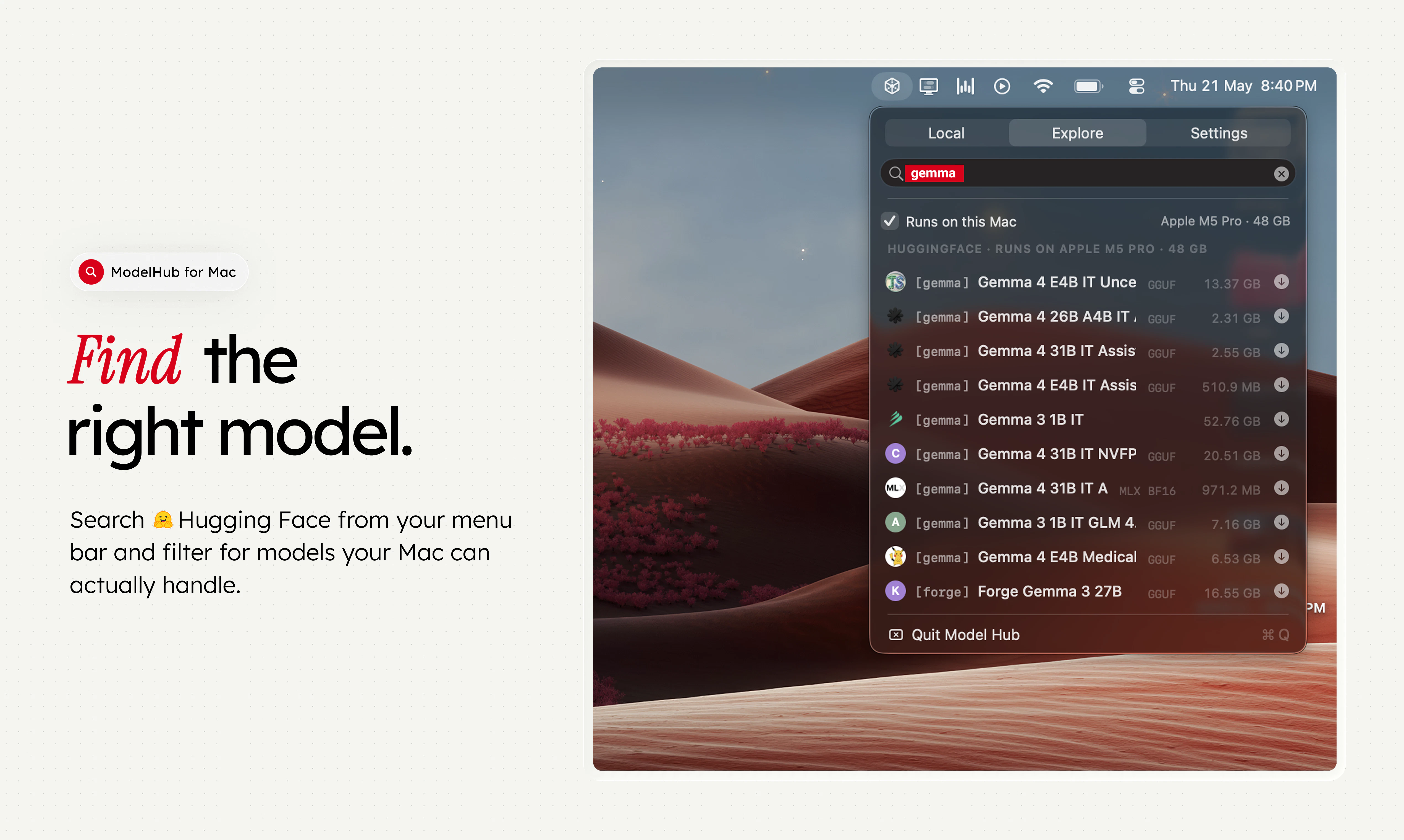
Local LLM Manager Mac: What ModelHub Does
ModelHub lives in the Mac menu bar, which means it stays out of your way until you need it. From that single access point, it handles four distinct jobs that developers currently manage across multiple tools.
Model discovery. ModelHub connects directly to Hugging Face, letting users browse and search the model library without leaving the app. Rather than navigating model cards in a browser and manually deciphering compatibility notes, the app surfaces relevant information in a structured interface.
Downloading the right build. Hugging Face hosts many quantized variants of every popular model — Q4, Q5, Q8, GGUF, MLX, and others — and picking the right one for your hardware is genuinely confusing for newcomers. ModelHub aims to surface the appropriate local build based on what you are running.
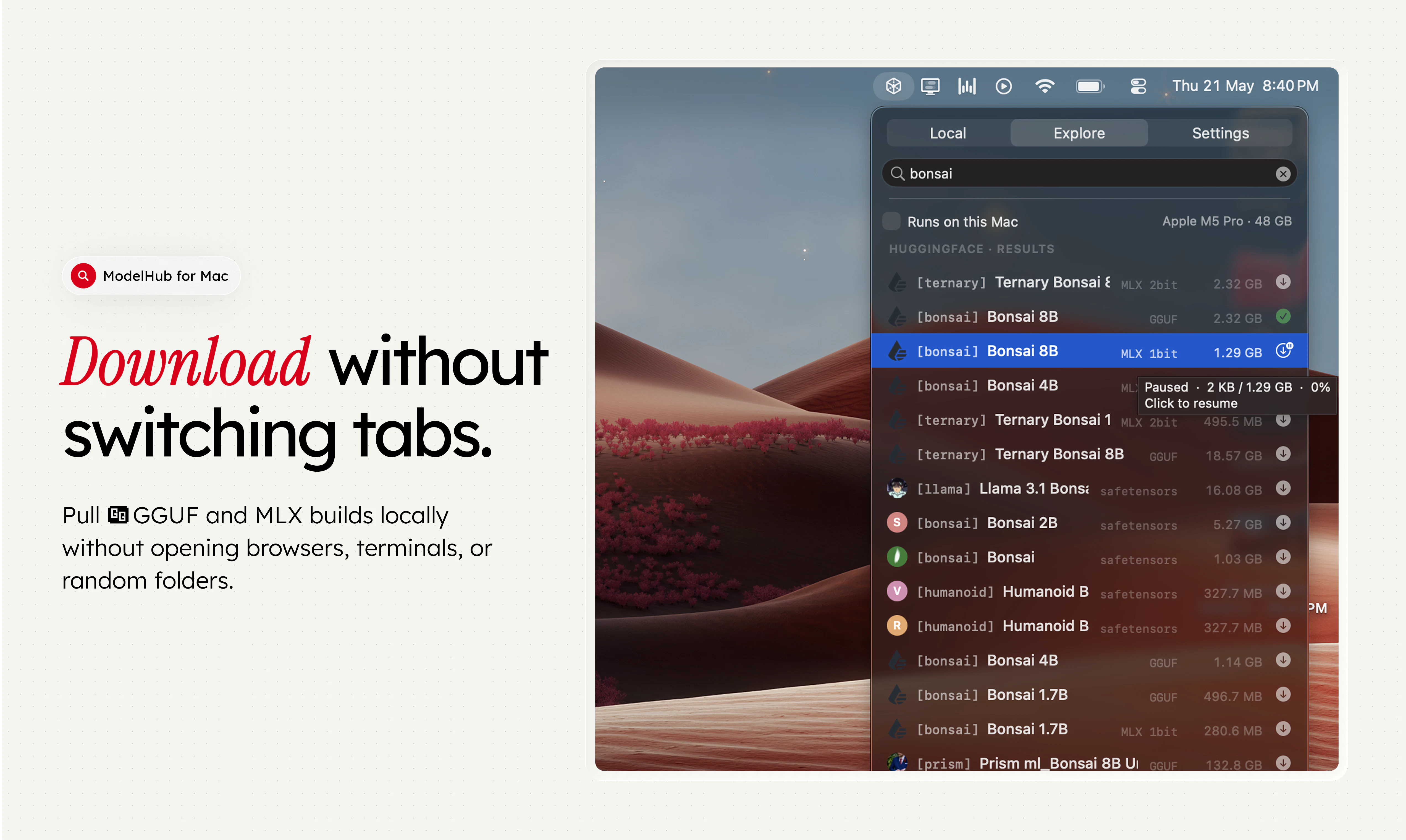
Library management. Once models are downloaded, ModelHub tracks what you have, where it lives on disk, and what state it is in. This solves a real friction point: local model collections grow quickly and become difficult to audit without dedicated tooling.
Integration with existing tools. This is where ModelHub earns its keep as a local llm manager mac utility. It is designed to work alongside Ollama, MLX, LM Studio, and llama.cpp — the tools most Mac-based developers already have installed. It acts as a front end that connects Hugging Face models to the runtime of your choice, without requiring additional terminal commands.


Who Benefits Most
ModelHub is most directly useful to two groups. The first is developers who already run local LLMs and want to stop babysitting the process. If you regularly experiment with new models, manage multiple quantization formats, or switch between runtimes depending on the task, a dedicated local llm manager mac app saves meaningful time.
The second is technically curious small business owners who want to run AI models locally for privacy reasons — processing sensitive documents, customer data, or internal communications without sending anything to a third-party API — but find the current CLI-heavy setup too steep.
Users who just want a simple chat interface and have no interest in model management will likely find this overkill. ModelHub is infrastructure tooling, not an end-user product.
Pricing
ModelHub is free and open source. The source code is available on GitHub, which means the community can inspect it, contribute to it, and fork it. There is no paid tier, no subscription, and no usage-based pricing.
How It Compares
- LM Studio is the most direct functional competitor. It is a cross-platform GUI for running local LLMs, free to use, and well-optimized for Apple Silicon with MLX support. LM Studio includes its own model browser and a built-in chat interface, making it a more self-contained experience. ModelHub’s edge is its menu bar presence and its explicit focus on integrating with tools you already have.
- Ollama is CLI-first and extremely popular with developers who are comfortable in the terminal. ModelHub can be thought of as a GUI companion to Ollama rather than a replacement — the two are complementary.
- Jan.ai is a hybrid local/cloud LLM client with a full desktop interface. It supports both local models and remote API connections. For users who want everything in one app, Jan.ai may be the better fit. ModelHub is narrower in scope but lighter as a result.
Pros and Cons
- Pro: Native macOS menu bar app — minimal footprint, always accessible
- Pro: Direct Hugging Face integration reduces browser tab dependency
- Pro: Works alongside existing tools rather than demanding you switch runtimes
- Pro: Free and open source with no licensing friction
- Con: Mac-only — Windows and Linux users have no equivalent here
- Con: Requires at least one runtime (Ollama, LM Studio, etc.) already installed; it is not a standalone solution
- Con: No built-in chat interface — solves the management layer but not the interaction layer
- Con: Small business owners with no prior exposure to local AI will still face a learning curve
Verdict
ModelHub does one thing and does it with focus: it makes managing a local llm manager mac library meaningfully less painful. For developers who already live in the Hugging Face and Ollama ecosystem, this is a practical quality-of-life improvement. The menu bar placement is smart — it keeps the tool available without cluttering the workspace.
For small business owners, the honest assessment is conditional. If you have already committed to running AI models locally and you are on a Mac, ModelHub is worth installing. If you are still deciding whether local AI fits your workflow at all, start with LM Studio or Jan.ai for a more complete out-of-the-box experience, and return to ModelHub once you know what you actually need to manage.
Frequently Asked Questions
Does ModelHub work without Ollama or LM Studio installed?
No. ModelHub is a management and discovery layer, not a runtime. To actually run models, you need at least one backend installed — Ollama, LM Studio, MLX, or llama.cpp. ModelHub handles connecting Hugging Face models to those runtimes, but it cannot serve models on its own.
Is ModelHub suitable for non-developers?
It is more accessible than a pure CLI setup, but it still assumes some familiarity with local LLM concepts like quantization formats and runtime environments. Business owners who are comfortable with technical tools will find it manageable. Those with no prior exposure should expect a learning period before the app delivers clear value.
How does ModelHub handle model storage and disk space?
ModelHub tracks where models are stored on your local disk and gives you visibility into your library. It does not impose its own storage structure on top of what your runtimes already use. Disk space management remains the user’s responsibility, though the app makes it easier to see what you have without digging through folders manually.
Check out ModelHub on Product Hunt or visit the official ModelHub website to learn more.