
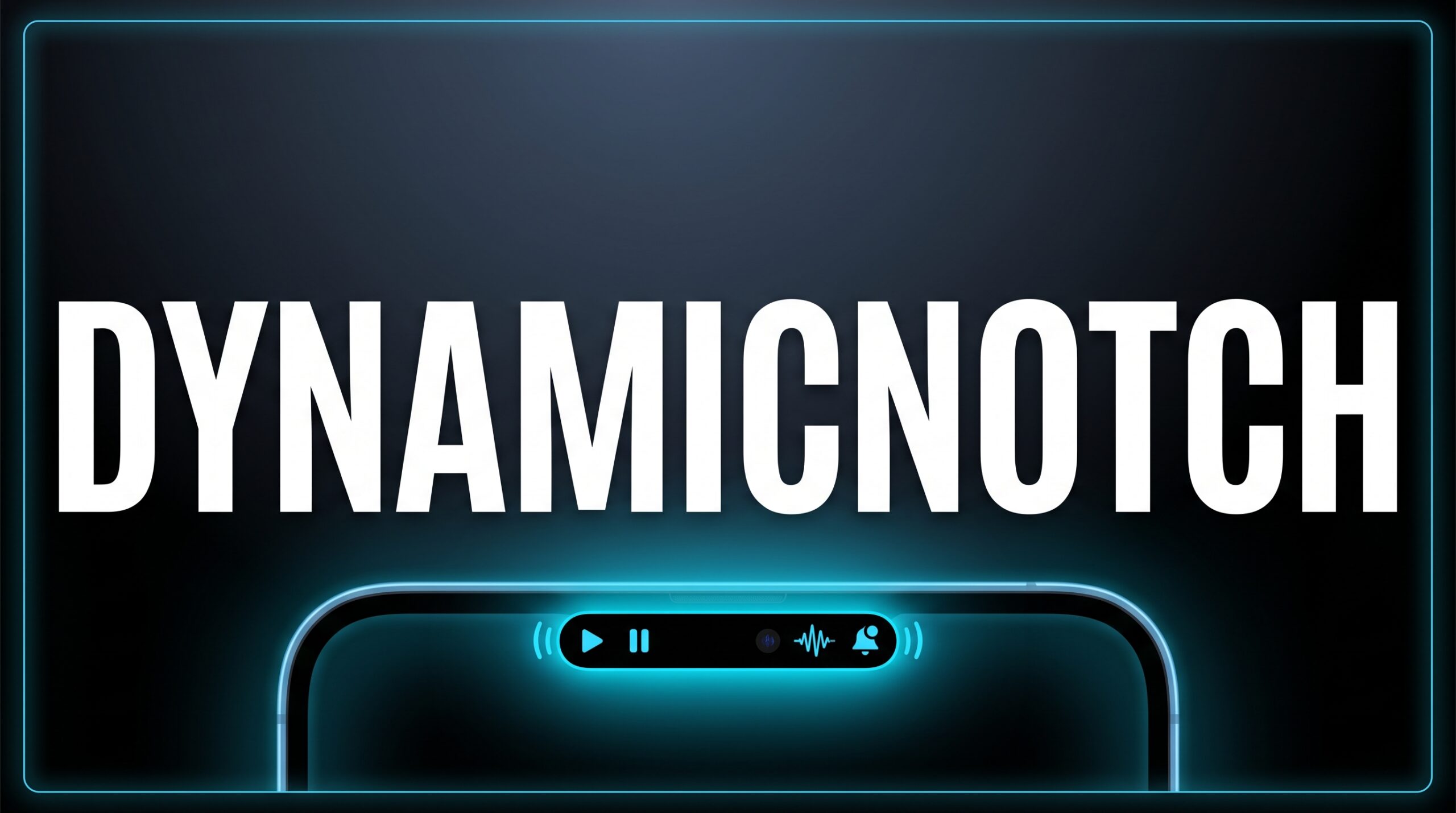


DynamicNotch — Dynamic island for macOS As a dynamic island macos app, it addresses a growing need among small business owners.
140 upvotes · #7 Product of the Day — View on Product Hunt
The notch on MacBook displays has always been a divisive design choice. Most users ignore it. A small subset of developers decided to do something about it. DynamicNotch is the latest entrant in that space, and it takes a notably different approach than its predecessors: rather than borrowing from existing open-source frameworks, it rebuilds the iPhone Dynamic Island experience from scratch for macOS. If you have been looking for a dynamic island macOS app that feels genuinely native rather than stitched together, this one deserves a close look.
Topics: Productivity, GitHub, Apple
Best Dynamic Island macOS App: What Makes DynamicNotch Different
Most notch-enhancement tools on macOS use shared repositories or derivative codebases. DynamicNotch does not. The project ships its own animation engine, built specifically to replicate the logic, physics, and interaction patterns of Apple’s Dynamic Island on iPhone. That distinction matters in practice. Where many competitors produce notch expansions that feel like overlays, DynamicNotch aims for something that behaves as though Apple itself designed it for the Mac.
The emphasis on native design is deliberate. Animations respond to system events with the same timing curves and morphing behavior familiar to iPhone 14 Pro and later users. Interactions — hover, expand, collapse — follow the same logic Apple applies on iOS. For Mac power users who move between devices constantly, the visual and behavioral continuity is a meaningful quality-of-life improvement.


Key Features
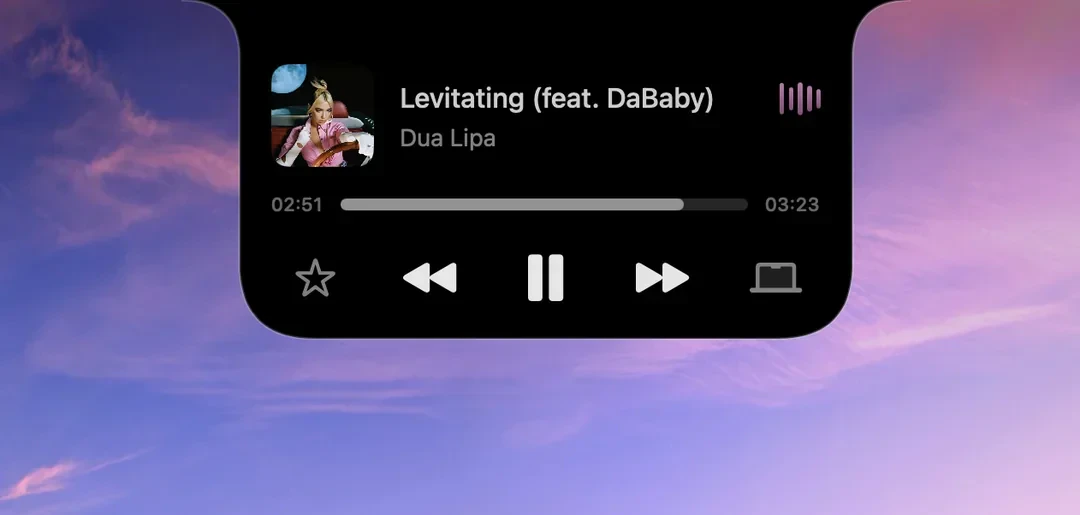
As a dynamic island macOS app, DynamicNotch surfaces information that was previously tucked into the menu bar or notification center. Current capabilities include:
- Media playback controls: Now-playing information expands from the notch with album art, track name, and playback controls — mirroring the iPhone experience for music and podcast listeners.
- System notifications: Incoming alerts morph through the notch area using Dynamic Island-style animations rather than appearing as standard macOS banners.
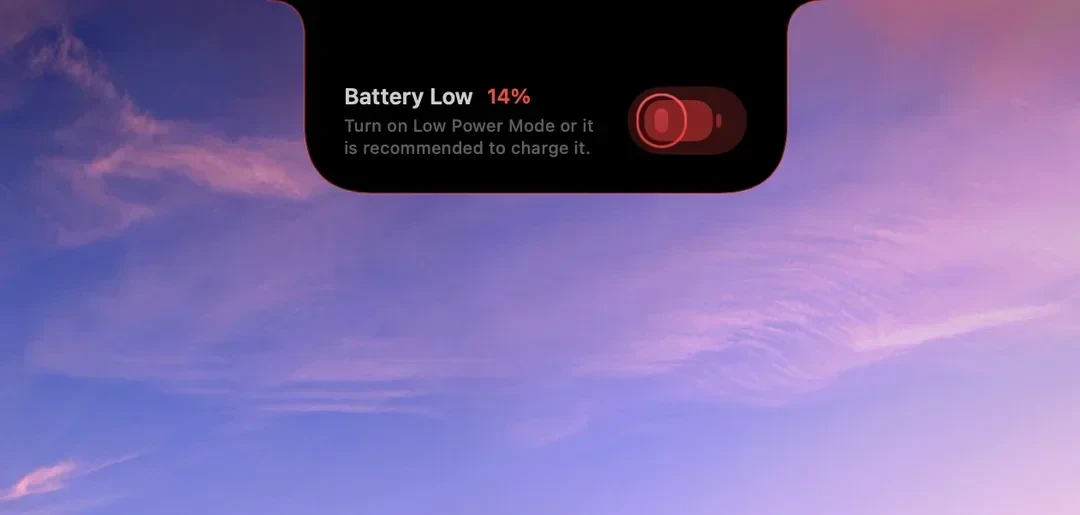
- System status indicators: Battery level, charging state, and other ambient system information surface contextually without requiring navigation away from the current task.
- Custom animation engine: Because DynamicNotch does not rely on third-party rendering libraries, animation fidelity is consistent and the codebase remains lean.
It is worth noting that the feature set is still maturing. DynamicNotch does not yet match the breadth of something like NotchNook’s widget ecosystem. Users looking for deep customization may find the current build limited. This is a focused tool doing a specific thing well, not a Swiss Army knife.
Pricing
DynamicNotch is free and open source. The project lives on GitHub, meaning there is no paywall, no subscription, and no trial period. The financial risk is zero. The trade-off, as with most open-source software, is that support depends on community responsiveness and developer availability rather than a paid support channel.
How It Compares
The dynamic island macOS app category has several established players. Here is how DynamicNotch positions against the main alternatives.
- NotchNook is the most polished option in the space, priced at $25 one-time or $3 per month. It offers a rich widget ecosystem, extensive customization, and a refined user experience. For users who want maximum control and are willing to pay, NotchNook remains the benchmark. DynamicNotch does not yet match its feature depth, but it also does not cost anything.
- Boring Notch is the closest philosophical peer — free, open source, and community-driven. The difference is in the engine. Boring Notch builds on existing repositories; DynamicNotch writes its own. Users who have tried Boring Notch and found the animations slightly off may notice a difference.
- DynamicLake Pro competes on animation quality, using Metal-accelerated 120fps rendering at a $16.90 one-time price. A strong choice for users on ProMotion displays who prioritize smoothness above all else.
- TopNotch takes the opposite approach — hiding the notch rather than enhancing it. Free and effective. DynamicNotch assumes you want to use the notch, not erase it.
Pros and Cons
- Pro: Free and open source — no financial commitment required
- Pro: Custom-built animation engine designed specifically for macOS
- Pro: Faithful replication of iPhone Dynamic Island logic and behavior
- Pro: Transparent codebase available for community review on GitHub
- Con: Feature set is narrower than paid competitors like NotchNook
- Con: No dedicated paid support — community and GitHub issues only
- Con: Customization options are limited compared to more configurable tools
Verdict
DynamicNotch earns attention as a dynamic island macOS app not because it does the most, but because it does its specific thing with unusual care. The decision to build a proprietary animation engine rather than extend an existing one is a meaningful technical commitment, and early results suggest it pays off in behavioral fidelity. For Mac users who have tried other notch tools and found them slightly unconvincing, DynamicNotch is worth installing — especially at zero cost.
For small business owners, the calculus is simple: free, open source, and unobtrusive. If it fits your workflow, keep it. If it does not, removing it costs nothing. For power users who want the deepest feature set and want a full-featured paid option more complete product. But DynamicNotch is a serious project, not a weekend experiment, and ranking 7th on Product Hunt on launch day with 140 votes suggests genuine interest from a discerning audience.
Frequently Asked Questions
Does DynamicNotch work on MacBooks without a physical notch?
DynamicNotch is designed around the notch present on MacBook Pro and MacBook Air models released from 2021 onward. On older MacBooks without a notch, the app has no natural anchor point for its interface and is not the intended use case. Users should verify hardware compatibility before installing.
Is DynamicNotch safe to install given it is open source?
The open-source nature of DynamicNotch is actually a transparency advantage — the full codebase is publicly available on GitHub for anyone to audit. Users with technical backgrounds can review exactly what the application does before running it. As with any third-party software, downloading from the official repository rather than third-party mirrors is the prudent approach.
How does DynamicNotch differ from other dynamic island macOS apps that are also free?
The primary differentiator is the animation engine. Most free alternatives build on shared open-source repositories, which means their behavior is shaped by the constraints of those underlying frameworks. DynamicNotch wrote its own engine from scratch with the explicit goal of replicating the iPhone Dynamic Island’s logic and interaction patterns as closely as possible on macOS. Whether that difference is perceptible in daily use depends on how closely a user tracks animation quality and interaction timing.
Check out DynamicNotch on Product Hunt or visit the official DynamicNotch website to learn more.